
TP-Link Archer AXE75
4.3Editor score
Tri-Band Wi-Fi 6E
Near-zero latency 6 GHz
EasyMesh compatible
This guide compares the top low latency WiFi routers for gaming and streaming, analyzing speed, range, and features to help you choose the best model.
Low latency WiFi routers are essential for gamers and streamers who need instant data transmission. These devices minimize lag, ensuring smooth gameplay and high quality video calls without interruptions during critical moments.
We compared ten top rated routers based on speed, range, and advanced features like Wi-Fi 7 and beamforming. Each product was evaluated for its ability to handle multiple devices while maintaining stable connections in busy homes.
Each pick shows specific strengths like VPN support or mesh compatibility to suit different needs. Prices and availability change frequently, so check current listings before purchasing to ensure you get the best deal available today.
4.3Editor score

4.6Editor score

4.3Editor score
This side-by-side comparison highlights the key specifications and unique features of each router to help you make an informed decision based on your specific network requirements.
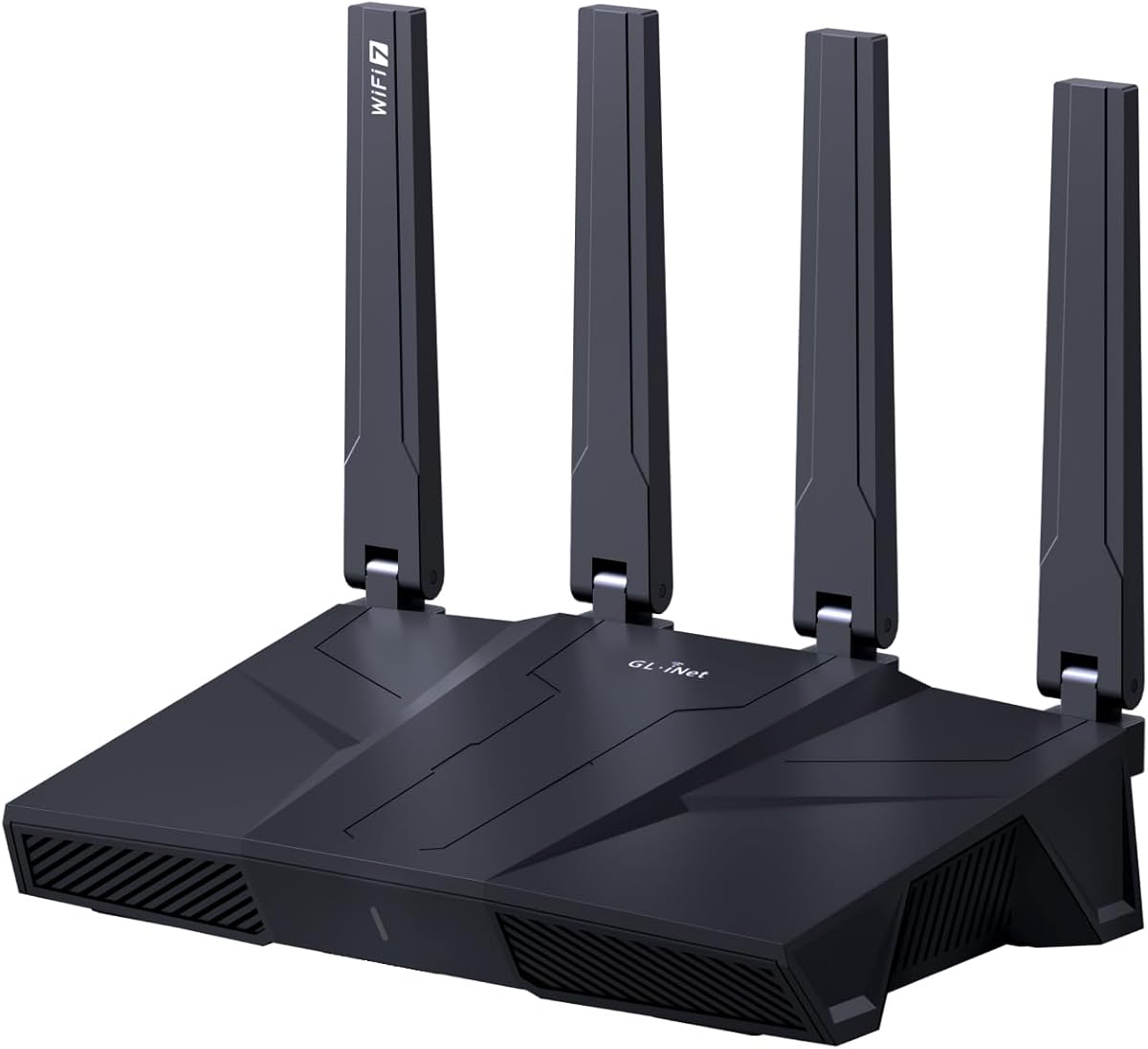



The GL.iNet GL-MT6000 Flint 2 stands out as a top choice for gamers needing reliable low latency connections. With a strong 4.6 rating it delivers Wi-Fi 6 speeds up to 6 Gbps for smooth 4K streaming and intense multiplayer battles.
We may earn a commission when you buy through this link, at no additional cost to you.
Its hardware includes DDR4 1GB and eMMC 8GB ensuring stable performance even with many connected devices. The dual 2.5G ports allow for multi-gigabit wired connections which is crucial for reducing lag in competitive gaming setups.
While it requires a firmware update upon setup to enhance performance the process is straightforward. Some users may find the price point higher than basic routers but the advanced features like AdGuard Home justify the investment for privacy focused users.
This router is ideal for households with numerous smart devices and gamers seeking stable high speed internet. Its ability to handle over 100 devices without drop makes it a robust solution for modern connected homes.
Experience uninterrupted performance with 8-stream Wi-Fi 6 technology ensuring stable connections during intense multiplayer battles.
Use AdGuard Home to block unwanted tracking and digital ads for a clutter-free browsing environment.
We may earn a commission when you buy through this link, at no additional cost to you.
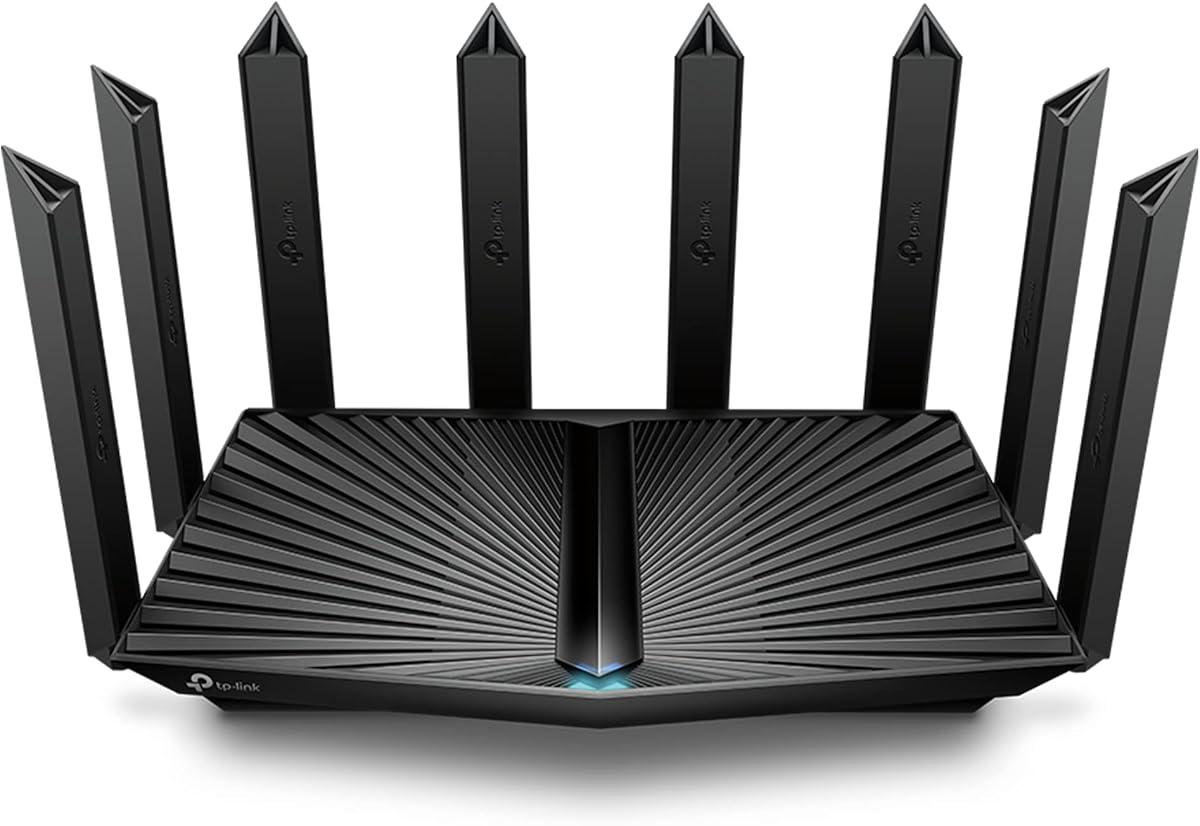
The TP-Link Archer AXE75 offers exceptional value for budget conscious users seeking low latency performance. Its Tri-Band design with 6 GHz support provides near-zero latency ideal for responsive gaming and video chatting.
We may earn a commission when you buy through this link, at no additional cost to you.
With speeds up to 5400 Mbps and OFDMA technology it can handle simultaneous transmission to multiple devices without slowdowns. The 1.0 GHz dual-core CPU and 512 MB High-Speed Memory ensure long-term reliability and performance.
While it lacks some advanced features of premium models it covers essential needs like VPN server support and HomeShield security. Users should note that a separate modem is required for most internet service providers.
This router is perfect for small to medium homes needing reliable Wi-Fi without breaking the bank. Its EasyMesh compatibility allows for easy network expansion as your connectivity needs grow over time.
The 6 GHz band brings more bandwidth and faster speeds enabling more responsive gaming and video chatting.
Extend network range by adding EasyMesh-compatible routers to eliminate dead zones and lag across your home.
We may earn a commission when you buy through this link, at no additional cost to you.
The ASUS ROG Rapture GT-BE98 Pro is a powerhouse for serious gamers needing the absolute fastest low latency connections. It supports Wi-Fi 7 with speeds up to 30 Gbps and new 320MHz channels in the 6 GHz band.
We may earn a commission when you buy through this link, at no additional cost to you.
Its Triple-Level Game Acceleration boosts PC gaming traffic from port to server ensuring minimal lag during critical moments. The dual 10G ports and quad 2.5G ports provide maximized wired connectivity for high-end setups.
While expensive this router is designed for users who demand maximum throughput and capacity. External antennas boost coverage and signal strength making it suitable for large homes with many connected devices.
This model is recommended for professional gamers and tech enthusiasts who want future-proof performance. The mesh support allows for scalable networks ensuring stable connections across every room of your property.
The GT-BE98 Pro boosts your PC gaming traffic every step of the way from your PC gaming port to the game server.
Multi-link Operation links to multiple bands simultaneously ensuring stable internet connections and efficient data transfers.
We may earn a commission when you buy through this link, at no additional cost to you.
The GL.iNet Flint 3 brings Wi-Fi 7 technology to deliver ultra-fast speeds up to 9 Gbps. It features MLO technology for significantly reduced latency and improved connectivity in high-density environments.
We may earn a commission when you buy through this link, at no additional cost to you.
With 5 x 2.5G ports it supports multi-gigabit wired connections for gaming rigs and NAS drives. The higher storage capacity allows DIY users to install plugins and manage over 100 devices seamlessly.
Users should update firmware upon setup for superior experience as noted by the manufacturer. While the price is higher it offers robust privacy features and coverage for up to 2000 square feet.
This router is ideal for tech-savvy users who want advanced customization and speed. Its parental controls help parents tackle screen time ensuring a safer digital environment for families.
Multi-Link Operation delivers ultra-fast speeds and reduced latency in high-density environments.
AdGuard Home enables DNS blocking of unwanted tracking and digital advertisements.
We may earn a commission when you buy through this link, at no additional cost to you.
The NETGEAR Nighthawk WiFi 7 router delivers exceptional range with coverage for up to 2500 sq ft. It supports speeds up to 9.3 Gbps across three bands ensuring fast connections even in large homes.
We may earn a commission when you buy through this link, at no additional cost to you.
Its 2.5 Gig WAN port unlocks multi-gig internet plans while the 2.5 Gig LAN ports connect gaming rigs directly for low latency. Security features like Advanced Router Protection are enabled out of the box.
Setup is guided via the free Nighthawk app which helps manage networks remotely. While Armor security requires a separate subscription after trial the base protection helps guard against malware and identity theft.
This router is perfect for spacious homes needing reliable high speed internet for multiple rooms. Its compatibility with most internet service providers ensures easy integration with existing modems.
Delivers up to 2500 sq ft of coverage for up to 100 devices across every room.
Plug modem into 2.5 Gig WAN port to unlock multi-gig internet plans for faster wired speed.
We may earn a commission when you buy through this link, at no additional cost to you.
The NETGEAR Nighthawk RS90 provides a balance of speed and affordability for busy homes. It offers Dual-Band Wi-Fi 7 with speeds up to 3.6 Gbps and coverage up to 2000 sq ft.
We may earn a commission when you buy through this link, at no additional cost to you.
MU-MIMO and OFDMA let multiple devices send and receive data simultaneously which reduces congestion. The 2.5 Gig WAN port allows users to unlock multi-gig internet plans if available.
Setup is easy with the free Nighthawk app allowing remote management. While it has fewer LAN ports than tri-band models it suits users with moderate connectivity needs.
This router is ideal for small to medium homes wanting next-gen Wi-Fi 7 features. Security features are enabled out of the box to help protect family networks from threats.
MU-MIMO and OFDMA let multiple devices send and receive data simultaneously for faster speeds.
Delivers up to 2000 sq ft coverage for up to 50 devices in every room.
We may earn a commission when you buy through this link, at no additional cost to you.
The TP-Link Archer BE230 is an accessible entry into Wi-Fi 7 with Dual-Band support and speeds up to 3600 Mbps. It offers future-proofing with Multi-Link Operation and 4K-QAM for enhanced performance.
We may earn a commission when you buy through this link, at no additional cost to you.
Dual 2.5G ports break the 1G barrier allowing high-speed wired connections to LAN devices. The 2.0 GHz Quad-Core Processor eliminates lag during heavy data transmissions for smooth streaming.
While it does not support 6 GHz band it still delivers strong performance for 4K and 8K streaming. EasyMesh compatibility lets you expand network range easily as needed.
This router suits budget-conscious users wanting latest tech features. Its voice control with Alexa or Google Assistant simplifies management for smart home owners.
Next-Gen 2.0 GHz Quad-Core Processor eliminates lag and minimizes latency during heavy data transmissions.
Multi-Link Operation delivers enhanced performance for all devices with faster speeds and reliability.
We may earn a commission when you buy through this link, at no additional cost to you.
The GL.iNet Flint 3e delivers seamless Wi-Fi coverage throughout homes up to 2500 square feet. It provides Wi-Fi 7 speeds up to 6.5 Gbps and supports over 100 devices reliably.
We may earn a commission when you buy through this link, at no additional cost to you.
Wireguard and OpenVPN speeds reach up to 1100 Mbps giving control over gaming and streaming bandwidth. MLO and 4K-QAM breakthroughs ensure reduced latency and improved connectivity in high-density environments.
Users should update firmware upon initial setup for superior experience and performance. Its parental controls help filter websites and enforce safe search for a balanced digital environment.
This router is ideal for larger homes needing extended range and high speed. The integrated Bark tool helps parents tackle screen time safely and effectively.
Experience seamless Wi-Fi connection throughout your home with performance designed for long range.
Rapid OpenVPN and Wireguard speeds give control over gaming and working bandwidth.
We may earn a commission when you buy through this link, at no additional cost to you.
The TP-Link AX80 offers robust Wi-Fi 6 performance with speeds up to 6000 Mbps for faster streaming and gaming. MU-MIMO and OFDMA technology works hand in hand to boost throughput and efficiency.
We may earn a commission when you buy through this link, at no additional cost to you.
Its 2.5G Multi-Gigabit Port breaks the 1G barrier ensuring router does not bottleneck multi-gig wired connections. VPN Client support allows devices to access remote servers without installing software on each device.
While it lacks Wi-Fi 7 features it delivers reliable performance at a competitive price. OneMesh support allows flexible whole home Wi-Fi creation with range extenders.
This router is perfect for homes upgrading from older Wi-Fi 5 models. Voice control with Alexa makes it easier to manage guest Wi-Fi and settings.
Connect more devices with lower latency using MU-MIMO and OFDMA technology for simultaneous data streams.
VPN Client supported allows devices in home network to access remote VPN servers without installing software.
We may earn a commission when you buy through this link, at no additional cost to you.
The Asus ROG GT-AXE11000 was the world's first Wi-Fi 6E tri-band router delivering speeds up to 11000 Mbps. Its 6 GHz spectrum provides wider channels and higher capacity for lower latency.
We may earn a commission when you buy through this link, at no additional cost to you.
Performance through engineering includes a Quad-core CPU processor optimized antenna design and cooling system to bring computational capability to the next level. The 2.5G LAN/WAN port unlocks full potential of Wi-Fi 6.
While newer Wi-Fi 7 models exist this router still delivers solid performance for gaming and streaming. Triple-level game acceleration ensures traffic gets priority from device to game server.
This router suits users transitioning to Wi-Fi 6E with existing compatible devices. Its dedicated bands reduce interference and congestion for smooth online experiences.
6GHz spectrum available delivers higher performance lower latency and less interference for connected devices.
Triple-level game acceleration accelerates game traffic every step of the way from device to game server.
We may earn a commission when you buy through this link, at no additional cost to you.
Selecting a low latency WiFi router involves understanding key technical factors that affect performance and stability in your home environment.
Newer generations like Wi-Fi 7 offer wider channels and Multi-Link Operation which significantly reduce latency and improve throughput. Look for routers that support at least Wi-Fi 6E to access the 6 GHz band for less interference.
Prioritize Wi-Fi 7 for future-proofing and the lowest latency possible in crowded networks.
Tri-band and quad-band routers provide separate bands for different devices reducing congestion. Dual-band routers can be sufficient but tri-band allows more simultaneous connections without slowdowns.
Choose tri-band or quad-band if you have many devices streaming or gaming simultaneously.
Gaming rigs and NAS drives benefit from wired connections. Ensure the router has 2.5G or 10G ports to avoid bottlenecks if you have fast internet plans.
Look for dual 2.5G or 10G ports for maximum wired speed potential.
A powerful processor and ample RAM handle data processing efficiently reducing latency. Look for quad-core CPUs and at least 512MB memory for stable performance.
Prioritize routers with high-speed memory and multi-core processors for reliable performance.
Large homes need routers with strong signal strength and beamforming technology to target devices directly. Check square footage ratings and external antenna counts for better range.
Select models rated for your home's square footage with multiple external antennas.
Built-in security like firewall and parental controls protect your network. Advanced routers offer VPN support for private browsing which can impact latency.
Choose routers with robust security to protect devices without sacrificing speed.
User-friendly apps simplify setup and ongoing network management. Features like Quality of Service help prioritize gaming traffic for lower latency.
Look for intuitive apps that support QoS to optimize traffic for gaming.
If your home is multi-story or large mesh compatibility ensures seamless coverage across all rooms. Some routers support EasyMesh or OneMesh to expand without dead zones.
Select mesh compatible models for expandable coverage in larger homes.
Position your router in a central location away from walls and obstructions to maximize signal range and reduce latency. Keep it elevated and away from other electronics to avoid interference.
Regularly update your router's firmware to ensure optimal performance and security patches. Use the manufacturer's app to check for updates and manage connected devices efficiently.
Restart your router periodically to clear cached data and refresh connections. Monitor connected devices using the app to identify and disconnect unused devices that may impact speed.
Low latency WiFi refers to minimal delay between sending and receiving data. It is critical for online gaming and video calls where lag can ruin the experience. Choosing a router with low latency features ensures smoother real-time interactions.
Yes, Wi-Fi 7 introduces Multi-Link Operation and wider channels which significantly reduce latency compared to Wi-Fi 6. It also improves performance in congested environments making it ideal for gaming.
A quality router can manage network traffic more efficiently reducing internal congestion. However it cannot reduce ISP latency. Ensure your plan and modem match the router's capabilities for best results.
A 2.5G or 10G Ethernet port provides faster wired connections which are more stable than wireless. Gaming consoles and PCs benefit from these ports to minimize latency during gameplay.
If you have a large home a mesh system ensures consistent coverage reducing dead zones that increase latency. Smaller homes may not need mesh if the router's range is sufficient.
Use the manufacturer's mobile app or web interface to check for and install firmware updates. Keeping firmware current ensures you have the latest security and performance improvements for low latency.
The GL.iNet Flint 2, TP-Link AXE75, and ASUS ROG GT-BE98 Pro lead the list for their balance of speed and features. Each serves different needs from budget to premium gaming.
Prioritize Wi-Fi 7 or 6E support along with strong CPU and wired ports to ensure low latency. Consider your home size and number of devices when choosing coverage and ports.
Prices and availability change frequently so check current listings before purchasing to ensure you get the best deal. Always update firmware after setup for optimal performance and security.