
NETGEAR Nighthawk Cable Modem and WiFi 5 Router Combo (C7000)
4.2Editor score
AC1900 WiFi 5
Four Gigabit Ports
Easy Nighthawk Setup
This guide compares the top cable modem wifi router combo units for speed coverage and compatibility to help you choose the best all-in-one networking device.
Finding the right cable modem wifi router combo can transform your home internet experience by eliminating rental fees and improving overall network performance. These all-in-one devices streamline your setup while delivering reliable connectivity for streaming, gaming, and remote work across every room.
We evaluated ten leading models based on DOCSIS standards, wireless technology, and provider compatibility. Each entry in this list offers detailed insights into real-world performance, security features, and ease of configuration to ensure you make an informed decision for your specific broadband needs.
Every product highlight includes key specifications and verified ratings to guide your selection process effectively. Please note that pricing and availability fluctuate frequently so always check current listings before finalizing your purchase to secure the best value available today.
4.2Editor score

4.1Editor score

3.9Editor score
This side-by-side comparison outlines the essential differences between the top ten cable modem wifi router combo units available this month. Reviewing these specifications helps identify which model aligns best with your internet plan and home size requirements.





The NETGEAR Nighthawk Modem Router Combo (CAX30) stands out as the top choice for users seeking high performance and modern standards. With a rating near four stars, this device combines a DOCSIS 3.1 cable modem with a WiFi 6 router to deliver exceptional speed and coverage for most homes.
We may earn a commission when you buy through this link, at no additional cost to you.
Its standout quality lies in its ability to handle plans up to 2Gbps while maintaining stability through OFDMA technology. The AX2700 dual-band WiFi 6 supports up to 25 devices across 2000 square feet, ensuring that streaming and gaming remain lag-free even during peak usage hours.
While the price is higher than entry-level options, the reliability and future-proofing justify the investment for many users. Users may find that voice support is not included, which could be a drawback for those requiring VoIP capabilities directly through the modem.
This model is ideal for households with multiple users and devices who prioritize speed and security. The Nighthawk app simplifies management tasks like speed tests and guest network setup, making it a practical choice for tech-savvy individuals and families alike.
WiFi 6 technology ensures efficient data transmission for connected devices reducing congestion and improving response times during heavy network usage.
Compatible with major providers like Xfinity Spectrum and Cox this unit is certified to work reliably with your existing internet plan without activation issues.
We may earn a commission when you buy through this link, at no additional cost to you.
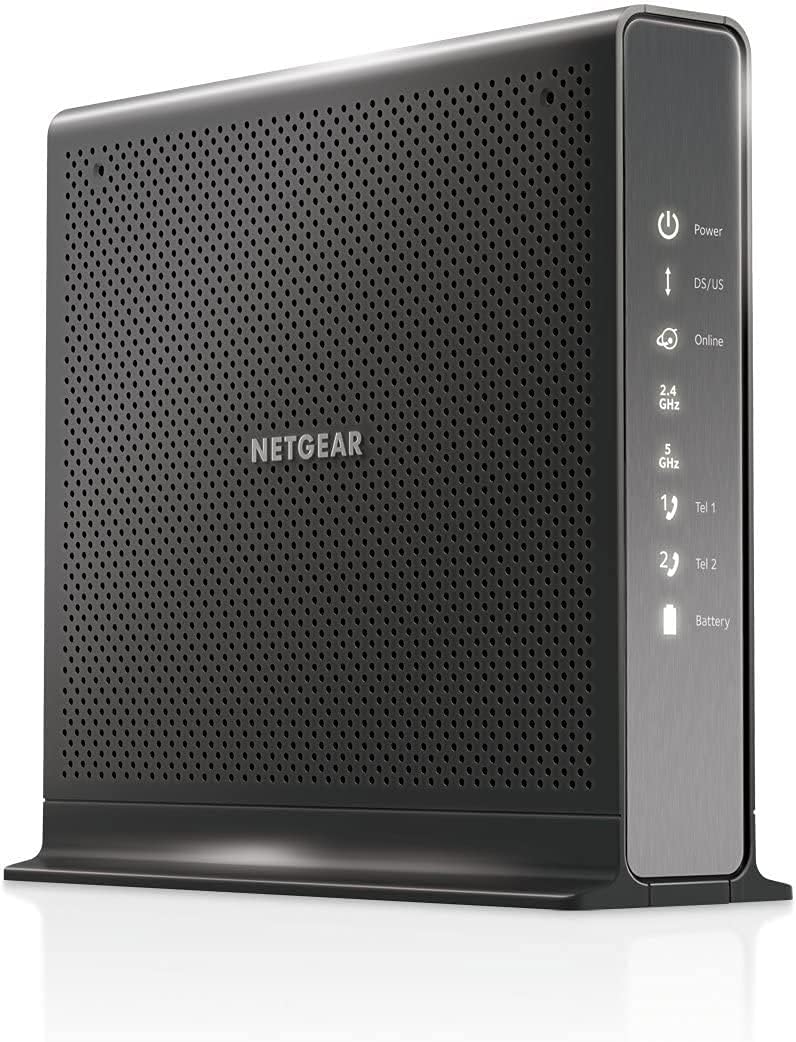
For those looking to save money without sacrificing too much performance, the NETGEAR Nighthawk C7000 offers an excellent balance of cost and capability. It holds a strong rating above four stars and proves that reliable internet connectivity does not always require the latest expensive technology.
We may earn a commission when you buy through this link, at no additional cost to you.
This device supports plans up to 800Mbps and provides AC1900 speeds which are sufficient for most streaming and browsing needs. The four Gigabit Ethernet ports ensure stable connections for consoles and desktops while Beamforming+ technology helps eliminate dead zones in the home.
The main trade-off is the use of WiFi 5 instead of the newer WiFi 6 standard which may limit capacity as more devices are added. However for many average users this difference is negligible and the lower cost makes it a very attractive option for budget-conscious buyers.
Ideal for families with moderate internet usage this modem router combo delivers dependable performance and security features like WPA encryption. The included Nighthawk app allows easy management from any device ensuring you can control your network without technical expertise.
Priced significantly lower than newer models this unit provides the essential features needed for a stable home network without breaking the bank.
Four wired Gigabit ports allow you to connect high bandwidth devices directly for maximum speed and stability independent of wireless interference.
We may earn a commission when you buy through this link, at no additional cost to you.
The NETGEAR Nighthawk CAX80 is designed for users who demand the absolute best performance and are willing to pay for premium features. Despite a rating slightly below four stars, it offers top-tier specs like AX6000 speeds and coverage up to 2500 square feet making it powerful for large households.
We may earn a commission when you buy through this link, at no additional cost to you.
Key strengths include a 2.5G Multi-Gig port which supports faster wired connections for high-end PCs and gaming consoles. It supports plans up to 2Gbps and can manage over 30 devices simultaneously without significant degradation in network quality or speed.
The high price point may not be justified for smaller homes or simpler internet needs where a mid-range model would suffice. Users should also note that despite its power, real-world speeds can vary based on ISP network conditions and home layout factors.
Best suited for tech enthusiasts and large families with heavy bandwidth demands this combo delivers exceptional throughput and advanced security. Its robust build and high capacity ensure it remains relevant as internet plans and device counts grow in the coming years.
The 2.5G Ethernet port allows wired devices to exceed standard Gigabit speeds offering future proofing for next generation internet plans and devices.
With coverage up to 2500 square feet this router ensures strong signal strength reaches every corner of a large home or multi level house.
We may earn a commission when you buy through this link, at no additional cost to you.
This renewed version of the popular CAX30 offers a smart way to access high-end features at a reduced price point. With a rating over four stars, it provides confidence that the reconditioning process maintains functionality comparable to a brand new unit.
We may earn a commission when you buy through this link, at no additional cost to you.
Users get the same DOCSIS 3.1 and WiFi 6 capabilities ensuring fast internet and broad device support. The link aggregation and increased device capacity make it suitable for modern homes needing efficient network management without paying full retail price.
The trade-off involves a potentially shorter warranty and some cosmetic signs of previous use which may not matter for functional purposes. However buyers should check specific renewal terms to ensure coverage needs are met before making a purchase decision.
Recommended for budget savvy shoppers who want the latest tech features this option delivers strong value. It bridges the gap between premium performance and cost savings effectively for those who do not need a pristine new box.
Choosing a renewed model allows you to secure high end networking features at a lower entry price while still enjoying reliable performance.
Despite being refurbished this unit comes equipped with the latest DOCSIS and WiFi standards ensuring compatibility with current and future internet plans.
We may earn a commission when you buy through this link, at no additional cost to you.
This listing represents another instance of the highly regarded CAX30 model which continues to be a top contender in the combo market. Its consistent performance and strong ratings highlight its reliability for users seeking a dependable internet solution for daily tasks.
We may earn a commission when you buy through this link, at no additional cost to you.
Key features include robust WiFi 6 coverage and support for high-speed plans which help maximize your existing internet plan. The device is built to handle heavy usage loads with OFDMA technology ensuring smooth data flow across multiple devices simultaneously.
While it is effectively the same as the first ranked product different listings may vary in availability or bundled support options. Users should compare specific terms to ensure they are getting the most favorable deal available at the time of purchase.
For most households this model strikes an excellent balance between cost and capability making it a safe choice. It provides all essential modern networking needs in one box with minimal setup hassles and strong security safeguards built in.
Works seamlessly with major ISPs like Spectrum and Xfinity making it easy to activate without needing complex technical intervention or special calls.
Built-in WPA3 and firewall protection ensure your connected devices stay safe from online threats without requiring additional software subscriptions.
We may earn a commission when you buy through this link, at no additional cost to you.
The ARRIS Surfboard G34 brings modern DOCSIS 3.1 technology and WiFi 6 to users at a competitive price point. Although its rating is slightly lower than competitors, it offers strong specs that can support up to 2.5Gbps plans for future growth and streaming needs.
We may earn a commission when you buy through this link, at no additional cost to you.
Its compact design saves space while providing four Gigabit ports for wired connections. The device is CableLabs certified ensuring broad compatibility with major providers like Cox Xfinity and Spectrum which simplifies activation for most customers.
Some users have reported inconsistencies in firmware updates or connection stability which may explain the mixed reviews. However the hardware specs remain competitive making it a viable option for those willing to troubleshoot minor software quirks.
Ideal for users who want WiFi 6 without breaking the bank this model offers a balanced feature set. Its ability to handle high speeds efficiently makes it a good choice for households looking to upgrade their network infrastructure gradually.
The modern compact footprint fits neatly into home offices or living areas ensuring it does not clutter your space while delivering full performance.
CableLabs certification guarantees that this modem meets industry standards for reliability and interoperability with major cable providers across the US.
We may earn a commission when you buy through this link, at no additional cost to you.
This renewed unit offers an incredibly affordable entry into reliable internet connectivity without needing new hardware. With ratings above four stars it has proven dependable for basic needs like browsing, email, and standard HD streaming in smaller living spaces.
We may earn a commission when you buy through this link, at no additional cost to you.
Supporting plans up to 800Mbps it provides enough speed for most typical households. The four Gigabit ports ensure wired devices get stable connections which is helpful for gaming consoles or desktop computers that do not rely on wireless signals.
The main limitation is that it does not support WiFi 6 which means it may not scale as well if you add many new smart devices. However for a secondary location or rental unit it offers excellent value and performance for the cost.
Best for budget focused buyers who do not need the newest features this model is a practical solution. It saves rental fees and delivers consistent performance with minimal fuss ensuring you have internet when you need it.
Setup requires just a coaxial connection and power allowing you to get online quickly without needing a professional technician to visit your home.
Even as a refurbished unit this model maintains stable speeds and connectivity making it a dependable choice for everyday internet usage needs.
We may earn a commission when you buy through this link, at no additional cost to you.
This specialized model is designed for households that need both internet and phone service from a single device. With a strong rating and dedicated voice ports it simplifies cabling by combining modem, router, and telephone functions into one unit for convenience.
We may earn a commission when you buy through this link, at no additional cost to you.
It supports up to 600Mbps plans which is adequate for most general usage and offers backup options for power outages to keep lines active. The AC1900 speeds ensure reliable internet performance alongside clear voice calls for those who still rely on landlines.
While newer models offer faster speeds, this unit focuses on stability and specific functionality like voice support. Users may find the higher price point justified if they want to maintain a landline connection without extra equipment or complex setups.
Best for families using Xfinity voice plans this modem provides an all-in-one solution that is easy to manage. It ensures your home phone and internet work seamlessly together without needing separate hardware for each service connection.
Two dedicated phone ports allow you to connect standard handsets directly to the modem for clear voice calls over your internet connection.
Optional battery backup options ensure that your phone service remains active even during electrical outages keeping you connected when it matters.
We may earn a commission when you buy through this link, at no additional cost to you.
The C6250 is an excellent entry-level choice for those with simpler internet needs and smaller living spaces. With a rating above four stars it offers dependable performance for streaming and browsing at speeds up to 300Mbps without unnecessary complexity or high costs.
We may earn a commission when you buy through this link, at no additional cost to you.
Its compact design makes it easy to place in corners or shelves while still delivering coverage up to 1500 square feet. While it has fewer ports than higher-end models, it provides enough connectivity for most basic setups without cluttering your area.
The main constraint is its limit to 300Mbps plans which means it may not be suitable for future upgrades to faster internet tiers. Users should confirm their current plan matches this capacity to ensure they get full value from the device.
Ideal for renters or smaller households this model saves rental fees and delivers consistent results. It is a straightforward, no-fuss device that handles everyday tasks well and is easy to manage for anyone with basic technical skills.
A small footprint allows easy placement on shelves or desks ensuring it blends into your decor while still providing solid wireless coverage.
Basic controls and intuitive interfaces make setup and configuration easy without needing advanced technical knowledge or complicated menus to navigate.
We may earn a commission when you buy through this link, at no additional cost to you.
ARRIS is a trusted name in connectivity, and this SBG7600AC2 model reflects that with reliable performance and a strong rating. It delivers AC2350 speeds suitable for plans up to 800Mbps making it a sturdy option for homes needing consistent throughput for multiple users.
We may earn a commission when you buy through this link, at no additional cost to you.
Features include four Gigabit ports for reliable wired connections and simple app-based setup for easy network management. Parental controls and real-time monitoring help keep the network safe and organized without requiring advanced configuration skills or external tools.
While it lacks the newer WiFi 6 technology it performs well for standard usage and offers good value for money. Users should verify compatibility with their specific provider model to avoid activation delays before purchasing this specific unit for their home.
Best for traditional setups needing stable speeds this combo provides a no-nonsense solution for internet needs. Its blend of performance and ease of use makes it a safe pick for those who prioritize reliability over cutting-edge features or tech novelty.
With millions of modems sold this brand ensures a proven track record of hardware stability that works consistently with major cable networks.
The SURFboard Central App allows quick access to network settings and monitoring features for easy management of your home connections.
We may earn a commission when you buy through this link, at no additional cost to you.
Choosing the right combo requires considering your internet plan, home size, and budget to ensure optimal performance. Below are key factors to evaluate before making your purchase decision.
DOCSIS 3.1 is preferred for future-proofing as it supports higher speeds up to 2Gbps or more compared to the older 3.0 standard which is limited to 800Mbps. If you have a high-speed plan or anticipate upgrading soon, investing in a 3.1 model ensures compatibility and better performance.
Always check your ISP's requirements before purchasing to confirm the device supports your current plan and future upgrades without needing replacement.
WiFi 6 (AX) offers improved efficiency and capacity for multiple devices compared to WiFi 5 (AC). If you have many smart devices or family members online simultaneously, WiFi 6 will help reduce congestion and maintain faster speeds.
For basic usage in smaller homes, a solid WiFi 5 model may suffice and save you money while still delivering reliable internet performance.
Ensure the rated coverage matches your home square footage to avoid dead zones. Most combos cover 1500 to 2500 square feet, but walls and layout can affect signal strength. If you have a large home, consider a model with higher rated coverage or plan to add extenders.
Look for Beamforming+ or similar technology that directs signals to devices for improved range in difficult areas.
Most combos include four Gigabit Ethernet ports which are essential for gaming consoles, desktops, or smart TVs that need stable connections. Some premium models offer a Multi-Gig port (2.5G) for extra speed on wired devices.
Choose a model with enough wired ports to support your critical devices without needing extra switches or hubs.
Not all combos work with all ISPs. Check if the device is certified for your specific provider like Xfinity, Spectrum, or Cox. Voice-enabled models are necessary if you use VoIP services directly through your modem.
Always verify provider lists before buying to avoid returns or activation issues after purchase.
Built-in firewalls and WPA3 encryption are standard for modern devices and protect your data from external threats. Some models offer additional security suites or parental controls to manage access and content for family members.
Look for regular firmware update support to keep these protections current against new vulnerabilities over time.
Most modern combos allow setup via a mobile app which guides you through activation and configuration. Browser-based options are also available for those who prefer desktop tools.
Select a model with intuitive software to save time and frustration during installation.
Balance your spending with actual needs. A budget model might save money but limit speeds or capacity. Premium models offer more features but may be overkill for smaller households.
Consider long-term savings on rental fees when calculating the total value of purchasing your own hardware.
Connect the coaxial cable from your wall to the modem port securely to prevent signal loss. Then plug the power adapter into a stable outlet and allow the device to boot up for a few minutes until status lights indicate online activity.
Use the manufacturer's mobile app or web interface to set your network name and password. Enable security features like firewalls and guest networks to protect your data while allowing visitors safe access without compromising your main connection.
Periodically restart the device to clear temporary cache and maintain optimal performance. Keep it in a cool, ventilated area away from direct sunlight or heat sources to ensure hardware longevity and consistent signal quality.
No, these devices are designed specifically for cable internet providers using coaxial lines. Fiber internet typically requires a specific ONT device provided by the fiber ISP. Check with your provider to confirm if you are eligible for a cable modem combo.
These combos are not compatible with DSL services which use telephone lines. You will need a DSL-specific modem or gateway from your provider to use this type of hardware.
Yes, owning your own combo unit typically eliminates the monthly rental charge from your ISP. Check with your provider for potential small activation or certification fees instead of monthly costs.
DOCSIS 3.1 supports higher speeds up to 2Gbps or more with better efficiency, while 3.0 is generally limited to 800Mbps. Choosing 3.1 ensures your modem stays relevant as internet plans continue to increase in speed over time.
Activation usually requires registering the device's MAC address with your ISP. This can often be done online or through a self-activation portal without a phone call, depending on your provider's system and policy.
It will not increase your plan speed unless your current modem is slower than your plan allows. However, it can improve local network stability and WiFi range, ensuring you get the maximum speed your plan provides to all your devices.
We reviewed ten top models ranging from budget-friendly WiFi 5 options to high-end WiFi 6 performers. The NETGEAR Nighthawk CAX30 offers the best balance of speed and features for most users while the C7000 provides great value for those on a strict budget.
When choosing, prioritize DOCSIS 3.1 for future-proofing and ensure the WiFi generation matches your device count. Don't forget to check provider compatibility to avoid activation issues after purchase and consider your home size for adequate coverage.
Pricing fluctuates often so check current listings before buying to secure the best deal. Owning your own hardware saves money over time and provides greater control over your network performance and security settings.