
GIGABYTE Radeon RX 9070 XT Gaming OC 16G
4.7Editor score
Powerful Radeon RX 9070 XT
16GB GDDR6 memory capacity
WINDFORCE cooling system
Discover the best GPU for Davinci Resolve in October 2026. We compare top models for speed, memory, and rendering performance to help you choose.
Selecting the right graphics processing unit is critical for smooth video editing and color grading. A powerful GPU accelerates effects and ensures real-time playback in complex timelines.
We evaluated leading models based on architecture, memory capacity, and professional driver support. This guide highlights the most capable cards for demanding creative workflows and 8K projects.
Each pick showcases key strengths and ideal use cases for different user needs. Please note that availability and pricing may fluctuate, so check current listings before purchasing.
4.7Editor score
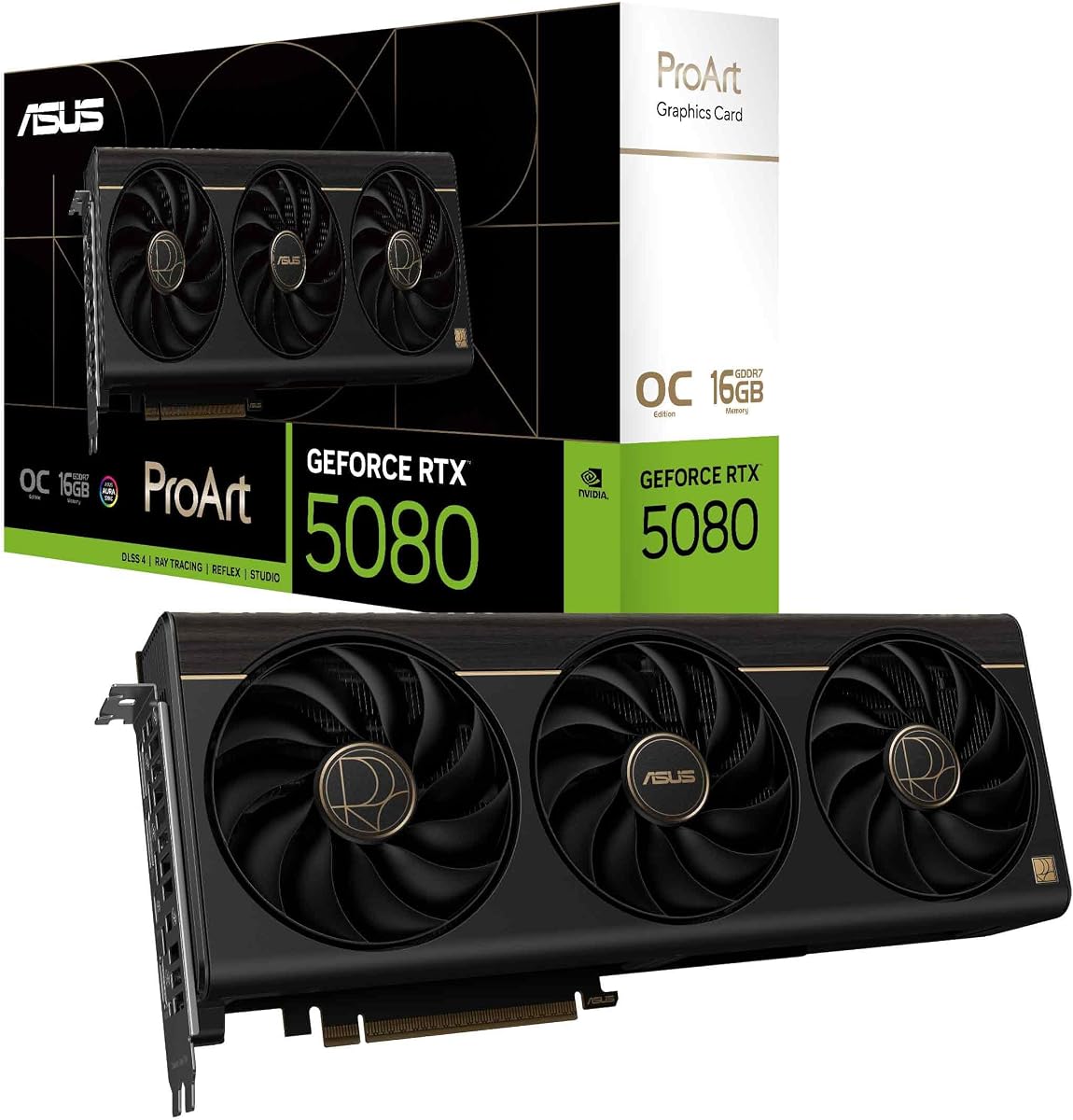
4.9Editor score

4.3Editor score
This side-by-side comparison highlights the technical specifications and key features of the top ten graphics cards suitable for DaVinci Resolve workflows and high-end video editing tasks.





This card represents the pinnacle of consumer-grade performance for video editing applications. Its high rating reflects consistent reliability during intensive color grading and effects processing tasks.
We may earn a commission when you buy through this link, at no additional cost to you.
The Blackwell architecture delivers significant improvements in ray tracing and AI acceleration. Users benefit from smoother playback and faster render times even in complex multi-layer projects.
While the power draw is substantial, the thermal solution maintains stable performance under sustained loads. The compact size helps fit into standard workstation cases without excessive space requirements.
Prospective buyers should prioritize this model for professional workflows requiring maximum throughput. It stands as the top recommendation for editors seeking the best balance of power and compatibility.
The 1858 AI TOPS capability accelerates neural filters and automatic masking tools significantly.
An integrated USB Type-C port provides versatile connectivity for modern peripherals and accessories.
We may earn a commission when you buy through this link, at no additional cost to you.
GIGABYTE delivers a strong contender for professional editing tasks with its latest flagship model. The card excels in handling demanding timelines and real-time effects without compromising stability.
We may earn a commission when you buy through this link, at no additional cost to you.
Its WINDFORCE cooling system ensures consistent thermal management during long rendering sessions. The architecture supports the latest APIs, providing a smooth experience across various video editing software.
While the design includes gaming-oriented features, the core performance is equally suitable for creative work. Buyers should ensure adequate case clearance to accommodate its substantial dimensions.
This option is ideal for users who want top-tier performance without stepping into workstation pricing. It offers a balanced mix of speed and efficiency for serious video editors.
The WINDFORCE system uses multiple fans to maintain low temperatures under heavy load conditions.
PCIe 5.0 support ensures future-proofing for upcoming system upgrades and bandwidth needs.
We may earn a commission when you buy through this link, at no additional cost to you.
This graphics card offers an excellent entry point for editors working with moderate budgets. It handles 4K editing and basic color grading tasks with impressive smoothness and reliability.
We may earn a commission when you buy through this link, at no additional cost to you.
The 16GB GDDR6 memory ensures sufficient buffer for large textures and complex effects. Performance remains consistent even during extended rendering periods thanks to efficient thermal management.
Users should note that while it supports standard video editing features, some specialized professional optimizations may be lacking compared to workstation cards. However, general performance remains highly competitive.
It serves as a smart choice for freelancers or small studios looking to maximize value. The card provides ample power for most common video production workflows without overspending.
The 16GB GDDR6 memory allows for smoother multitasking and handling of high-resolution assets.
The WINDFORCE cooling design keeps operating temperatures low during long editing sessions.
We may earn a commission when you buy through this link, at no additional cost to you.
This workstation-grade GPU is designed for professionals handling the most demanding creative projects. Its massive memory capacity and advanced architecture deliver unmatched performance for complex workflows.
We may earn a commission when you buy through this link, at no additional cost to you.
The 96GB DDR7 ECC memory ensures data integrity and supports extremely large project files. Users can run multiple applications simultaneously without worrying about resource constraints or performance bottlenecks.
While the cost is significant, the reliability and feature set justify the investment for enterprise environments. It is built to operate continuously under heavy loads without degradation over time.
Ideal for large post-production houses, this card eliminates rendering wait times effectively. Those prioritizing maximum throughput and stability should consider this top-tier workstation option carefully.
With 96GB of DDR7 ECC memory, this card handles massive datasets and 8K video streams easily.
Designed for 24/7 operation, the cooling and build quality ensure long-term consistent performance.
We may earn a commission when you buy through this link, at no additional cost to you.
This professional graphics card delivers strong performance for creative workloads including video editing. Its 32GB memory capacity is ample for most high-resolution projects and complex effects chains.
We may earn a commission when you buy through this link, at no additional cost to you.
The RDNA 4 architecture provides excellent efficiency and supports modern APIs used by popular video software. Users appreciate the reliable performance during long rendering and export sessions.
The blower cooling design ensures efficient heat exhaust in multi-GPU setups. However, it may generate more noise compared to open-air designs in quiet office environments.
This card suits professionals who need a balance of memory capacity and workstation stability. It is a solid option for studios requiring consistent performance without breaking the bank.
The 32GB GDDR6 memory allows for smooth handling of large textures and high-resolution video files.
DisplayPort 2.1a supports high-resolution displays for precise color grading and visual work.
We may earn a commission when you buy through this link, at no additional cost to you.
TUF Gaming series cards are known for their durability and consistent performance in demanding scenarios. This model brings that reliability to video editing workflows with powerful specifications.
We may earn a commission when you buy through this link, at no additional cost to you.
The military-grade components and phase-change thermal pads ensure longevity under heavy workloads. Users benefit from a cooling solution that keeps temperatures low during extended editing sessions.
While designed with gamers in mind, the raw power is equally beneficial for professional creative tasks. It handles real-time effects and multi-cam editing with significant ease and smoothness.
Prospective buyers should verify case clearance due to its substantial size. This card is excellent for users prioritizing build quality and performance in a single powerful GPU.
Military-grade components and protective coatings ensure the card withstands rigorous daily usage.
Phase-change thermal pads improve heat transfer for better sustained performance under load.
We may earn a commission when you buy through this link, at no additional cost to you.
This classic professional card remains a strong option for compute-heavy creative tasks. Its architecture supports advanced features essential for high-end rendering and AI processing in video software.
We may earn a commission when you buy through this link, at no additional cost to you.
The 577 Tensor Cores accelerate machine learning tasks effectively. Users find it reliable for workflows that depend heavily on CUDA acceleration and professional driver support.
While newer models offer higher clock speeds, the Titan RTX provides substantial raw power. It continues to serve as a workhorse for studios needing robust performance without new premium pricing.
Buyers should check power supply requirements carefully before installation. This card is best suited for professionals who need dependable performance for legacy and current applications.
The 577 Tensor Cores provide significant acceleration for AI-based video processing features.
NVIDIA's professional driver support ensures compatibility with enterprise video editing software.
We may earn a commission when you buy through this link, at no additional cost to you.
This professional card introduces modern architecture tailored for creative workloads. It supports high-resolution workflows with its substantial memory and efficient media processing engines.
We may earn a commission when you buy through this link, at no additional cost to you.
The Twin Media Transcoders accelerate export times significantly for common video formats. Users appreciate the potential for efficiency in multi-tasking environments with multiple display setups.
While driver maturity is improving, some workflows may still benefit from more established GPU technologies. Potential buyers should verify compatibility with their specific software stack before purchase.
It represents a promising option for those looking to adopt new technology with strong specs. It suits environments that can accommodate evolving driver updates and optimizations.
Twin Media Transcoders enable faster export and encoding workflows for various video formats.
Four DisplayPort 2.1 outputs allow for expansive multi-monitor professional work configurations.
We may earn a commission when you buy through this link, at no additional cost to you.
This card offers professional stability and optimization for video editing and 3D visualization. It is designed for reliability in workstations where consistent performance is critical.
We may earn a commission when you buy through this link, at no additional cost to you.
The Turing architecture supports real-time ray tracing features that enhance visual quality. Users benefit from optimized drivers that ensure smooth operation across professional creative applications.
While not the most powerful card available, it delivers steady performance for moderate workloads. It is ideal for users prioritizing stability and professional support over raw speed.
Buyers should consider if the memory capacity meets their specific project requirements. This card is a dependable choice for studios needing proven professional-grade hardware.
Optimized drivers ensure consistent performance and reduce crashes during long editing sessions.
RTX technology brings real-time rendering capabilities to professional video workflows.
We may earn a commission when you buy through this link, at no additional cost to you.
This card provides a compact solution for smaller workstation setups needing solid performance. It delivers 16GB of memory which supports basic to moderate editing tasks efficiently.
We may earn a commission when you buy through this link, at no additional cost to you.
The 2.5-slot design allows installation in tight cases while maintaining effective cooling. Users appreciate the quiet operation which is beneficial for shared office environments.
While it lacks the raw power of higher-end models, it handles many common video editing scenarios well. It is a practical choice for users with space or budget constraints.
Ideal for entry-level editors, this card offers good reliability and feature support. It serves as a functional option for those starting in video production with minimal resource requirements.
The 2.5-slot design ensures compatibility with smaller computer cases and restricted spaces.
Advanced fan technology ensures quiet operation during typical editing and review tasks.
We may earn a commission when you buy through this link, at no additional cost to you.
Selecting the right graphics processing unit for DaVinci Resolve involves understanding several key technical factors that impact performance and workflow efficiency.
Memory capacity, often referred to as VRAM, determines how much data the GPU can hold for processing. DaVinci Resolve utilizes VRAM for caching effects, timelines, and color grading data. Insufficient memory can lead to dropped frames or rendering errors in high-resolution projects.
Look for a card with at least 16GB of memory for comfortable 4K editing. Higher resolutions like 8K benefit significantly from 32GB or more to ensure smooth playback.
The underlying architecture of the GPU influences its raw processing power and efficiency. Newer architectures typically offer better support for modern APIs such as DirectX and OpenGL which DaVinci Resolve relies on for rendering tasks.
Choose a card that supports the latest API versions to ensure compatibility with future software updates. This future-proofs your investment and extends the lifespan of your workstation.
CUDA cores are parallel processing units that handle complex calculations required for video effects and rendering. A higher count generally translates to faster render times and better performance in compute-heavy workflows.
Prioritize cards with high core counts if you work frequently with complex effects. The processing power directly impacts how quickly you can export and finalize your projects.
Professional workstation cards often come with drivers optimized for stability and software certification. These drivers ensure consistent performance with specific editing software like DaVinci Resolve to minimize crashes and glitches.
If stability is critical for your production environment, consider professional-grade models. However, consumer cards often offer better price-to-performance ratios for general editing needs.
Modern video editors often use multiple monitors for timeline and reference displays. The number and type of display outputs on the GPU determine how many screens you can connect at high resolutions.
Check that the card offers enough DisplayPort or HDMI outputs for your setup. High bandwidth connectivity is also important for driving 4K or 8K reference monitors accurately.
Rendering and editing generate significant heat which must be dissipated effectively to prevent thermal throttling. Throttling reduces GPU performance during long sessions leading to inconsistent render times.
Look for cards with robust cooling solutions such as multiple fans or vapor chambers. Ensure your case has adequate airflow to support the thermal demands of your chosen GPU.
High-performance GPUs require sufficient power from your system's power supply unit to operate correctly. Undersized PSUs can cause instability or system shutdowns under heavy load.
Verify the recommended wattage and connector types before purchasing. Ensure your power supply meets or exceeds the card's requirements to maintain stable operation.
Determining your budget is essential to finding a GPU that meets your needs without overspending. Higher-end models offer better performance but may not provide proportional value for less demanding workflows.
Assess your typical project resolution and complexity to align your spending. Aim for a balance between cost and the performance required for your specific editing tasks.
To maximize performance in DaVinci Resolve, ensure that the latest GPU drivers are installed. Updates often include performance optimizations and bug fixes that improve compatibility with the editing software.
Regularly clean the interior of your computer case to prevent dust accumulation on cooling fans. Dust buildup can restrict airflow and cause higher operating temperatures which may degrade performance over time.
If you notice performance drops, check your system for thermal throttling using monitoring tools. Maintaining stable temperatures helps ensure consistent rendering speeds and extends the lifespan of your graphics card.
Yes, having more VRAM is beneficial especially when working with higher resolution footage like 4K or 8K. It allows the software to cache more data locally on the card which reduces stuttering and improves playback smoothness during complex editing sessions.
Not necessarily as consumer-grade gaming cards often offer excellent performance for video editing at a lower cost. Professional GPUs provide certified drivers for stability but gaming cards are widely used and supported in many professional workflows effectively.
Key features include high memory capacity and modern architecture that supports the latest video codecs. Additionally, strong CUDA core counts for NVIDIA or equivalent compute power for AMD help accelerate effects rendering and playback smoothly.
DaVinci Resolve supports multi-GPU configurations for certain tasks like rendering but benefits vary by card type. You should check the official software requirements and ensure your power supply can handle the combined load of multiple cards.
Yes, newer architectures typically offer better support for modern APIs and hardware acceleration features in Resolve. Using an older GPU may result in slower performance or lack of support for newer video formats and codecs.
You can download the latest drivers directly from the NVIDIA or AMD website for optimal performance. For professional workloads consider using Studio drivers instead of Game Ready drivers for better stability in creative applications.
Choosing the right GPU involves balancing performance features and budget to match your specific workflow needs. The top picks highlighted provide exceptional power for both casual and professional video editing tasks.
Prioritize memory capacity and architectural efficiency to ensure smooth operation with high resolution content. These factors directly impact your ability to work with complex timelines and effects without interruptions.
Remember to verify current availability and compatibility with your existing hardware before making a final decision. Upgrading your graphics card can significantly improve your editing experience and render speeds immediately.