
CORSAIR Vengeance SODIMM DDR5 RAM
4.8Editor score
16GB single module
Up to 5600MHz
Easy installation process
This guide compares the top DDR5 Laptop RAM modules for performance laptops, focusing on speed capacity compatibility and reliability for 2026 upgrades.
Upgrading your laptop memory can significantly boost performance for demanding tasks like gaming and video editing. Choosing the right DDR5 module ensures your system runs smoothly and efficiently without bottlenecks slowing down your workflow.
We evaluated ten top-rated DDR5 Laptop RAM kits based on speed, capacity, brand reputation, and compatibility with modern Intel and AMD processors. Our analysis focuses on real-world performance gains and reliability metrics for portable computing.
Each pick highlights specific strengths like overclocking support or energy efficiency to help you find the perfect match for your device. Please note that availability and stock levels may fluctuate frequently across online retailers at any given time.
4.8Editor score

4.8Editor score

4.5Editor score
The following table provides a detailed side-by-side comparison of all ten selected DDR5 Laptop RAM modules to help you quickly identify the best option for your specific hardware needs.




The Crucial 32GB DDR5 RAM Kit stands out as the top choice for users seeking a balance of capacity and speed. With a 4.8 rating it delivers consistent performance across modern systems supporting Intel Core and AMD Ryzen 7000 Series processors effectively.
We may earn a commission when you buy through this link, at no additional cost to you.
Its 5600MHz frequency ensures rapid data access which is crucial for heavy workloads and gaming. The kit includes robust quality control measures from Micron ensuring stability during extended use and demanding tasks without frequent crashes or instability.
While the price is higher than budget options the performance benefits justify the investment for serious users. The ability to downclock to 5200MHz or 4800MHz offers flexibility for systems that do not support the highest speeds natively.
This kit is ideal for professionals and gamers who need reliable high capacity memory for multitasking. We recommend it for anyone looking to maximize their laptop potential with a trusted brand known for longevity and support.
The 32GB capacity allows users to run multiple applications simultaneously without slowing down system responsiveness significantly.
Backed by 42 years of memory expertise this kit undergoes rigorous testing to ensure top-tier reliability and performance.
We may earn a commission when you buy through this link, at no additional cost to you.
The CORSAIR Vengeance SODIMM DDR5 RAM is an excellent entry point for users looking to upgrade their laptop memory without breaking the bank. Its 4.8 rating reflects strong customer satisfaction with performance and ease of use.
We may earn a commission when you buy through this link, at no additional cost to you.
This module supports speeds up to 5600MHz which provides a significant boost over older generations. The industry-standard SODIMM form factor ensures it fits a wide range of Intel and AMD laptops making it a versatile choice.
Installation is straightforward requiring just a screwdriver for most models. While it is a single module limiting total capacity compared to kits it still offers substantial memory for general productivity and light gaming tasks.
We recommend this for users who need a quick memory boost or want to pair it with another module later. It is a solid budget-friendly option that does not compromise on core speed or reliability features.
Its single module design allows users to upgrade one slot first keeping the other free for future capacity expansion.
The memory automatically sets to maximum speed on compatible systems ensuring optimal performance without manual BIOS tweaking.
We may earn a commission when you buy through this link, at no additional cost to you.
The G.SKILL Ripjaws DDR5 SO-DIMM Series is a premium option designed for users who demand the highest possible memory performance from their laptops. Its low CL40 latency stands out as a key differentiator in the DDR5 market.
We may earn a commission when you buy through this link, at no additional cost to you.
This kit includes both JEDEC default profiles and Intel XMP 3.0 memory overclock profiles allowing users to choose between stability and raw speed. The 32GB capacity is perfect for professional workloads that require significant memory headroom.
It is important to note that maximum speeds require overclocking or BIOS adjustments which might be intimidating for some users. However for those willing to configure their system this kit offers top-tier speed for creative and gaming applications.
We recommend this for enthusiasts and professionals who need every millisecond of performance in their workflow. It represents a high-end choice for those prioritizing speed and brand reputation over basic compatibility.
The CL40 latency ensures minimal wait times for data requests which helps in reducing lag during intensive multitasking.
Support for XMP 3.0 allows for customized performance tuning giving users control over their memory settings.
We may earn a commission when you buy through this link, at no additional cost to you.
The TEAMGROUP Elite SODIMM DDR5 offers a solid combination of speed and stability for users needing substantial memory capacity. With 32GB and 5600MHz speed it handles multitasking well while maintaining a reasonable power consumption profile.
We may earn a commission when you buy through this link, at no additional cost to you.
One of its standout features is the support for on-die ECC which helps ensure system stability by correcting common errors during memory operations. This is a significant advantage for users who rely on their machines for consistent daily performance.
The module operates at an energy efficient 1.1V working voltage which helps in maintaining battery life during laptop use. The lifetime warranty adds a layer of security and confidence in the product quality and durability over time.
We suggest this kit for users who value stability and warranty support alongside speed. It is a strong choice for those looking for a reliable upgrade without the premium price tag of top tier brands.
The on-die ECC feature minimizes potential system crashes caused by memory errors ensuring smoother long term usage.
Low 1.1V voltage helps conserve energy which is beneficial for portable devices relying on battery power.
We may earn a commission when you buy through this link, at no additional cost to you.
The GIGASTONE 32GB Kit is a powerful upgrade option featuring DDR5 5600MHz speeds tailored specifically for laptop environments. Its high rating indicates that it performs reliably for users seeking significant memory improvements.
We may earn a commission when you buy through this link, at no additional cost to you.
This kit includes a Power Management Integrated Circuit which provides more power efficiency compared to older memory generations. This feature helps in reducing heat generation and improving overall power management within the tight space of a laptop chassis.
With two 16GB modules this kit offers a total of 32GB which is ample for modern workloads. The unbuffered non-ECC nature ensures compatibility with most consumer grade laptops without requiring specialized hardware configurations or BIOS settings.
We recommend this for users who want a direct performance boost and efficient power use. It serves well as a mid-range option that balances speed with modern power management technologies effectively.
The integrated PMIC manages power delivery more efficiently enhancing system stability and thermal performance.
Designed specifically for notebook upgrades it fits standard slots in most DDR5 compatible all-in-one computers easily.
We may earn a commission when you buy through this link, at no additional cost to you.
The CORSAIR Vengeance DDR5 SODIMM kit delivers robust performance with 32GB of dual channel memory. It is designed to work with nearly any Intel and AMD system making it a versatile choice for various laptop models available today.
We may earn a commission when you buy through this link, at no additional cost to you.
Users report faster load times and improved multitasking capabilities thanks to the 5600MHz speed and optimized memory profiles. The ease of installation is highlighted by many customers who found the process straightforward with minimal tools required.
Support for XMP 3.0 ensures that the memory can be optimized for higher speeds if the laptop BIOS supports it. This flexibility allows users to squeeze out extra performance from their hardware without needing complex manual configurations.
We suggest this kit for users seeking a reliable and well-supported upgrade. It is an excellent choice for those who prioritize brand reputation and ease of use in their memory upgrade process.
Using two modules enables dual channel mode which doubles the data bandwidth compared to single module configurations.
The industry-standard form factor ensures it works with a wide range of popular gaming and performance laptops globally.
We may earn a commission when you buy through this link, at no additional cost to you.
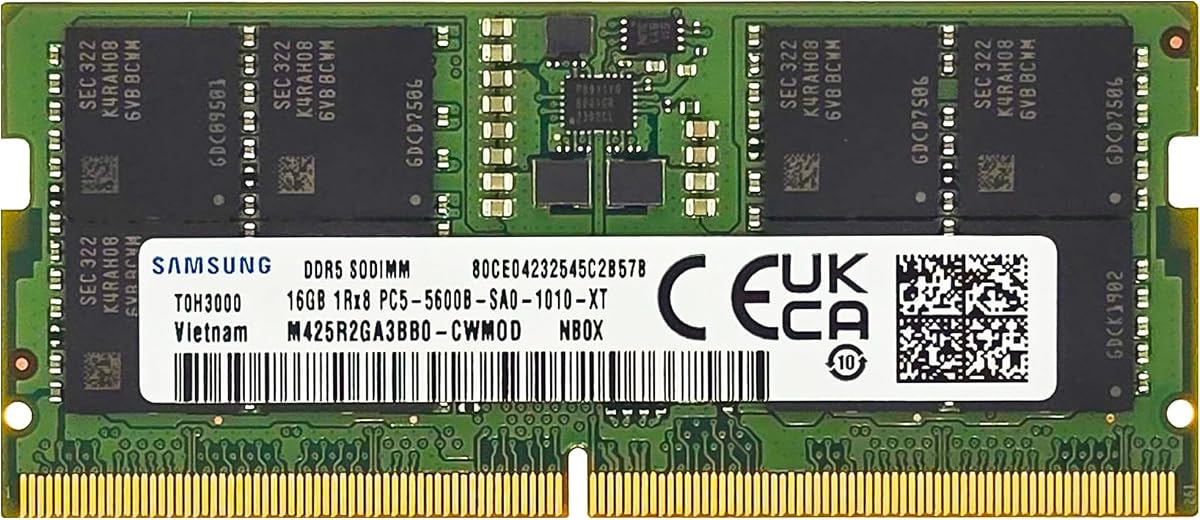
The Samsung 16GB DDR5 memory module provides a direct upgrade path for laptops needing more capacity. With 5600MHz speeds it ensures that data transfer rates are quick and responsive for modern applications and games.
We may earn a commission when you buy through this link, at no additional cost to you.
This module is Single Rank which often allows for better stability and efficiency compared to higher rank configurations in certain systems. It follows the JEDEC DDR5 standard ensuring compliance with expected performance benchmarks and voltage requirements.
Samsung is a well-known manufacturer of memory chips often found inside modules from other brands. Buying directly from Samsung can offer confidence in the raw quality of the components used in the module construction and testing.
We recommend this for users who specifically need a single module to expand existing memory. It is a solid choice for those who value original equipment manufacturer quality in their memory upgrades.
Adhering to JEDEC standards ensures reliable operation across a wide range of compatible laptop motherboards and CPUs.
This module directly expands system available memory resources which reduces bottlenecks during heavy workload capacity.
We may earn a commission when you buy through this link, at no additional cost to you.
The Samsung 32GB Kit combines two 16GB modules to provide a substantial memory boost for high-performance laptops. It operates at 5600MHz which keeps up with the demands of modern software and gaming titles efficiently.
We may earn a commission when you buy through this link, at no additional cost to you.
Similar to the single module this kit uses Single Rank technology which can improve system stability and power efficiency. The dual channel configuration takes full advantage of the memory controller to maximize data throughput speeds.
Samsung is renowned for manufacturing memory chips that are often used in various third-party memory kits. Choosing a Samsung branded kit ensures that you are getting genuine components tested to rigorous standards for reliability.
We suggest this kit for users needing maximum capacity from a trusted source. It is a great option for those who want to run multiple applications smoothly without worrying about memory limitations.
Installing two modules enables dual channel mode doubling the data bandwidth for better overall system performance.
As a direct manufacturer Samsung ensures the quality of the chips which leads to dependable memory operations.
We may earn a commission when you buy through this link, at no additional cost to you.
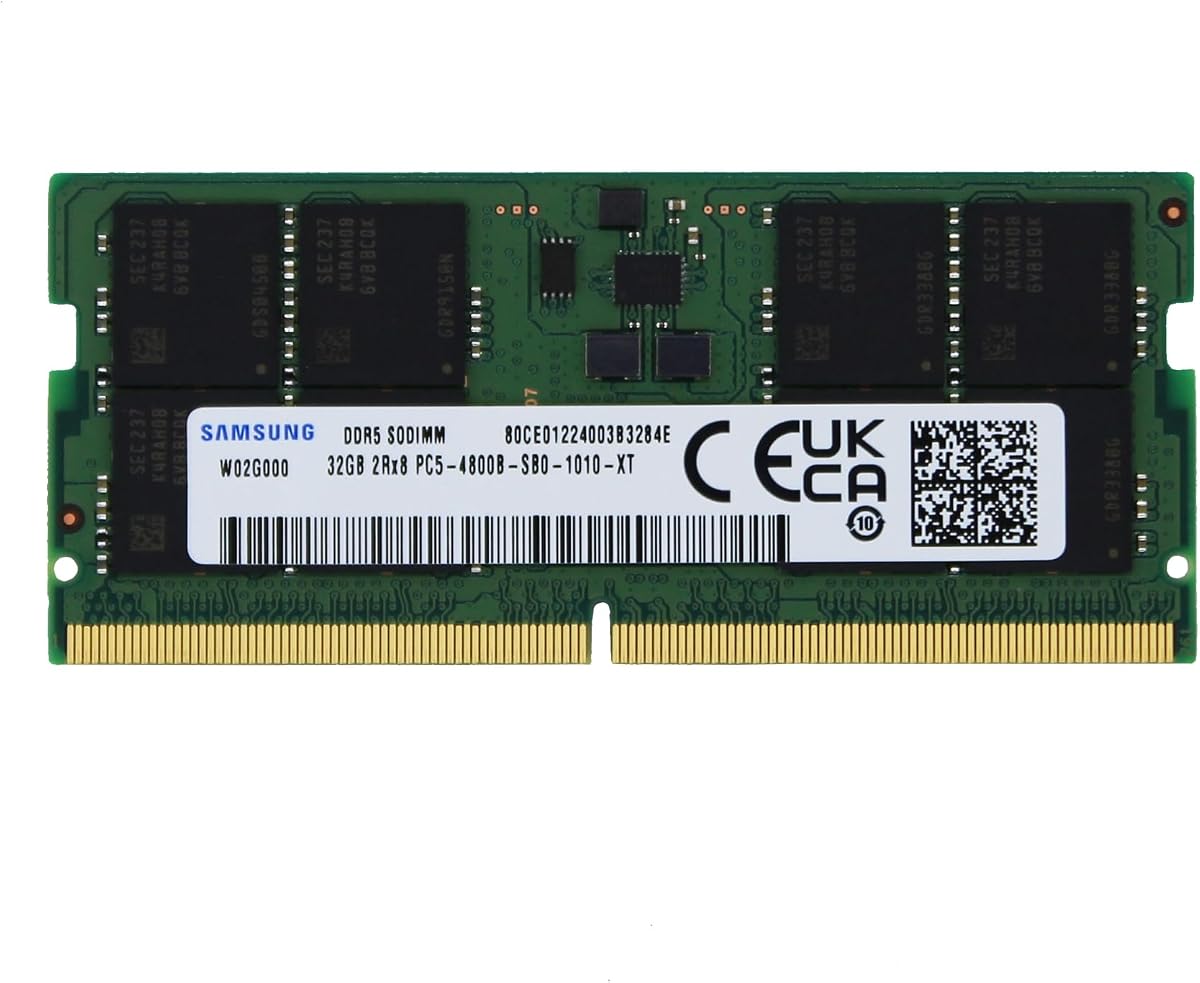
The Samsung 32GB DDR5 module stands out with a perfect 5.0 rating reflecting its excellent reliability and performance. It is a high-density module offering 32GB in a single stick which simplifies upgrades for some systems.
We may earn a commission when you buy through this link, at no additional cost to you.
Operating at 4800MHz with CL40 latency it balances capacity and speed effectively. Dual Rank design allows for higher density storage which is useful for systems needing large amounts of memory without multiple sticks.
The 1.1V standard voltage ensures efficient power use which is vital for laptop battery longevity. The non-ECC nature makes it suitable for general consumer laptops without requiring special hardware support.
We recommend this for users who need a single high capacity stick for convenience. It is ideal for laptops with limited slots or those prioritizing capacity over peak frequency speed.
Dual Rank allows more data density in one module which is helpful for maximizing capacity with minimal hardware.
With a 5.0 rating users trust this module for consistent operation and robust system stability over time.
We may earn a commission when you buy through this link, at no additional cost to you.
The Samsung 16GB Kit consists of two 8GB modules to provide dual channel performance for entry level DDR5 laptops. It offers 5600MHz speeds which ensures that the memory is not a bottleneck for system operations.
We may earn a commission when you buy through this link, at no additional cost to you.
With Single Rank x16 configuration it is optimized for basic compatibility and reliability in standard laptops. This setup ensures that the modules fit into standard SODIMM slots without requiring unusual specifications or adapters.
Samsung quality is evident in the consistent performance and durability of this kit. It is a great way to get started with DDR5 technology if your laptop supports this standard and needs a quick boost.
We suggest this for users upgrading older 16GB systems to dual channel. It provides a balanced starting point for those new to DDR5 upgrades without high investment.
Two 8GB modules allow for dual channel mode which significantly improves memory bandwidth and speed.
As a reputable manufacturer Samsung ensures each module meets strict quality standards for reliable use.
We may earn a commission when you buy through this link, at no additional cost to you.
Selecting the right DDR5 Laptop RAM involves considering several key factors to ensure compatibility and performance gains.
The amount of RAM you need depends on your usage patterns. For basic web browsing and office tasks 16GB is often sufficient. However for gaming video editing or heavy multitasking 32GB provides a safer buffer against slowdowns.
Always check your laptop's maximum supported capacity before purchasing a larger kit to avoid wasting money on unused memory.
DDR5 RAM is available in speeds ranging from 4800MHz to 6400MHz and beyond. Higher speeds allow for faster data transfer which can improve application load times and system responsiveness.
Ensure your laptop supports the speed you choose because some models may cap the maximum frequency regardless of the module speed.
Not all laptops accept DDR5 memory so verify your system's specifications carefully. Most modern Intel Core 12th Gen and AMD Ryzen 7000 Series laptops support DDR5 but older models do not.
Check if your system requires specific voltage or timing configurations to ensure the module works correctly with your motherboard.
Laptops use SODIMM memory modules which are smaller than desktop DIMM modules. Ensure you purchase SODIMM sticks labeled for laptops not standard desktop RAM.
This physical difference prevents installation errors and ensures the module fits within the limited space inside your chassis.
Dual channel configurations allow two memory modules to work together which doubles the bandwidth available to the CPU. Buying a dual kit usually outperforms two separate single sticks installed over time.
If your laptop has two slots installing two modules is generally better than installing a single module even if total capacity is the same.
Latency refers to the delay before data transfers begin after a request is made. Lower latency values are better for performance but usually come at a higher price.
For general use latency differences are less noticeable than speed or capacity but gamers may benefit from lower timings.
Choosing a reputable brand ensures better quality control and customer support. Brands like Crucial Samsung and Corsair have established track records for reliable memory.
Reliable brands also provide better warranty support which protects your investment if the module fails prematurely.
DDR5 modules typically operate at 1.1V which is efficient for power consumption and heat generation. Always check the voltage specification to ensure it matches your laptop's memory controller.
High voltage modules might require active cooling or cause battery drain which is undesirable for portable systems.
Before installation ensure your laptop is powered off and unplugged to avoid electrical damage. Ground yourself by touching a metal part of the chassis to discharge static electricity that could harm the memory module.
Insert the module into the slot at an angle and push down until it clicks securely. Ensure the notches on the module align perfectly with the slot keys to avoid damaging the pins on the motherboard.
After installation boot your laptop and enter the BIOS to verify the memory is recognized at the correct speed. Regularly clean dust from your laptop vents to maintain optimal cooling and prevent overheating issues.
No you cannot use DDR5 RAM in a laptop designed for DDR4. The physical notches on the modules are in different positions which prevents installation. Additionally the electrical specifications and protocols differ between the two generations.
16GB is sufficient for most modern games but 32GB is becoming the standard for high-end gaming laptops. With 32GB you can run games alongside streaming software without memory bottlenecks or slowdowns.
Installing RAM in pairs enables dual channel mode which improves performance. If you have two slots it is recommended to use two identical sticks rather than one stick of double the capacity.
JEDEC profiles are standard settings guaranteed to work across all hardware. XMP profiles are manufacturer settings that push RAM to higher speeds but may require BIOS support and compatible hardware to function.
Mixing brands can work but may cause instability or lower performance due to timing differences. For the best results always use matching kits from the same manufacturer.
Check your laptop model specifications on the manufacturer website. You can also use system tools like Task Manager or CPU-Z to view current memory type and supported standards.
More RAM helps when you run multiple applications simultaneously. It does not increase raw CPU speed but prevents slowdowns caused by insufficient memory during heavy workloads.
ECC memory corrects data errors and is vital for servers. For standard consumer laptops it is not necessary and non-ECC modules are cheaper and widely compatible with most systems.
Choosing the right DDR5 Laptop RAM can transform your laptop into a powerhouse for productivity and gaming. The Crucial and Corsair kits stand out for their balance of speed reliability and compatibility with modern processors.
Prioritize capacity and speed based on your specific needs. Gamers and professionals should lean toward 32GB options while casual users may find 16GB sufficient for daily tasks.
Always verify your laptop's compatibility before purchasing to ensure a seamless upgrade. Prices and availability change frequently so check current listings for the best deal.