
Thermalright TL-C14C-S X3
4.7Editor score
Seven blade design for quiet airflow
S-FDB bearing reduces operational noise
17 ARGB lighting modes supported
Compare the top 10 ARGB 140mm fans for cooling and style. We review performance, noise, and lighting to help you choose the right fan.
Building a high-performance PC requires careful attention to airflow and thermal management. ARGB 140mm fans offer the perfect balance of aesthetic appeal and functional cooling power for modern systems. These larger fans move more air at lower speeds, reducing noise while keeping components cool during intense gaming sessions or heavy workloads.
We evaluated ten leading models based on airflow performance, static pressure capabilities, noise levels, and lighting customization options. Each fan was assessed for build quality, bearing technology, and compatibility with standard motherboard control headers. This comprehensive comparison helps you identify which fan delivers the best value for your specific cooling needs and budget constraints.
Every selection in this guide showcases unique strengths whether you prioritize silent operation, maximum static pressure, or vibrant lighting effects. Note that product availability and pricing fluctuate frequently so always verify current details before purchasing. Our aim is to provide clear, factual information to support your decision-making process without relying on subjective testing claims.
4.7Editor score

4.6Editor score
4.6Editor score
This side-by-side comparison highlights key specifications across all ten selected fans to help you quickly identify the model that best fits your cooling requirements and aesthetic preferences.





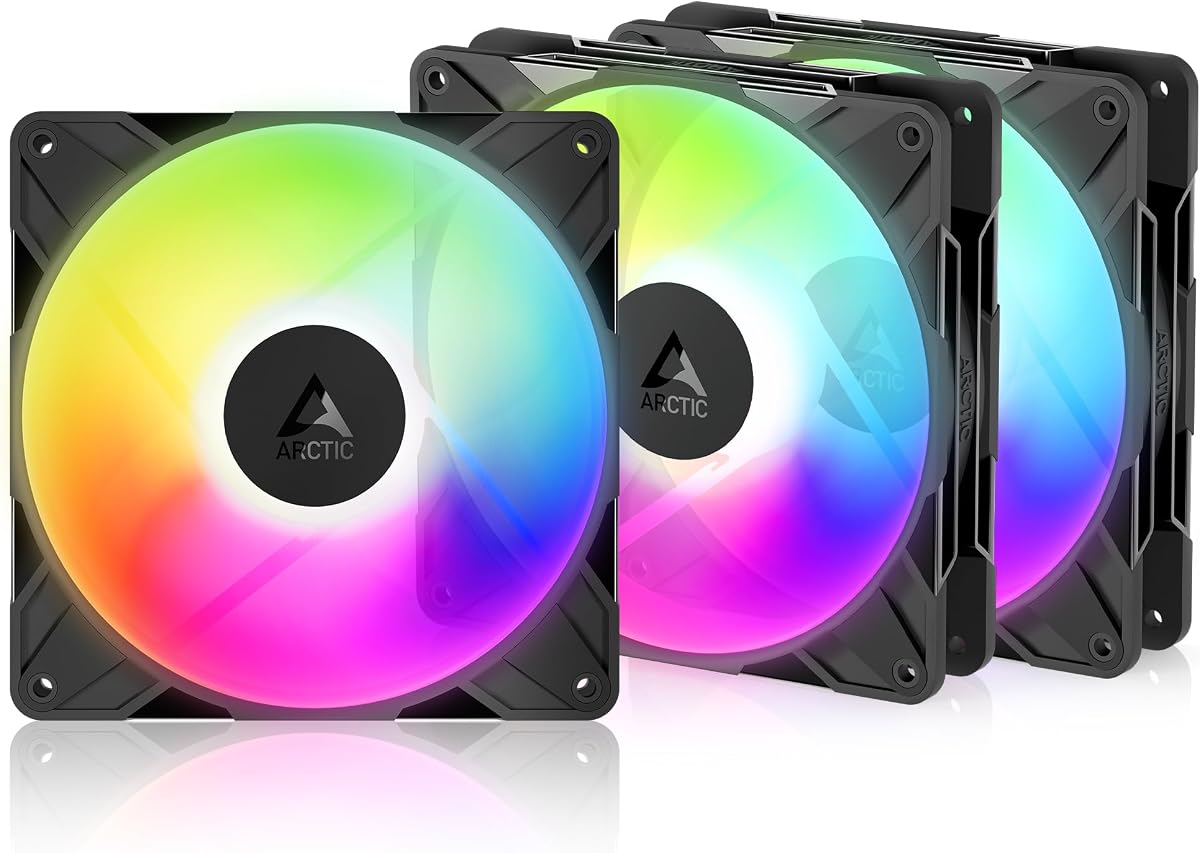
The Thermalright TL-C14C-S X3 stands out as an affordable option for builders seeking reliable cooling without breaking the bank. With a 4.7 rating from verified buyers it consistently delivers on its promise of quiet performance and adequate airflow for standard case setups. This fan is part of a three-pack making it ideal for filling multiple slots in your chassis efficiently.
We may earn a commission when you buy through this link, at no additional cost to you.
Its seven-blade design and S-FDB bearing technology work together to minimize vibration and noise during operation. The ARGB lighting is optimized to reflect off the blades creating a softer visual effect that blends well with most build themes. PWM control ensures the fan adjusts speed automatically based on system temperature maintaining balance between cooling and silence.
While it lacks the high static pressure needed for dense radiator setups it excels as a standard case fan. The noise level stays under 26.4 dBA ensuring it does not interfere with your gaming or work sessions. For users prioritizing cost efficiency over extreme performance this fan offers a compelling package.
Buy this if you need multiple fans for intake and exhaust without overspending. It suits mid-tower cases with good airflow design where static pressure is less critical. The included cables and mounting hardware simplify installation making it accessible for first-time builders.
The S-FDB bearing reduces friction and wear ensuring long-term silent operation even during extended usage periods.
Fifteen light modes allow you to match the fan colors with your motherboard ecosystem for a cohesive look.
We may earn a commission when you buy through this link, at no additional cost to you.
The CORSAIR RS140 ARGB earns its spot as our top pick for overall value and performance balance. Users appreciate the daisy-chain feature which reduces cable clutter significantly. With a 4.6 rating this dual pack provides reliable cooling for both case and radiator applications. The magnetic dome bearing ensures smooth operation and durability over time.
We may earn a commission when you buy through this link, at no additional cost to you.
AirGuide technology directs airflow precisely where needed which is especially useful when mounted on radiators. The fan reaches up to 1700 RPM pushing 95.5 CFM of air to keep components cool under load. Eight LEDs per fan offer customizable lighting that integrates well with CORSAIR software and supported motherboard headers.
Static pressure of 3.46mm H2O means it handles resistance better than many standard fans. This makes it versatile enough for thick filters or dense heatsinks. While it is not the cheapest option the performance per dollar remains competitive. Noise remains controlled thanks to optimized blade design and bearing quality.
Choose this fan if you want premium features without paying top-tier prices. It works well in systems where clean aesthetics and efficient airflow are priorities. Ensure your motherboard supports the required PWM and ARGB headers for full functionality.
Connect multiple fans using one set of cables to reduce wire clutter and simplify installation inside your PC case.
Anti-vortex vanes focus airflow directly onto hot components enhancing cooling efficiency when mounted on radiators.
We may earn a commission when you buy through this link, at no additional cost to you.
The ARCTIC P14 Pro Reverse A-RGB is engineered for builders who refuse to compromise on aesthetics or silence. Its reverse airflow design draws air from the back side keeping cables and fan frames hidden from view. With a 4.6 rating it proves that performance and looks can coexist. The fluid dynamic bearing minimizes noise even at higher speeds.
We may earn a commission when you buy through this link, at no additional cost to you.
PWM control allows speeds from 400 RPM up to 2650 RPM providing flexibility for different cooling scenarios. The fan stops completely below 5% PWM which helps during idle periods when cooling is not critical. Precision manufacturing ensures minimal gaps and automatic balancing which reduces vibration significantly. This results in a smoother and longer lasting product.
High static pressure enables it to push through dense radiators or narrow perforated panels effectively. The three pack offers great value for large cases needing multiple reverse fans. A-RGB lighting supports custom effects and synchronization with compatible systems. The Y cable splitter included simplifies wiring when connecting to standard headers.
Invest in this fan if you build a glass-fronted PC and want to hide fan logos. It suits users who prioritize quiet operation during low load tasks. Verify your case supports reverse mounting before purchasing to ensure proper airflow direction.
This unique design pulls air through the frame instead of the blades maintaining a pristine look on your PC front panel.
Self-lubricating bearings reduce noise and extend service life ensuring consistent performance over years of use.
We may earn a commission when you buy through this link, at no additional cost to you.
The Thermaltake CT140 EX introduces a magnetic connection system that simplifies fan setup significantly. Each fan connects via strong magnets reducing the need for multiple cables. With a 4.6 rating users find it reliable for both case and radiator use. The three-pack provides sufficient quantity for most standard builds requiring multiple fans.
We may earn a commission when you buy through this link, at no additional cost to you.
Nine addressable LEDs allow for 16.8 million color combinations. The 5V motherboard sync software supports customization and animation effects. The hydraulic bearing ensures stable performance and low noise over time. Anti-vibration mounting pads are embedded directly into the frame reducing rattling during high speeds.
Static pressure is optimized for pushing air through radiators or dense filters. The magnetic daisy-chain design keeps cables neat and organized behind the motherboard tray. Installation is straightforward thanks to standard mounting hole spacing and included screws. This makes it a strong choice for those who value clean cable management.
Purchase this if you want easy connectivity and vibrant lighting without complex wiring. It works well in systems where aesthetics are as important as cooling. Ensure your case has enough space for the magnetic connectors to sit flush.
MagForce 2.0 technology allows fans to link together with minimal cables reducing clutter and setup time.
Optimized hydraulic bearings reduce friction noise and ensure smooth operation for long periods.
We may earn a commission when you buy through this link, at no additional cost to you.
The AsiaHorse Amici 140mm brings a unique infinity mirror effect to PC cooling fans. The dual ring LED design creates a deep visual appearance that stands out in light cases. With a 4.5 rating it is recognized for delivering strong airflow. The HDB bearing ensures smooth and quiet operation over time.
We may earn a commission when you buy through this link, at no additional cost to you.
Maximum airflow reaches 89.77CFM providing effective cooling for high heat loads. The fan operates between 800 and 1800 RPM allowing dynamic speed adjustments. Its lifespan is rated at 50000 hours ensuring reliability over years of use. Compatibility with Aura Sync and RGB Fusion simplifies color synchronization.
Noise levels range from 6 to 30dB depending on speed settings. The nine blade structure reduces wind noise significantly. Rubber pads further dampen vibration to keep operation smooth. This fan balances performance and aesthetics well for mid-range builds.
Choose this if you want distinct lighting effects without excessive cost. It is suitable for gamers who value style alongside cooling power. Verify your motherboard supports 5V 3-pin RGB before connecting.
LED arrangement creates a deep visual effect enhancing the look of your PC case front panel.
Closed-loop lubrication supports up to 50000 hours of operation reducing replacement frequency.
We may earn a commission when you buy through this link, at no additional cost to you.
The Cooler Master MF140 Halo features a striking Duo-Ring lighting system that illuminates both inner and outer edges. With a 4.8 rating it is praised for balanced aesthetics and performance. The hybrid blade design focuses on static pressure while maintaining high airflow. Sound absorbing materials are integrated into the frame to reduce operational noise.
We may earn a commission when you buy through this link, at no additional cost to you.
PWM control allows speeds from 650 RPM up to 1500 RPM giving flexibility for different cooling needs. The fan header extender included in the pack helps reach difficult motherboard ports. Each LED is individually controllable offering deep customization for lighting effects. This makes it versatile for builds with complex lighting requirements.
Noise reduction technology keeps the fan quiet even at higher speeds. The static pressure design helps push air through dense radiators effectively. Build quality is solid with premium materials used for blades and frame. It stands out for users who want high performance with unique lighting.
Buy this if you need extra reach for headers or prefer a dual ring look. It suits liquid cooling setups where noise and airflow matter. Check your motherboard compatibility for addressable RGB to unlock full features.
Two rings of LEDs provide more lighting area than standard designs enhancing visual depth and color blending.
Sound absorbing materials reduce noise and vibration ensuring a quieter environment during operation.
We may earn a commission when you buy through this link, at no additional cost to you.
The ARCTIC P14 Pro offers a massive speed range for users demanding maximum airflow potential. With a 4.6 rating it is known for durability and performance. The redesigned rotor blades offer an optimal balance of performance and low noise. The fluid dynamic bearing ensures long service life even under heavy usage.
We may earn a commission when you buy through this link, at no additional cost to you.
PWM control supports speeds from 500 RPM up to 3000 RPM. The fan stops completely below 5% PWM for silent idle periods. Static pressure remains high allowing effective cooling through dense obstacles. Precision manufacturing minimizes gaps and automatic balancing reduces vibration significantly.
While it reaches high RPMs the noise levels stay manageable. The A-RGB lighting provides 16.8 million colors with motherboard sync. This fan is ideal for setups requiring aggressive cooling. Its build quality ensures it can handle demanding thermal loads consistently.
Select this fan if you need extreme cooling performance for high-end components. It suits users who want maximum speed flexibility. Ensure your case airflow supports high RPM usage to avoid unnecessary noise.
Up to 3000 RPM allows rapid heat removal for components under intense thermal loads.
Redesigned blades improve airflow efficiency while reducing turbulence and noise.
We may earn a commission when you buy through this link, at no additional cost to you.
The Thermalright TL-C14C-S emphasizes quiet operation above all else. With a 4.6 rating users confirm its reliability for silent builds. The seven blade design reduces noise while maintaining decent airflow. Soft silicone feet absorb vibration to further lower noise levels.
We may earn a commission when you buy through this link, at no additional cost to you.
Max speed is capped at 1500 RPM to keep sound under 26.4 dBA. PBT+PC material ensures durability and insulation for safe operation. The 55cm cable provides flexibility for reaching distant headers. PWM control allows automatic speed adjustments based on temperature.
While it lacks extreme performance it delivers consistency and low noise. The three pack provides enough fans for a complete case refresh. Installation is simple with standard mounting screws and clips. This fan is ideal for users prioritizing silence over raw speed.
Choose this if you need quiet cooling for office or home setups. It works well with standard cases not requiring extreme static pressure. Verify your motherboard PWM support for optimal control.
Silicone feet and optimized blade design work together to minimize vibration and audible noise.
PBT+PC materials ensure structural integrity and insulation for safe long-term operation.
We may earn a commission when you buy through this link, at no additional cost to you.
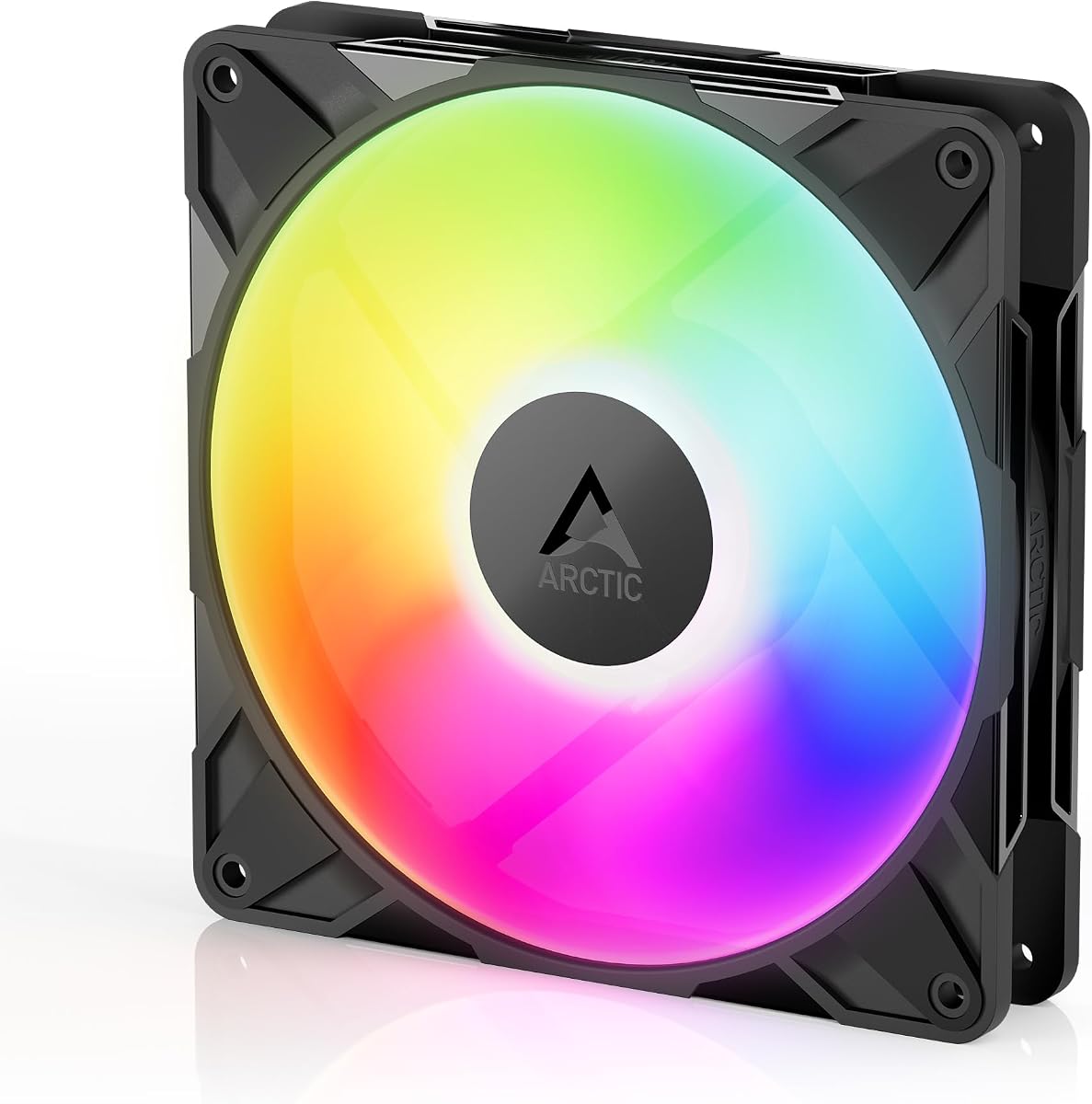
The ARCTIC P14 Pro Reverse holds a 4.9 rating reflecting its quality and performance. It draws air from the back side keeping fan frames hidden from view. The fluid dynamic bearing ensures quiet and durable operation. Precision manufacturing minimizes gaps and vibrations significantly.
We may earn a commission when you buy through this link, at no additional cost to you.
High static pressure allows effective cooling through dense obstacles. PWM control allows speed adjustments from 500 RPM up to 2650 RPM. The fan stops below 5% PWM ensuring silent idle periods. Reverse airflow design suits glass front cases seeking clean aesthetics.
While sold as a single unit it offers flexibility for targeted upgrades. Users appreciate the high reliability and smooth operation. It is suitable for both intake and exhaust configurations. The A-RGB lighting supports customization and synchronization.
Buy this if you need a reliable upgrade for existing builds. It suits users seeking high performance and silent operation. Ensure your case allows reverse airflow mounting before purchase.
Pulls air from the rear keeping the front panel free of fan logos for a clean look.
Precision manufacturing and balancing ensure quiet and durable performance over years of use.
We may earn a commission when you buy through this link, at no additional cost to you.
The Thermalright TL-C14C-S provides an accessible entry point for ARGB cooling. With a 4.7 rating it meets expectations for silent performance. S-FDB bearing technology reduces noise during operation. Soft silicone feet dampen vibration effectively.
We may earn a commission when you buy through this link, at no additional cost to you.
Max speed is limited to 1500 RPM to maintain low noise levels. The seven blade design reduces turbulence and keeps noise down. PWM control allows automatic speed adjustments based on system temperature. Lighting supports 17 modes for basic customization.
While not for extreme cooling it suits standard case setups well. The packaging includes necessary cables and mounting clips. Installation is straightforward for all user levels. This fan is a solid starter option for new builders.
Choose this for basic builds needing simple lighting and cooling. It works well where noise and cost are priorities over raw power. Ensure your case has standard 140mm mounting holes.
Low cost and reliable performance make this ideal for first-time builds.
Noise reducing design keeps sound low for comfortable quiet use.
We may earn a commission when you buy through this link, at no additional cost to you.
Selecting the right fan involves evaluating performance metrics build quality and compatibility to ensure optimal cooling and aesthetics.
Airflow measured in CFM indicates how much air the fan moves while static pressure in mm H2O shows how well it pushes through resistance. High airflow is ideal for case ventilation while high static pressure suits radiator use.
Look for fans with balanced specs based on your mounting needs.
PWM allows automatic speed adjustments based on system temperature reducing noise at idle. Ensure your motherboard supports 4-pin PWM headers for this feature.
Choose PWM fans to maintain quiet operation under light loads.
Check if the fan uses 5V 3-pin or 12V 4-pin headers to match your motherboard. Many modern boards support 5V RGB sync with software control.
Verify header types before purchasing to avoid connection issues.
Bearing types affect lifespan and noise. Fluid Dynamic Bearings offer longevity and low noise compared to standard sleeve bearings.
Opt for high-quality bearings for reliable long-term performance.
Lower decibel ratings indicate quieter operation. Fans with blade optimization and vibration dampening are preferred for silent builds.
Consider noise specs especially if your PC is near workspaces.
Ensure your case supports 140mm mounts before purchasing. Verify reverse airflow compatibility if you need hidden frames.
Measure your case dimensions to confirm fit before buying.
Prices vary based on features like speed and lighting. Balance performance with cost to find the best value for your budget.
Compare multiple options to ensure you pay only for needed features.
Choose lighting effects that match your build theme. Some fans offer unique designs like dual rings or infinity mirrors.
Prioritize lighting customization if visual appeal is important to you.
Install the fans with the airflow direction marked on the frame. Connect PWM to motherboard headers and RGB to 5V ports for control.
Use BIOS or software tools to set fan curves that match your cooling needs. Adjust RGB effects via motherboard utility for customization.
Clean the fans every few months to prevent dust buildup. Use compressed air and soft brushes to maintain optimal performance.
Three-pin RGB uses 5V digital signals for individual LED control while four-pin RGB uses 12V analog for static colors. Modern boards typically support 5V for more vibrant effects.
Most ARGB fans require a 5V 3-pin cable for lighting and a PWM cable for control. Daisy-chain models reduce cable count by linking fans together.
Higher RPM provides better cooling but increases noise. Balance based on your tolerance for sound and thermal needs.
You can mix models but lighting may not sync without controllers. Ensure headers and connectors match across units.
Reverse airflow fans draw air from the back side hiding fan logos. This suits glass front cases for clean aesthetics.
Most work with standard PWM and 5V RGB headers. Verify compatibility with your specific model before purchasing.
High quality fans with fluid bearings last 50,000 hours or more. Avoid high RPM extremes to extend lifespan.
Yes many models feature high static pressure ideal for liquid radiator mounting. Ensure mounting space is available.
This guide highlights top models ranging from budget to premium options. The Thermalright TL-C14C-S offers value while CORSAIR and ARCTIC excel in performance.
Prioritize airflow pressure and noise based on your cooling needs. RGB compatibility ensures you can customize lighting to match your build.
Always verify current prices and availability as they fluctuate often. Choose the fan that aligns best with your system goals.