
Rongta Bluetooth Shipping Label Printer
4.0Editor score
Wireless Bluetooth connectivity
Automatic label identification
Compact portable design
Discover the top Dhl Label Printer options for small businesses in October 2026. This guide compares ten thermal models for speed and compatibility.
Finding the right Dhl Label Printer can transform your shipping workflow significantly. A reliable machine ensures your packages move quickly without costly delays or printing errors.
We evaluated ten top thermal printers based on connectivity and print quality. Our analysis focuses on models that handle Dhl logistics labels seamlessly for your daily operations.
Each selection below highlights specific strengths for different business needs. Remember that manufacturer pricing fluctuates often so check current deals before you purchase your new device.
4.0Editor score

4.6Editor score

4.1Editor score
This side-by-side comparison outlines the core specifications of each selected thermal printer to help you identify the model that best fits your shipping volume and workspace requirements.






The Rollo USB Shipping Label Printer stands out as a top choice for businesses needing reliable daily operations. With a high rating of 4.6 stars it delivers commercial grade performance that justifies its investment cost for serious sellers.
We may earn a commission when you buy through this link, at no additional cost to you.
Its direct thermal technology prints at 150mm per second ensuring your packages ship quickly. The high resolution 203 DPI print head guarantees crisp barcodes and addresses that scan easily every time without jams or delays.
While it relies on a USB connection which may limit wireless flexibility the stability it offers is unmatched for desktop setups. You will save significantly on ink and toner costs over time due to the efficient thermal process.
This printer is ideal for high volume shippers who prioritize speed and reliability over mobility. If you need a workhorse that integrates seamlessly with Shopify Amazon and DHL you should consider this model highly.
Built to withstand heavy use this printer maintains consistent quality throughout long shipping sessions without overheating issues.
It connects effortlessly with major e-commerce platforms allowing you to download and print labels directly from your dashboard.
We may earn a commission when you buy through this link, at no additional cost to you.
The Rollo Wireless Shipping Label Printer offers a significant upgrade by allowing true wireless connectivity. This model earns its premium status by removing the need for physical cables making it perfect for flexible workspace layouts.
We may earn a commission when you buy through this link, at no additional cost to you.
Using AirPrint technology it connects directly to your iPhone or iPad without complex driver installations. The enhanced printhead lasts up to 650000 labels which is four times longer than many competing models on the market.
The main drawback is the higher initial investment compared to wired alternatives. Additionally setting up the network connection may require some technical patience depending on your local internet environment stability.
Choose this printer if you value mobility and want to print labels from anywhere in your home or office. It is an excellent choice for businesses that prioritize convenience and modern wireless capabilities.
Print directly from your iOS devices without installing extra software or drivers on your mobile phone or tablet.
The upgraded printhead offers extended lifespan reducing the need for future repairs or replacements over time.
We may earn a commission when you buy through this link, at no additional cost to you.
The Rongta Bluetooth Shipping Label Printer provides an affordable entry point for small businesses starting their shipping operations. It balances essential features with a budget friendly price tag that appeals to new sellers.
We may earn a commission when you buy through this link, at no additional cost to you.
Its automatic label identification feature saves time by detecting and feeding labels without manual adjustment. Bluetooth connectivity allows you to print from your phone using the dedicated app which simplifies remote printing tasks.
While the resolution is adequate for standard shipping labels it may not match the crispness of higher end models. The need to use an app on mobile devices is a minor inconvenience compared to direct system drivers.
This printer is perfect for entrepreneurs who need a reliable tool without breaking the bank. It offers enough power for daily tasks while keeping your operational costs low during the initial growth phase.
The printer detects the gap between labels automatically ensuring precise cuts and consistent print positions every time.
Its compact footprint fits easily into small offices or home workspaces where space is at a premium.
We may earn a commission when you buy through this link, at no additional cost to you.
The JADENS Bluetooth Thermal Shipping Label Printer is a versatile option designed to handle various label types seamlessly. It features a Japanese high tech thermal print head that ensures clean and economical printing without any ink mess.
We may earn a commission when you buy through this link, at no additional cost to you.
You can use both fanfold and roll labels which gives you flexibility in managing your label inventory. The wide compatibility with platforms like ShipStation and eBay makes it a robust tool for multi channel sellers.
Setup is straightforward with one minute instructions provided on a U-Disk for easier understanding. However iOS users must download a specific app to print wirelessly which adds a step compared to direct Bluetooth connections.
Choose this printer if you need a balanced machine that handles different label formats effectively. It is a strong contender for small businesses looking for reliability and broad platform support without extra costs.
Supports both fanfold and roll labels allowing you to choose the most cost effective option for your needs.
Works with major shipping platforms and marketplaces ensuring you can print labels from any major ecommerce site.
We may earn a commission when you buy through this link, at no additional cost to you.
The MUNBYN Bluetooth Thermal Label Printer excels in providing a quiet and efficient printing experience. Its whisper-quiet performance at 60 dB makes it ideal for home offices where noise can be distracting during work hours.
We may earn a commission when you buy through this link, at no additional cost to you.
Equipped with DAC Dynamic Algorithm Tech it auto-calibrates to ensure flawless packaging and shipping labels. This technology significantly reduces the risk of label misalignment which helps save time and materials on every shipment.
The printer boasts a life expectancy of up to 970000 labels which offers excellent long term value. However some users have reported occasional software glitches that might require troubleshooting during initial setup or updates.
This model is perfect for users who value silence and precision in their daily shipping routine. If you need a reliable printer that minimizes noise and waste MUNBYN offers a compelling feature set for the price.
Operates at just 60 dB ensuring your workspace remains peaceful even during high volume printing sessions.
Auto-calibrates to prevent label misalignment ensuring every print looks professional and scans correctly.
We may earn a commission when you buy through this link, at no additional cost to you.
This Thermal Shipping Label Printer delivers high efficiency with a print speed of up to 150mm per second. It is an excellent choice for small businesses that need to minimize downtime during peak shipping hours.
We may earn a commission when you buy through this link, at no additional cost to you.
The FlashLabel Pro app provides over 1800 customizable templates which simplifies the design process for various labels. The package includes 25 sheets of labels allowing you to start printing immediately without waiting for supplies.
Its energy efficient thermal technology reduces maintenance costs and extends the life of the device. However the printer only supports black and white output which may not suit businesses needing color branding on labels.
Select this printer if you need a reliable and fast solution for standard shipping labels. It offers great value for its price and comes ready to use right out of the box with necessary accessories included.
Print speeds up to 150mm/s ensure your labels are ready instantly keeping your shipping process moving smoothly.
Access thousands of templates in the app to create customized labels for packages or marketing materials.
We may earn a commission when you buy through this link, at no additional cost to you.
The Nelko Bluetooth Thermal Shipping Label Printer is a compact helper designed for small spaces and efficient operations. It supports a fast printing speed of 150 mm/s helping your business grow faster with high efficiency.
We may earn a commission when you buy through this link, at no additional cost to you.
You can print via Bluetooth on your iOS and Android devices using the NELKO app which simplifies wireless tasks. For Mac users with M1 or M2 CPUs you will need to install the app to connect via Bluetooth successfully.
Its direct thermal technology ensures you never need to buy ink or toner again saving you money long term. The printer is smaller than traditional models making it suitable for desks where space is limited.
Choose this printer if you need a space saving solution that still delivers professional results. It is a reliable partner for home and commercial use with a solid track record of consistent performance.
Its small footprint fits neatly on any desk ensuring your workspace remains organized and clutter free.
Prints up to 72 sheets per minute ensuring you can handle high volume orders without waiting.
We may earn a commission when you buy through this link, at no additional cost to you.
The KNAON Bluetooth Thermal Shipping Label Printer stands out with its vast selection of pre-designed templates. It offers over 3000 templates and 5000 icons giving you endless options to customize your shipping and branding labels.
We may earn a commission when you buy through this link, at no additional cost to you.
With a print speed of up to 180 mm/s this device handles high volume shipping efficiently without compromising quality. It includes a built-in USB drive preloaded with drivers making setup on Windows and macOS straightforward and quick.
This printer connects seamlessly with major platforms like Amazon Shopify and DHL to streamline your logistics. However mobile users must use the FlashLabel Pro app for printing which adds a dependency on the application.
Opt for this printer if you want creative freedom with labels alongside standard shipping needs. Its portable design and powerful features make it a strong choice for businesses that value aesthetics and functionality.
Access thousands of icons and templates to create unique labels that reflect your brand identity.
The high print speed ensures your packages are labeled quickly even during busy order periods.
We may earn a commission when you buy through this link, at no additional cost to you.
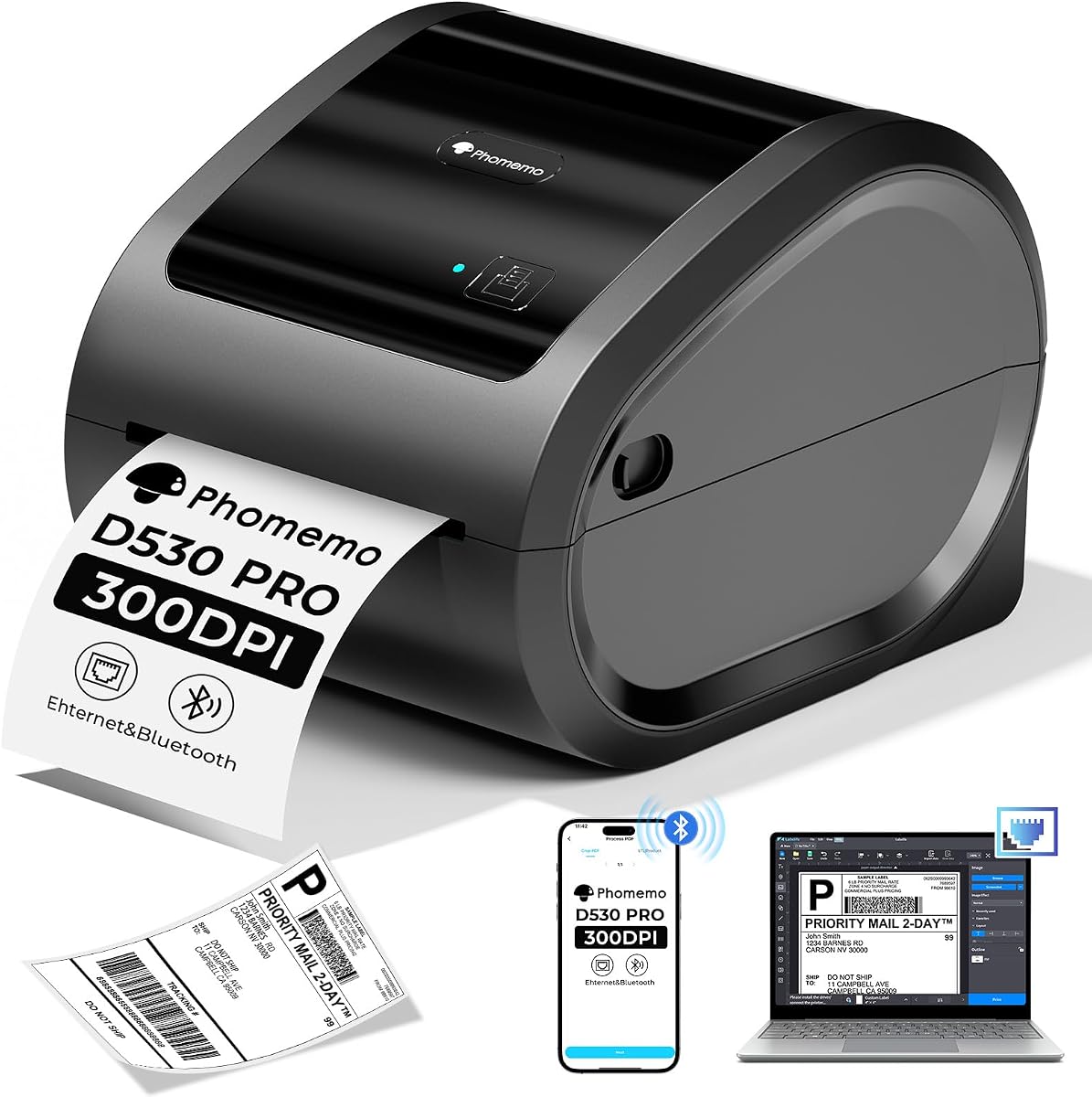
The Phomemo 300DPI Ethernet Thermal Label Printer delivers ultra HD printing quality with its high precision print head. It is an excellent option for businesses that require crisp text and clear barcodes on every single label.
We may earn a commission when you buy through this link, at no additional cost to you.
Its built-in paper bin can hold up to 500 pcs of label rolls keeping your desktop cleaner and organized. The return to paper towel function helps save every piece of label reducing waste and operational costs significantly.
You can connect via Ethernet USB or Bluetooth ensuring flexibility in how you integrate it into your office. The printer supports major platforms like DHL and Amazon ensuring smooth logistics management without compatibility issues.
Choose this printer if print clarity and workspace organization are top priorities for you. Its unique features like the paper bin make it a practical choice for environments where efficiency and cleanliness matter.
300 DPI resolution ensures every detail is sharp helping customers scan labels with ease every time.
The built-in paper bin holds multiple rolls reducing clutter and ensuring you have continuous supply ready.
We may earn a commission when you buy through this link, at no additional cost to you.
The DYMO LabelWriter 550 Series Label Printer is designed for precision and eco-friendly operations using authentic DYMO labels. It eliminates the hassle of sheet labels by printing precise quantities only reducing waste effectively.
We may earn a commission when you buy through this link, at no additional cost to you.
Its direct thermal technology ensures you never need to buy ink again while using BPA-free FSC certified materials. This focus on sustainability makes it a good option for businesses that prioritize green practices in their packaging.
However it only works with authentic DYMO branded labels which can limit flexibility and increase long term supply costs. The lower rating compared to others suggests some users may find setup or reliability issues during usage.
Select this printer if you are committed to using eco-friendly certified labels for your business needs. It offers a unique value proposition for those who prioritize sustainability over universal label compatibility.
Uses FSC certified paper and BPA-free labels to ensure your packaging process is environmentally responsible.
Print precise quantities to eliminate the waste associated with printing on full sheet labels.
We may earn a commission when you buy through this link, at no additional cost to you.
Choosing the right Dhl Label Printer requires understanding your shipping volume and workspace needs. This guide outlines the critical factors to ensure you invest in a machine that supports your business growth.
Most modern printers offer USB Bluetooth or WiFi connectivity. USB provides the most stable connection for desktops while Bluetooth and WiFi allow for greater flexibility with mobile devices. Consider if you need to print from a smartphone or tablet often.
For a stable office setup prioritize USB or Ethernet. If you need mobility choose a model with robust Bluetooth or WiFi capabilities.
Print resolution determines the clarity of your barcodes and text. Look for at least 203 DPI to ensure your labels scan reliably at sorting facilities. Speed is measured in millimeters per second with faster rates increasing your daily throughput.
Aim for 150mm/s or faster for efficient shipping. Ensure the resolution meets carrier standards to avoid delivery delays.
Different printers support different label widths and formats. Most Dhl labels are 4×6 inches but you may need smaller formats for other products. Check if the printer supports fanfold or roll labels to match your supply style.
Verify the supported width range fits your needs. Choose a model that works with standard 4×6 thermal labels easily.
Your printer must integrate with your shipping software or marketplace account. Many thermal printers work with platforms like ShipStation Amazon and DHL directly. Compatibility ensures you can print labels without manual file conversions.
Check if your current shipping tools support the printer drivers. Seamless integration saves time and reduces errors in your workflow.
A durable printer withstands high volume usage without jamming or overheating. Commercial grade models often have longer printhead lives which reduces maintenance costs over time. Look for reviews regarding jam rates and longevity.
Invest in a unit with a proven track record. Higher quality builds reduce downtime during critical shipping periods.
While the initial cost is important consider the long term expenses. Thermal printers save money by eliminating ink but require specific labels. Some brands are cheaper to buy but expensive to maintain with proprietary consumables.
Balance the purchase price with ongoing supply costs. Calculate the cost per label to find the most economical option.
A printer that is easy to set up saves you valuable time. Look for models that come with drivers on a USB drive or clear online instructions. Compatibility with your operating system like Windows or Mac is crucial.
Prioritize user friendly setup processes. A quick start ensures you can begin shipping orders immediately.
Start by connecting the printer to your computer via USB or Bluetooth. Install the necessary drivers or apps provided by the manufacturer to ensure your system recognizes the device correctly.
Load your 4×6 thermal labels into the paper slot and adjust the guides to fit snugly. Calibrate the printer by pressing the feed button until the paper aligns properly with the print head.
Keep the printhead clean by wiping it gently with a lint-free cloth when needed. Avoid exposing the printer to direct sunlight or dust to maintain print quality and extend its lifespan significantly.
No you do not need ink for these printers. They use direct thermal technology which heats the paper to create images. This eliminates the need for expensive ink cartridges or toner.
Yes many modern models support Bluetooth connections via a dedicated app. Download the manufacturer app on your iOS or Android device and pair it to print labels wirelessly from your phone.
Standard DHL shipping labels are usually 4×6 inches. Ensure your printer supports this width to print compliant labels for carrier scanning.
Most thermal printers are compatible with major marketplaces like eBay and Shopify. They integrate with shipping software like ShipStation which connects to these platforms for seamless printing.
Turn off the printer and open the cover to remove any stuck paper. Clean the rollers and check for debris. Reinstall the labels ensuring they feed smoothly from the roll.
Thermal labels can fade if exposed to heat or sunlight for extended periods. Store them in a cool dark place and avoid placing them near heat sources to maintain their readability.
We have reviewed ten top thermal printers suitable for shipping with DHL. The Rollo USB model stands out for reliability while the Rongta offers excellent value for new sellers.
Prioritize connectivity and platform compatibility to ensure your workflow remains smooth. Choose a model that fits your budget without sacrificing the speed needed for daily operations.
Prices change often so check current deals before buying. A reliable printer is a smart investment that pays off in time saved on every package you ship.