
Hearvo USB 3.0 HDMI KVM Switch for 2 Computers 1 Monitor, 4K@60Hz, S7232H
4.0Editor score
Dual computer sharing
4K@60Hz support
Plug and play setup
This comprehensive guide compares the top 10 laptop KVM switches for seamless multi-computer setups with high-resolution support and advanced docking features.
Modern professionals often juggle multiple devices daily requiring efficient workflows. A reliable KVM switch enables seamless control over laptops and desktops through shared peripherals enhancing productivity significantly.
We evaluated ten leading KVM switches focusing on compatibility performance and feature sets. Our analysis covers USB-C HDMI and DisplayPort options ensuring you find the right fit for your setup.
Each pick highlights key strengths and ideal use cases for varied needs. Please note prices fluctuate regularly so verify current availability before making your final purchasing decision today.
4.0Editor score

4.9Editor score
4.6Editor score
This side-by-side comparison highlights the core specifications and strengths of every reviewed KVM switch to help you decide based on your specific connectivity needs.


This AV Access model earns our top spot with its robust docking capabilities and unmatched resolution support for professional users.
We may earn a commission when you buy through this link, at no additional cost to you.
It supports triple monitor setups with 8K resolution and includes a 100W charging port for powerful laptops.
MacBook users may face display limitations since it requires DP MST which macOS does not fully support.
Ideal for power users who need multiple screens and fast data throughput while keeping their workspace organized.
Manage three displays simultaneously to boost multitasking efficiency across complex workflows.
Keep your laptop charged and connected without extra chargers cluttering your desk.
We may earn a commission when you buy through this link, at no additional cost to you.
For users needing basic switching without breaking the bank this Hearvo switch delivers reliable 4K performance.
We may earn a commission when you buy through this link, at no additional cost to you.
It allows two computers to share one monitor and four USB peripherals easily.
Switching requires a button press or remote control which works well for most home offices.
Best for individuals who want a straightforward solution without advanced docking needs.
No drivers are needed for immediate operation straight out of the box.
Share your keyboard mouse and storage drives between devices effortlessly.
We may earn a commission when you buy through this link, at no additional cost to you.
This hybrid switch stands out by supporting four computers and two monitors with flexible video connections.
We may earn a commission when you buy through this link, at no additional cost to you.
It accommodates laptops and desktops with different port types using DP HDMI and USB-C inputs.
Managing cables can be tricky since desktop PCs need multiple video connections to function correctly.
It is a strong choice for tech environments managing multiple machines across a single station.
Connect devices regardless of their native video output ports easily.
Toggle EDID settings to maintain display stability during system switches.
We may earn a commission when you buy through this link, at no additional cost to you.
This unit excels at connecting two laptops to three monitors via MST technology.
We may earn a commission when you buy through this link, at no additional cost to you.
Data transfer is incredibly fast thanks to USB 3.1 Gen2 ports.
MacOS users should note that extended displays may not work as expected.
Perfect for Windows users who need triple screen setups without multiple docks.
Expand your workspace across three screens for maximum productivity.
Move large files quickly between your laptops and external drives.
We may earn a commission when you buy through this link, at no additional cost to you.
Designed for professional workstations this dock handles triple monitors with 8K resolution support.
We may earn a commission when you buy through this link, at no additional cost to you.
It functions as a full docking station with high-speed data transfer and audio.
The included SD card reader adds utility for content creators and photographers.
A great option for those needing high fidelity visuals and extensive connectivity.
Experience ultra-sharp visuals for detailed design and editing work.
Connect SD cards and audio without needing extra accessories.
We may earn a commission when you buy through this link, at no additional cost to you.
This dock streamlines dual-laptop workspaces with dual 4K support and 60W charging each.
We may earn a commission when you buy through this link, at no additional cost to you.
Switching happens in seconds to ensure you stay in your workflow zone.
The design prioritizes ease of use over high-end gaming features.
Ideal for hybrid workers maintaining separate personal and professional laptop setups.
Move between systems with a single press for uninterrupted work.
Access numerous ports including SD cards and Ethernet easily.
We may earn a commission when you buy through this link, at no additional cost to you.
This KVM switch brings desktop power to laptops with triple monitor support and 8K resolution.
We may earn a commission when you buy through this link, at no additional cost to you.
It offers stable network sharing allowing background tasks to continue during switches.
USB 3.2 ports ensure rapid data transfers for external drives.
Best for professionals who need reliable high-fidelity output and connectivity.
Keep downloads and syncs running even when switching computers.
Transfer large files quickly with 10Gbps data ports.
We may earn a commission when you buy through this link, at no additional cost to you.
This dock provides a balanced mix of dual 4K support and 100W charging.
We may earn a commission when you buy through this link, at no additional cost to you.
It features an Ethernet port for stable internet connections across both laptops.
Switching remains fast and intuitive for daily office tasks.
A solid pick for budget-conscious users needing dual monitor flexibility.
Maintain wired network stability regardless of which laptop is active.
Enjoy sharp visuals across two screens for better multitasking.
We may earn a commission when you buy through this link, at no additional cost to you.
If your setup relies heavily on DisplayPort this switch offers exceptional resolution support.
We may earn a commission when you buy through this link, at no additional cost to you.
It allows two computers to share one display with 8K capability.
Note that specific cables are required for highest performance levels.
Great for users prioritizing screen quality over multiple monitor setups.
Ideal for setups using monitors with DP inputs primarily.
Switch systems conveniently with a wireless remote controller.
We may earn a commission when you buy through this link, at no additional cost to you.
This switch targets users needing high-speed USB-C transfer and portable flexibility.
We may earn a commission when you buy through this link, at no additional cost to you.
It supports 140W charging which is great for modern high-power laptops.
Keep in mind that specific docking stations may not work fully with it.
Excellent for travelers wanting powerful connectivity without carrying multiple docks.
Take high-speed connectivity and charging wherever you go.
Transfer files rapidly with 20Gbps throughput capabilities.
We may earn a commission when you buy through this link, at no additional cost to you.
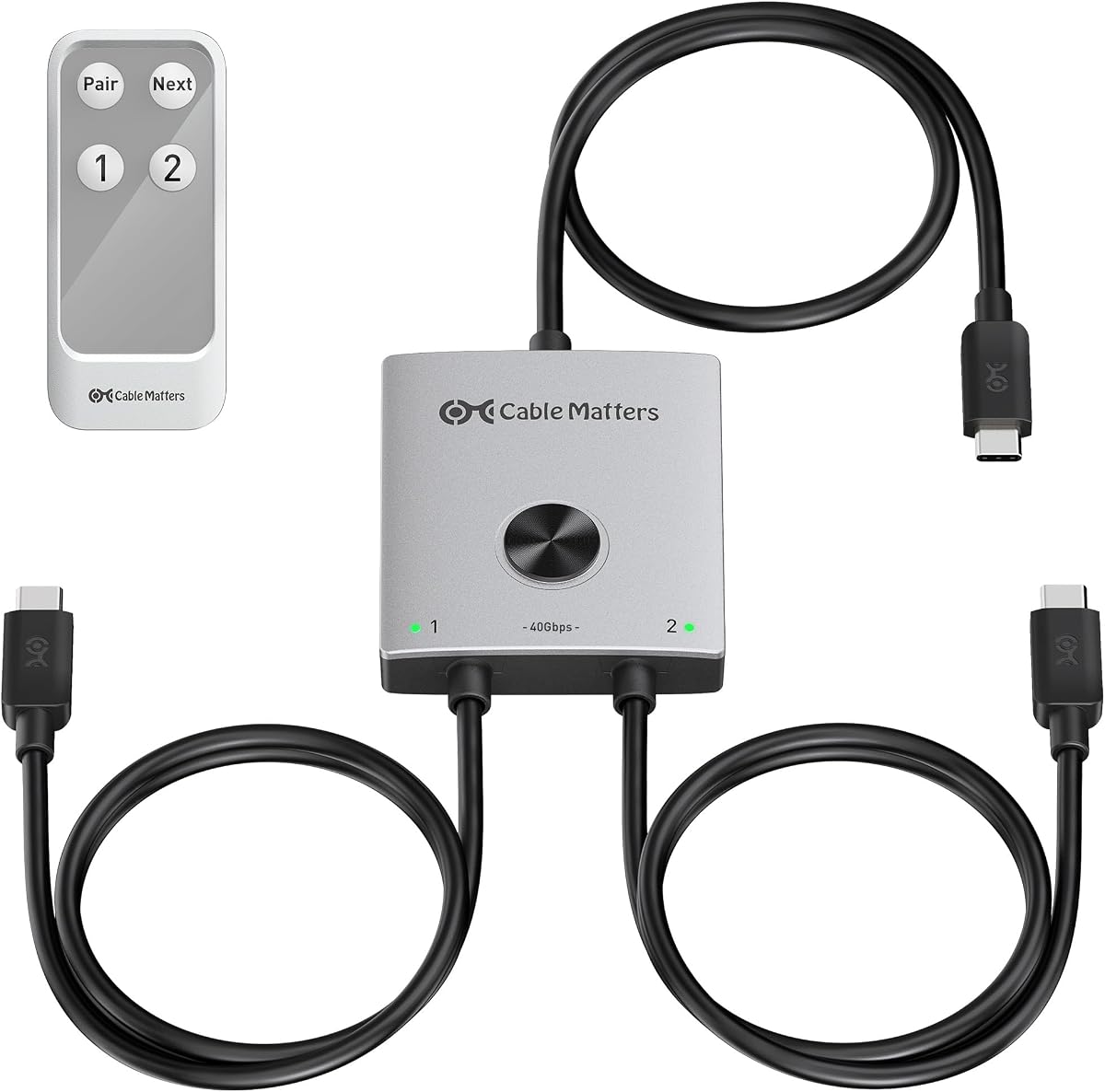
For Thunderbolt users this KVM switch offers unmatched 40Gbps bandwidth for data.
We may earn a commission when you buy through this link, at no additional cost to you.
It supports 8K video and 140W charging for high-end laptops.
RF remote control allows switching without needing line of sight.
The ultimate choice for professionals needing maximum speed and power.
Leverage full Thunderbolt 4 speeds for all peripherals.
Switch devices easily with a wireless RF remote.
We may earn a commission when you buy through this link, at no additional cost to you.
Choosing the right KVM switch requires understanding your specific needs for ports resolution and power delivery.
Ensure the KVM switch supports the ports available on your laptops such as USB-C HDMI or DisplayPort. Many modern laptops rely solely on USB-C so verify DP Alt Mode support before buying.
Look for devices that offer the most flexible connectivity options to future-proof your workspace setup effectively.
Decide whether you need 4K 8K or multi-monitor capabilities. Higher resolutions demand higher bandwidth so check if the switch can handle your desired refresh rates.
Match the KVMs resolution specs to your monitors to avoid bottlenecks that degrade visual quality.
Some KVM switches offer Power Delivery to charge your laptop directly through the connection. This reduces cable clutter but verify wattage limits match your charger requirements.
Prioritize models with sufficient wattage to keep your laptop powered during extended work sessions without extra adapters.
Evaluate how you switch between computers whether via a button wired remote or hotkeys. Wireless RF remotes add convenience but may cost extra.
Choose a switching method that aligns with your workflow preferences to minimize interruptions while working.
For transferring files quickly ensure the USB ports support at least USB 3.0 or USB-C 10Gbps speeds. Slower ports will slow down peripheral performance significantly.
Select a switch with high-speed USB ports to keep your peripherals responsive and efficient.
Verify compatibility with your operating systems especially macOS which has stricter display limitations. Not all KVMs support extended displays on Apple devices.
Always read product notes regarding OS support to ensure smooth operation with your specific setup.
Consider the physical footprint of the KVM switch especially if desk space is limited. Some docking style switches are larger than compact units.
Pick a size that fits your workspace comfortably without causing cable management issues.
Balance your budget against the features you actually need. More expensive models offer higher speeds and more ports but may be overkill for basic users.
Invest in a switch that provides the necessary features without paying for unnecessary advanced specs.
Start by connecting your computers to the KVM switch using the correct video cables. Ensure that your monitors are also connected securely to the output ports of the device.
Plug in your USB peripherals like keyboards and mice to the KVM switch before connecting the power supply. This ensures the switch recognizes all devices immediately upon startup.
Periodically check all cables to prevent loose connections that cause signal flickering. Keep the device in a well-ventilated area to avoid overheating during extended use.
A laptop KVM switch allows you to control multiple computers with a single set of peripherals and monitors. This setup saves desk space and streamlines workflows for users managing different devices simultaneously.
Most KVM switches are plug and play requiring no additional software or drivers for standard operations. However some advanced docking models may need specific firmware updates for optimal performance.
Yes many modern KVM switches support 4K resolution at 60Hz or higher. Always verify the product specifications to ensure the model matches your monitor capabilities exactly.
Only KVM switches with Power Delivery support can charge your laptop. Check the wattage rating to confirm it meets your laptops charging requirements effectively.
macOS works with USB-C switches but often supports only mirror mode for multiple displays. Advanced multi-monitor setups usually require Windows due to MST limitations on Apple devices.
You can switch using a physical button on the device a remote control or keyboard hotkeys depending on the model. Most units offer multiple methods for added convenience.
EDID emulation helps maintain consistent display settings when switching between computers. This prevents screens from flickering or changing resolutions unexpectedly during use.
Some KVM switches support gaming consoles if they have compatible video ports. However high refresh rate support may be limited compared to dedicated PC setups.
We recommend the AV Access 8K KVM Switch for professionals needing high fidelity and multiple displays. Its robust features make it our top choice for demanding work environments.
For budget-friendly needs consider the Hearvo HDMI switch which offers reliable performance at a lower cost. It covers basic switching needs without extra complexity.
Remember to check current prices and compatibility before purchasing to ensure the device fits your setup perfectly. Upgrading your workstation with the right KVM can significantly improve daily efficiency.