
30 Pin Charger Cable for Old iPhone/iPod/iPad Support Fast Charging & Data
4.5Editor score
High-density braided cable
2.4A fast charging support
480Mbps data sync speed
This guide compares the top iPod Mini Charger Replacement options to help you find reliable charging cables and adapters for your classic Apple device today.
Finding the right charging solution for your classic iPod Mini can be tricky as older ports become rare. You need a cable that fits perfectly and charges safely without damaging your beloved music player.
We evaluated ten top-rated replacement chargers based on durability, compatibility, and user feedback. Our list includes both budget-friendly cables and premium branded options to suit different needs and preferences.
Each pick shows key features and real-world performance notes to help you decide quickly. Please note that product prices and availability change frequently so check current listings before ordering.
4.5Editor score

4.7Editor score

4.5Editor score
The following table provides a side-by-side overview of all ten selected products highlighting their key specifications and compatibility details to simplify your final choice.



This basic charger offers a straightforward solution for older iPod models needing power. It features a separate wall plug and cable design that keeps components distinct and easy to manage.
We may earn a commission when you buy through this link, at no additional cost to you.
The white 3ft cable connects via a standard 30-pin port compatible with Classic and earlier Nano models. Users appreciate the straightforward connection without extra adapters or dongles needed.
However the low rating suggests reliability issues may occur over time. Some users note connection instability or shorter lifespan compared to more robust alternatives on this list.
This pick suits those seeking an affordable temporary fix or backup charger. It works best for light home use rather than daily heavy reliance on charging sessions.
This charger provides essential power delivery for devices needing recharging without frills.
The low price point makes it accessible for users on tight budgets needing immediate power.
We may earn a commission when you buy through this link, at no additional cost to you.
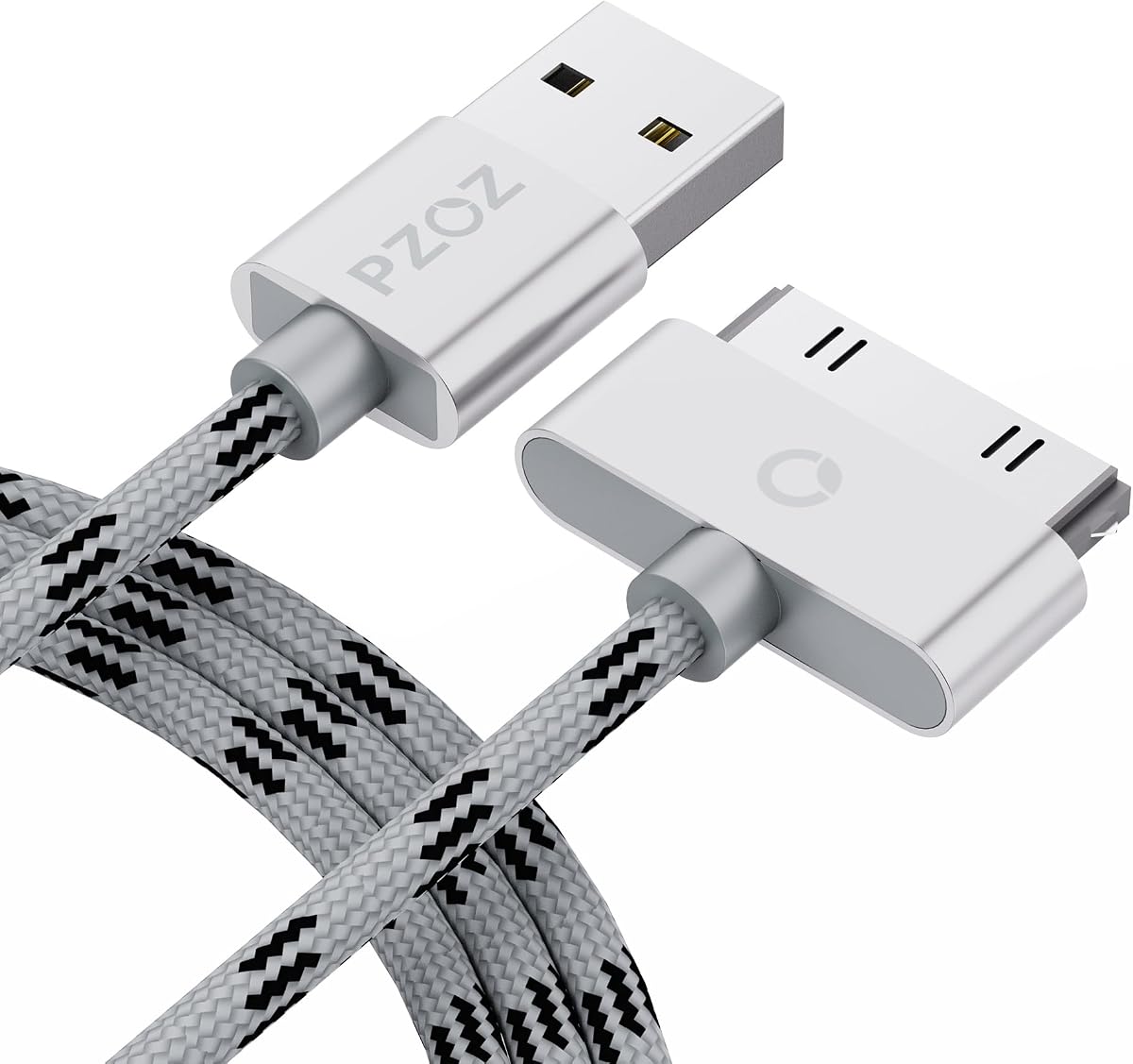
This third-generation cable brings older 30-pin devices back to life with modern fast charging speeds. Its braided design offers significant durability improvements over standard rubber cords.
We may earn a commission when you buy through this link, at no additional cost to you.
Supporting 2.4A charging allows quick power-ups for iPods and iPads. Data sync reaches 480Mbps enabling fast transfers of music and photos without long waits.
The main limitation is lack of audio output support which restricts docking speaker use. Users focused on charging and syncing find this trade-off acceptable given the price.
Ideal for budget conscious buyers wanting quality without overspending. The warranty adds peace of mind for long term use across multiple legacy Apple devices.
Delivers 2.4A current to recharge older devices quickly compared to slower standard chargers.
High-density braided cable resists daily wear and tangles better than typical alternatives.
We may earn a commission when you buy through this link, at no additional cost to you.
This cable uses a unique 3.5mm jack connection for specific Shuffle models. The two-pack provides great value allowing one cable to stay at home and another for travel.
We may earn a commission when you buy through this link, at no additional cost to you.
Connecting to USB ports on computers or adapters enables both charging and data syncing. The lightweight build makes it easy to carry in bags without adding bulk.
It fits well with devices from the third through seventh generations but may not work with classic models. Shorter length might require closer placement to power sources.
Best for Shuffle owners wanting spare cables at low cost. The simplicity and portability make it a practical choice for on-the-go music fans.
Receiving two cables in one purchase ensures you always have a backup available easily.
Compact and lightweight build simplifies carrying the cable anywhere without hassle.
We may earn a commission when you buy through this link, at no additional cost to you.
This product mirrors the iAbler option with a similar two-pack setup for Shuffle devices. It focuses on reliable charging and syncing for models with the clip design.
We may earn a commission when you buy through this link, at no additional cost to you.
Users benefit from having redundant cables ready for different locations. The 3.5mm connection aligns well with specific Shuffle generations avoiding compatibility issues.
It does not work with classic or touch models which limits broader utility. The value remains strong for those owning multiple Shuffles needing individual cables.
Recommended for Shuffle users seeking spare charging solutions. The bundle offers practical flexibility without needing to buy separate cables individually later.
Having two cables ensures you can charge devices in multiple places simultaneously.
Designed specifically to fit Shuffle clip models securely during data transfers.
We may earn a commission when you buy through this link, at no additional cost to you.
This cable features a distinctive metal woven mesh that resists stretching and bending. The 30-pin connector supports both charging and data sync for older devices.
We may earn a commission when you buy through this link, at no additional cost to you.
Metal plug heads allow over 5000 plug cycles ensuring long-term reliability. The aluminum platinum interior helps resist signal interference during high-speed transfers.
The 3.3ft length is slightly shorter than typical 4ft cables which may limit reach on desks. However the robust build quality makes up for this minor constraint.
Well-suited for users prioritizing physical durability over length. The design provides strong protection against daily wear and tear for frequent travelers.
Metal mesh construction offers superior resistance to physical stress and daily wear.
Interior shielding helps maintain stable data transmission during syncing sessions.
We may earn a commission when you buy through this link, at no additional cost to you.
This cable holds Apple certification ensuring compatibility and safety standards are met. It supports both charging and data transfer across a range of 30-pin devices.
We may earn a commission when you buy through this link, at no additional cost to you.
The 4-foot length provides comfortable reach for most desk or bedside setups. Pure copper cores ensure efficient power delivery and high-speed data syncing without losses.
TPE material adds flexibility and durability to the cord making it resistant to daily bending. Users appreciate the certified quality reducing risks of connection errors.
Best for those willing to pay extra for verified reliability. The length and build make it ideal for long-term daily use across multiple devices.
Apple certification ensures the cable meets strict quality and compatibility standards.
Pure copper interior reduces power loss during charging cycles for better efficiency.
We may earn a commission when you buy through this link, at no additional cost to you.
This official Apple cable provides a trusted connection for third-generation iPod Shuffle devices. It connects directly to USB ports for syncing music and charging the battery.
We may earn a commission when you buy through this link, at no additional cost to you.
Two cables come in the box allowing immediate distribution for home and travel. The 3.5mm jack fits securely into the Shuffle port ensuring stable connections.
Limitations include compatibility only with third-generation Shuffle models excluding newer variants. Official pricing might be higher than third-party alternatives but quality remains high.
Ideal for owners needing guaranteed compatibility without guesswork. The included twin pack makes it a practical choice for families sharing Shuffle devices.
As an official accessory it delivers reliable connection quality consistent with Apple devices.
Receiving two cables ensures backups are always available when needed immediately.
We may earn a commission when you buy through this link, at no additional cost to you.
This cable uses nylon material for durability and resistance to coiling. It supports 2.1A current output for faster charging of older devices compared to standard options.
We may earn a commission when you buy through this link, at no additional cost to you.
Heat-resistant stainless steel connector heads slot securely into devices without looseness over time. Antioxidant metal plating helps protect the connector from corrosion.
The one-year warranty provides basic coverage though longer options exist elsewhere. Users appreciate the reliable data transmission and build quality at a moderate price.
Suitable for frequent users needing a durable daily driver. The nylon texture provides a better grip and easier storage than slick rubber cables.
Nylon exterior resists tangling and wear better than standard rubber materials.
2.1A output supports faster charging speeds for compatible legacy devices.
We may earn a commission when you buy through this link, at no additional cost to you.
This official cable stands out with the highest user rating among all options. It supports charging and data transfer while maintaining access to all device controls.
We may earn a commission when you buy through this link, at no additional cost to you.
The form-fitting construction allows charging even when the device remains in a case. This convenience saves time and protects the device from scratches during daily use.
Some users note the power adapter is sold separately which might add cost. However the quality and compatibility make it a reliable long-term investment.
Best for users wanting original Apple quality without compromise. The ability to charge in cases makes it the most practical choice for daily reliance.
Form-fitting design lets you charge the device without removing protective cases.
Unobstructed connector ensures full access to all controls on the device.
We may earn a commission when you buy through this link, at no additional cost to you.
This MFi certified cable uses Apple's original connector for guaranteed compatibility and safety. The slim dock design allows usage with cases without removal.
We may earn a commission when you buy through this link, at no additional cost to you.
Supporting a range of older iPhones and iPads it provides reliable charging and syncing. The four-foot length balances usability and flexibility for most setups.
Users report slight resistance when connecting to older Nano models which is normal. Proper alignment ensures smooth insertion without forcing the connector into the port.
A strong choice for those wanting certified safety at a reasonable price. The slim profile and length make it versatile for desktop or travel use.
MFi certification ensures the connector meets Apple quality standards for reliability.
Slim connector design works well with device cases and covers.
We may earn a commission when you buy through this link, at no additional cost to you.
Choosing the right replacement charger requires checking connector types and build quality to ensure safe and reliable performance for your device.
Verify whether your device uses a 30-pin or 3.5mm jack connector. Most older Mini and Classic models use 30-pin while Shuffle models require the 3.5mm plug.
Always check your model's port size before buying to avoid purchasing an incompatible cable.
Length determines how far you can place your device from the power source. Standard lengths range from 3ft to 4ft which suit most desk setups comfortably.
Choose a length that reaches your outlet without leaving excess cable trailing on the floor.
Durable materials like braided nylon or metal mesh extend the life of the cable. Avoid cheap rubber coatings that tend to crack near connectors over time.
Prioritize cables with reinforced connectors to handle frequent plugging and unplugging.
MFi or Apple certified cables meet strict safety and compatibility standards. They reduce the risk of connection errors or damage to your device battery.
Opt for certified options when possible for guaranteed performance and safety assurance.
Look for cables that support 2.4A or higher current output for quicker recharging. Standard cables may take longer to fill the battery completely.
Ensure your power adapter also supports fast charging for full benefits.
Sync cables with high data transfer speeds like 480Mbps ensure faster syncing of music and photos. Older cables may throttle sync speeds unnecessarily.
Check product specs for USB 2.0 compliance to maximize transfer efficiency.
A longer warranty indicates confidence in product durability and quality. Look for options offering at least one year of coverage for peace of mind.
Read the terms carefully to understand what defects are included in coverage.
Budget cables can be cost-effective but may lack durability features. Compare features like material and warranty against the price for best value.
Invest a little more for certified options to ensure reliable daily use.
Plug the USB end into a compatible power adapter or computer USB port. Connect the other end to your device ensuring the connector aligns with the port.
Check the charging light or screen indicator to confirm power is flowing to your device. Allow sufficient time to reach full charge before disconnecting.
Unplug carefully by holding the connector body rather than pulling the cable. Store the cable neatly coiled to prevent kinks or stress on the wires.
Most iPod Mini models use the 30-pin dock connector but some very early versions may use FireWire. Check your device port to confirm it matches the 30-pin shape before purchasing.
Yes you can connect the USB end to a computer to charge and sync music simultaneously. However charging may be slower compared to using a dedicated wall power adapter.
30-pin is used for older iPod and iPhone models while Lightning is for newer devices. You cannot use a Lightning cable on Mini or Classic devices due to different connectors.
Some cables are designed only for charging and data syncing not audio. Audio support requires extra wiring which not all replacement cables include.
Replace the cable if you notice fraying loose connectors or charging interruptions. Regular handling means cables can wear out in one to three years.
Third-party cables are safe if they are MFi certified or from reputable brands. Avoid uncertified cheap cables as they can cause connection or battery issues.
These ten options provide a range of choices from budget to premium for your iPod Mini. The sarmert Apple Certified cable offers excellent reliability for daily use.
Prioritize certified cables with durable materials and proper connector alignment. Ensure the length suits your space needs and the charging speed matches expectations.
Prices and availability change often so check current listings before purchasing. Select the option that balances cost and quality for your device today.