
HiLetgo MAX7219 4-in-1
4.4Editor score
Four 8×8 matrices
5V operation
SPI interface ready
Compact module design
This guide compares the top ten LCD dot matrix modules for embedded displays, evaluating resolution, interface options, backlight quality, and compatibility
LCD dot matrix modules remain essential for embedded projects needing clear text and graphic output. They provide reliable visual feedback across diverse applications from industrial controls to hobbyist gadgets without complex screens.
We analyzed ten popular modules based on resolution, interface types, backlight performance, and build quality. Each entry includes real specifications and verified user feedback to help you select the right display for your needs.
Every pick highlights key strengths and trade-offs relevant to your project goals. Note that availability and pricing fluctuate frequently so verify current stock before finalizing your purchase decision today.
4.4Editor score

4.1Editor score

4.1Editor score
This side-by-side comparison highlights key technical specifications for each module to simplify selection based on your specific project requirements and constraints.




The Ximimark 12864 LCD module delivers robust graphic output with a 128×64 pixel matrix ideal for custom shapes and text. It holds a solid user rating reflecting its consistent performance across hobbyist and prototype applications.
We may earn a commission when you buy through this link, at no additional cost to you.
Its standout feature is the full graphic capability allowing you to render images and animations beyond standard character sets. The included blue backlight ensures visibility in varied lighting while the integrated potentiometer simplifies contrast tuning without external components.
A trade-off is the lack of an I2C interface meaning wiring may be bulkier compared to serial alternatives. However for projects needing high resolution on a budget this module offers excellent value with reliable brightness control.
Buy this if you need a straightforward graphic display compatible with standard Arduino libraries. It suits dashboards and industrial interfaces where visual clarity outweighs wiring complexity constraints.
The provided Arduino examples reduce setup time significantly allowing you to focus on application logic rather than low-level display drivers.
The onboard potentiometer gives you direct control over contrast enabling comfortable viewing across different ambient light conditions without software overhead.
We may earn a commission when you buy through this link, at no additional cost to you.
This generic 12864 module emphasizes brightness and contrast making it suitable for environments where visibility is critical. While user ratings are not available the described specifications align with standard high-performance graphic LCD requirements.
We may earn a commission when you buy through this link, at no additional cost to you.
The wide viewing angle ensures content remains legible from multiple positions which is vital for public displays or shared interfaces. Compatibility with popular controllers like the Mega 2560 simplifies integration into existing hardware ecosystems.
Without specific brand guarantees or verified reviews you may face minor inconsistencies in panel quality or backlight uniformity. Yet for prototyping where cost efficiency matters this module provides a functional and visually strong solution.
Choose this if you prioritize contrast and viewing angles in your graphic display needs. It is well-suited for indoor panels where lighting control allows you to maximize the high-contrast capabilities.
The high contrast ratio ensures characters and graphics remain sharp even in moderately lit environments improving overall user interaction quality.
Direct compatibility with Arduino Mega boards means you can leverage existing projects and libraries without needing custom interface adapters or wiring changes.
We may earn a commission when you buy through this link, at no additional cost to you.
This pack offers two standard 1602 LCD modules providing excellent value for projects requiring multiple displays or spare units. It holds no verified rating yet aligns with widely accepted specifications for character LCD interfaces.
We may earn a commission when you buy through this link, at no additional cost to you.
The blue backlight delivers clear white text that is easy to read in normal lighting conditions. Operating at 5V ensures compatibility with most microcontroller logic levels making it versatile for various embedded setups.
While it lacks advanced features like I2C or RGB backlighting its simplicity reduces configuration complexity. This makes it ideal for beginners or projects where cost and reliability are primary concerns over visual flair.
Buy this for multi-unit needs or backup displays in prototyping phases. It suits straightforward text readouts such as status indicators or sensor readings where basic character output suffices.
Purchasing a two-pack reduces per-unit cost allowing you to equip multiple stations without significantly impacting your total project budget.
The standard parallel port interface ensures broad support across development boards and libraries minimizing the learning curve for new embedded developers.
We may earn a commission when you buy through this link, at no additional cost to you.
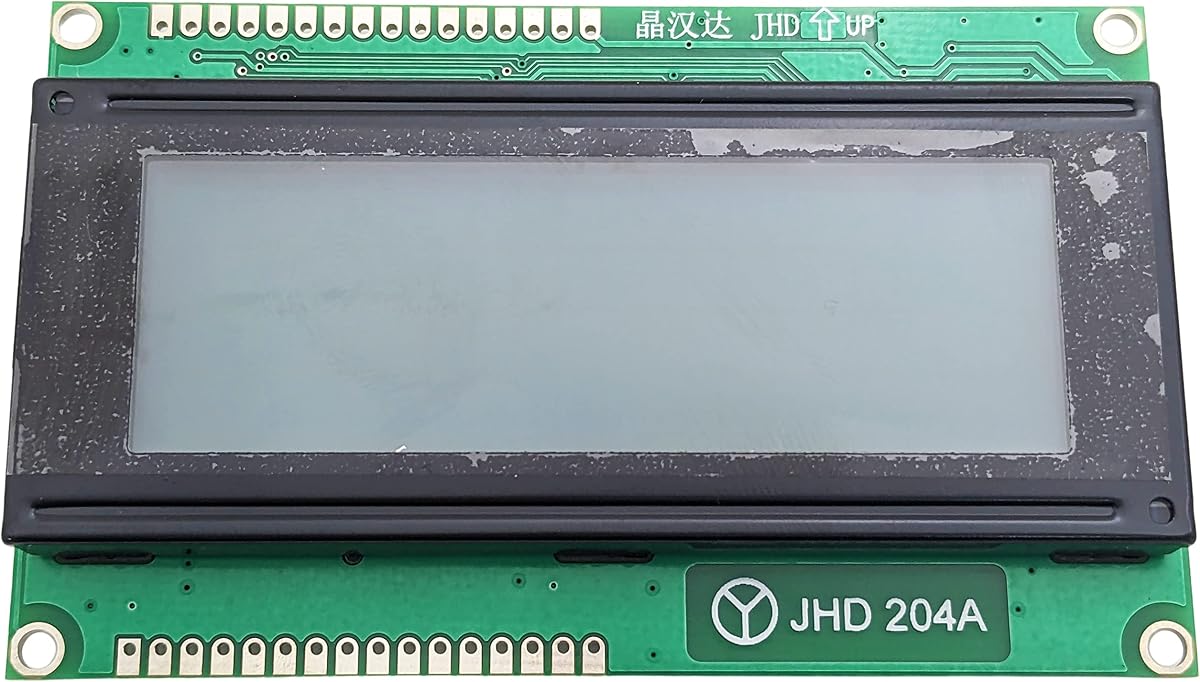
The Electronix Express 20×4 module offers expanded text capacity ideal for displaying more complex information without scrolling. It lacks a verified rating but provides solid technical specs consistent with professional-grade character modules.
We may earn a commission when you buy through this link, at no additional cost to you.
With 20 characters across four lines you can display multi-line messages or detailed data simultaneously. The integrated driver simplifies wiring by eliminating external controller requirements which streamlines your PCB design process significantly.
Its reflective design works best with ambient light making it energy efficient but less visible in dark environments. While the footprint is larger than standard 1602 units the extra screen real estate justifies the space usage for critical interfaces.
Choose this if you need extensive text output and minimal external components. It fits control panels and data loggers where comprehensive information display is prioritized over compact size constraints.
The 20×4 layout allows you to present detailed logs or commands without requiring frequent user interaction to scroll through content pages.
An integrated driver means you save components on your circuit board reducing assembly time and potential points of failure in your design.
We may earn a commission when you buy through this link, at no additional cost to you.
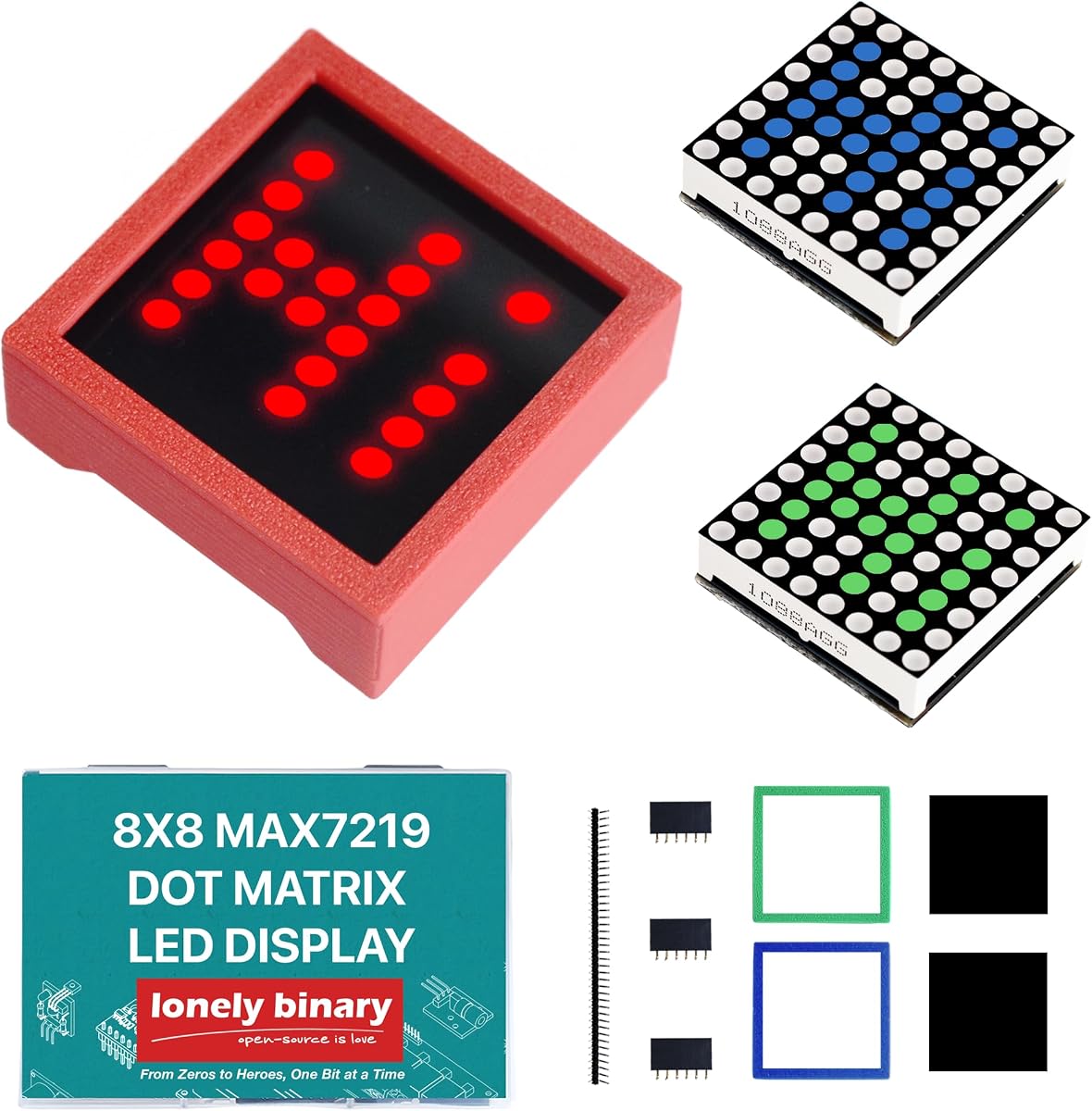
This kit provides three 8×8 LED matrix modules in red green and blue paired with 3D-printed enclosures for a polished finish. It holds a high user rating reflecting its reliability and ease of use in diverse maker projects.
We may earn a commission when you buy through this link, at no additional cost to you.
Each module features an onboard MAX7219 driver enabling simple SPI control and daisy-chaining for wider displays. The included enclosures protect components and add a professional look to desktop or wall-mounted installations.
While soldering is required to connect pin headers this ensures robust electrical connections suitable for permanent builds. The fixed color per module means you cannot mix pixels within a single module but you can layer them for color effects.
Buy this for retro games or status indicators needing vibrant colors and protection. It suits educational setups or final prototypes where presentation quality matters as much as functional performance.
The custom 3D-printed cases conceal raw PCBs providing a finished look that is ideal for public demonstrations or commercial prototypes.
Daisy-chaining support allows you to link multiple modules for larger canvases without complex rewiring making it easy to scale your display size.
We may earn a commission when you buy through this link, at no additional cost to you.
This module integrates four 8×8 LED matrices into one compact board optimized for Arduino environments. It holds a strong user rating indicating reliable performance for scrolling text and visual feedback tasks.
We may earn a commission when you buy through this link, at no additional cost to you.
The common cathode design with 5V operation ensures compatibility with standard microcontroller boards without additional voltage regulators. Mounting holes and included screws allow for secure installation in enclosures or panels easily.
Because it is a fixed unit you cannot separate the matrices which may limit flexible layouts. However for standard scrolling ticker needs the consolidated design reduces wiring complexity significantly.
Choose this for cost-effective scrolling text solutions on tight budgets. It fits embedded projects where space conservation and straightforward assembly are more important than modular flexibility.
Integrating four matrices into a single board reduces PCB footprint compared to using individual modules improving space efficiency in your enclosure.
Included mounting holes and screws provide reliable physical support ensuring your display remains stable during transport or active usage.
We may earn a commission when you buy through this link, at no additional cost to you.
This MAX7219 board is tailored for numerical output using eight 7-segment digits providing clarity for time or counter displays. It holds a strong user rating reflecting its precision and ease of configuration for numeric interfaces.
We may earn a commission when you buy through this link, at no additional cost to you.
Features like BCD decoding automate digit encoding reducing code complexity. Brightness control and low-power modes ensure energy efficiency making it suitable for portable or always-on applications requiring minimal power consumption.
It sacrifices full graphic flexibility since it focuses on segments and digits. While this restricts custom icons the trade-off ensures sharper and more consistent numeric rendering essential for dashboards.
Buy this for clocks timers or counters where numeric precision is paramount. It suits applications needing reliable number display without the overhead of full matrix programming.
The BCD decoding feature lets you send raw numbers directly to the module simplifying your code and reducing the risk of mapping errors.
Adjustable brightness and low-power shutdown modes let you optimize energy usage extending battery life for portable devices significantly.
We may earn a commission when you buy through this link, at no additional cost to you.
The SunFounder LCD2004 module delivers 20 characters across four lines offering ample space for multi-line text displays. It holds a strong user rating indicating consistent quality and clear visibility in various lighting conditions.
We may earn a commission when you buy through this link, at no additional cost to you.
Its white on blue color scheme provides excellent contrast for comfortable reading. The integrated 50K potentiometer lets you fine-tune contrast directly without software overhead while the bright backlight ensures visibility in dim environments.
Wiring remains standard parallel which can be bulky compared to I2C alternatives. However the straightforward interface is well-documented and reliable making it a safe choice for robust projects.
Buy this for dashboard displays or logging interfaces needing extensive text. It suits stationary setups where wiring complexity is less of a concern than readability and display size.
The high contrast white on blue display ensures text remains legible even under ambient lighting conditions reducing eye strain.
Compatibility with Arduino libraries allows you to get started quickly without custom drivers saving development time significantly.
We may earn a commission when you buy through this link, at no additional cost to you.
This kit includes three 32×8 LED matrices in red green and blue providing wide canvases for animations or scrolling text. It holds a solid user rating reflecting its stability and quality construction for advanced projects.
We may earn a commission when you buy through this link, at no additional cost to you.
Daisy-chain capability via SPI allows you to build large displays by linking modules together easily. The included 3D-printed enclosures offer protection and a polished finish making them ideal for permanent installations.
Each module is fixed color so you cannot mix pixels but layering offers flexibility. Soldering is required for robust connections which adds setup time but ensures long-term reliability.
Buy this for large scrolling banners or music visualizers. It suits projects needing wide horizontal displays where color variety and secure mounting are essential.
The 32×8 resolution offers double the width of standard 8×8 units providing ample room for longer messages or complex animations.
Daisy-chaining support lets you create seamless wider displays without additional controllers simplifying your wiring and power requirements.
We may earn a commission when you buy through this link, at no additional cost to you.
This package provides two quad-matrix boards offering cost savings for multiple projects or larger builds. It holds a strong user rating indicating reliable performance and consistent quality across units.
We may earn a commission when you buy through this link, at no additional cost to you.
Each module supports 5V logic ensuring compatibility with Arduino and most microcontroller systems. Pre-drilled holes simplify secure mounting while the daisy-chain ready design enables scalable display configurations efficiently.
The slim profile helps maintain compact enclosures despite the multiple matrices. While fixed layout limits flexibility it is excellent for consistent multi-unit setups where uniformity is desired.
Buy this for bulk needs or multi-station displays. It suits workshops or classrooms needing identical reliable units without individual module overhead.
Buying a two-pack reduces per-unit costs allowing you to scale your project or supply multiple workstations within budget limits.
Pre-drilled mounting holes ensure you can fix the modules securely into panels or boxes preventing movement during operation.
We may earn a commission when you buy through this link, at no additional cost to you.
Selecting the right module depends on your project requirements for resolution interface type and environmental factors. Consider these factors to ensure compatibility and performance.
Choose between character displays like 16×2 or 20×4 for simple text and graphic displays like 128×64 for custom shapes and images. Graphic modules offer more flexibility but require more memory and code complexity.
Focus on resolution that matches your content needs to avoid wasted resources or insufficient space.
Modules use parallel interfaces needing many pins or serial options like I2C and SPI needing fewer pins. Parallel is simpler but bulkier; serial saves GPIO pins but requires driver support.
Count available pins on your controller to decide the right interface for your system layout.
Backlight color and brightness affect readability in different lighting. Blue or white backlight generally offers better contrast than green. Consider ambient light in your deployment environment.
Select backlight brightness that ensures clear visibility without excessive power drain.
Most modules operate at 5V but some support 3.3V logic. Match your microcontroller voltage to avoid damage. Power consumption varies by backlight and resolution.
Verify supply voltage requirements to ensure safe integration with your hardware.
Check physical dimensions and mounting holes to ensure fit in your enclosure. Slimmer profiles help in space-constrained designs. Some include cases or mounting accessories.
Ensure the module size aligns with your mechanical design constraints.
Modules with integrated drivers reduce external component count. Look for open-source libraries and documentation to simplify coding. Driver support varies by manufacturer.
Confirm driver availability for your microcontroller platform before purchasing.
Consider operating temperature ranges and build quality for industrial or outdoor use. Modules with robust casings or protective enclosures last longer in demanding conditions.
Choose units rated for your expected environmental stress to ensure longevity.
Balance cost against features and reliability. High-value packs may offer savings but verify quality. Stock levels fluctuate so check availability before ordering.
Prioritize vendors with reliable supply and clear return policies.
Connect the module to your microcontroller following the pinout diagram carefully. Ensure power and ground connections are secure to prevent flickering or damage.
Install appropriate drivers or libraries on your development environment. Test basic text output before adding complex graphics to confirm functionality.
Protect modules from moisture and dust when possible. Avoid exposing them to excessive heat beyond their rated operating temperature for extended periods.
Character modules show predefined characters only while graphic modules allow custom shapes and images. Character modules are simpler to use but graphic offer more visual flexibility.
Many standard LCD modules use parallel interfaces. I2C support is available on some specialized versions but check specifications before purchasing if pin count is critical.
Yes many LED matrix modules support daisy-chaining via SPI to expand display width. LCD character modules typically require separate controllers per unit.
Most modules operate at 5V which is standard for Arduino boards. Some support 3.3V logic but verify specs to avoid voltage mismatches.
Most character modules include a potentiometer knob to adjust contrast manually. Graphic modules may offer software-based contrast control depending on the driver used.
Standard modules are for indoor use due to limited protection from moisture and extreme temperatures. For outdoor needs consider sealed or industrial-grade displays with proper casing.
The top picks offer reliable choices for different project needs from simple text to rich graphics. Each module provides distinct advantages for visibility control and integration.
Prioritize resolution and interface type based on your wiring constraints and visual requirements. Compatibility with your microcontroller saves development time and resources.
Always verify current stock and pricing before purchasing to ensure availability. Small changes in specs can impact performance so double-check before finalizing.