
Lenovo 15.6 IdeaPad Laptop
4.0Editor score
AMD Athlon 7120U Processor
External DVD Player Included
Windows 11 Home Pre-installed
Finding a laptop with a DVD drive is essential for users who still rely on optical media for software installation, media playback, or data backup. This guide highlights ten reliable models that include external or built-in optical drives.
We evaluated each product based on processor power, memory capacity, display quality, and connectivity options. Our goal is to help you find a machine that balances modern performance with legacy compatibility.
Each pick includes detailed specifications and real-world usage scenarios. Note that product availability and pricing can change frequently, so verify current details before making your final purchasing decision today.
4.0Editor score

4.5Editor score
4.5Editor score
As an Amazon Associate we earn from qualifying purchases.
This comparison table summarizes the key specifications of all ten models to help you quickly identify the right fit for your computing needs.



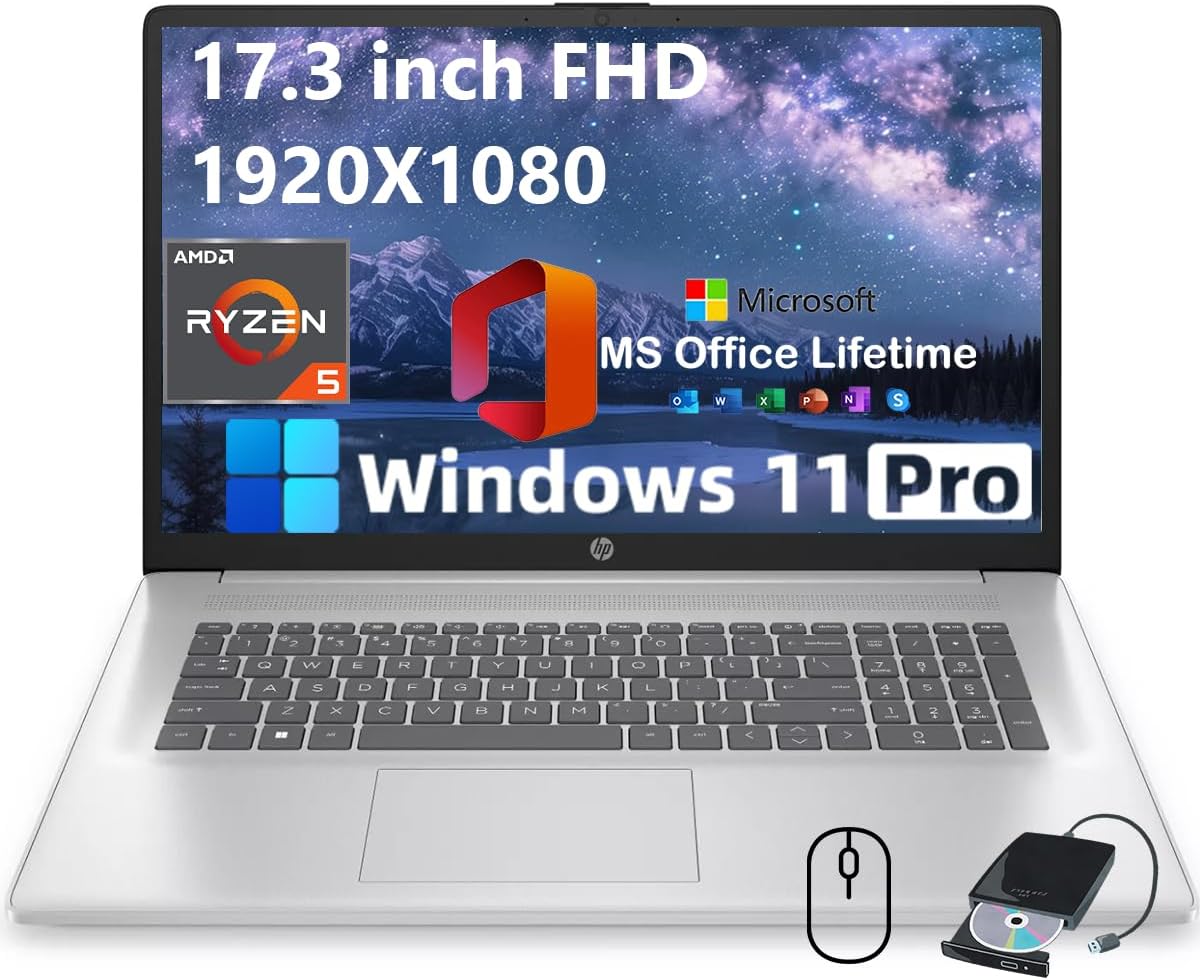
This HP Business Laptop is a top choice for professionals and students who need a versatile machine with optical media support. It offers a powerful AMD Ryzen 5 processor, 16GB RAM, and a large 17.3 inch display for comfortable viewing.
We may earn a commission when you buy through this link, at no additional cost to you.
The system comes pre-loaded with Microsoft Office Pro and Windows 11 Pro, saving you time and money on software setup. The external CD/DVD drive ensures compatibility with legacy software and physical media collections.
While the external drive adds a minor inconvenience, the included mouse and full-sized keyboard make this a complete work package. The anti-glare display helps reduce eye strain during long work sessions.
Buy this if you need a balance of modern performance and legacy compatibility. It suits mobile professionals, students, and anyone requiring frequent optical disc access for data or media.
The pre-installed Microsoft Office Pro and Windows 11 Pro license ensure you can start working immediately without extra purchases or setup delays.
Wi-Fi 6, USB-C, HDMI, and USB-A ports allow seamless integration with modern and legacy peripherals for enhanced workflow flexibility.
We may earn a commission when you buy through this link, at no additional cost to you.
This Lenovo IdeaPad offers an affordable entry point for users who need optical media compatibility without overspending. It includes an external DVD player and a large storage bundle to meet basic computing needs.
We may earn a commission when you buy through this link, at no additional cost to you.
The AMD Athlon Silver processor delivers dependable speed for everyday tasks like browsing, word processing, and streaming. The full-size keyboard with a numeric keypad is ideal for data entry and spreadsheet work.
While the 4GB RAM may limit heavy multitasking, the system remains responsive for standard home and school use. The anti-glare HD display provides clear visuals for extended viewing sessions.
Buy this if you need a budget-friendly laptop for basic tasks. It is perfect for students, light home users, and those transitioning from older systems with DVD software.
The laptop includes an external DVD player and a portable storage drive, offering essential tools for data management and media playback.
A dedicated numeric keypad on the full-size keyboard improves efficiency for users who frequently enter numbers or work with spreadsheets.
We may earn a commission when you buy through this link, at no additional cost to you.
This HP laptop stands out with exceptional specs including 64GB RAM and a 2TB SSD, making it ideal for heavy workloads and large media libraries. It includes an external DVD drive and lifetime Office license.
We may earn a commission when you buy through this link, at no additional cost to you.
The AMD Ryzen 5 processor ensures smooth performance for demanding applications. The 17.3 inch IPS display provides vibrant visuals, while the full numeric keypad supports detailed data entry.
The included security features and Windows 11 Pro offer enterprise-grade protection. While pricier, the massive storage and memory ensure the system stays fast for years.
Buy this for professional use requiring high performance and vast storage. It suits content creators, power users, and businesses needing reliable optical media access.
With 64GB RAM and 2TB SSD, this system handles multiple large applications and files simultaneously without slowdowns.
A lifetime Microsoft Office Pro license adds significant value, eliminating recurring subscription costs for essential productivity tools.
We may earn a commission when you buy through this link, at no additional cost to you.
This HP laptop offers a strong balance of RAM and storage for office work. It supports Windows 11 Pro features like Hyper-V and comes with an external DVD drive for legacy media needs.
We may earn a commission when you buy through this link, at no additional cost to you.
The Intel Core i3-N305 processor handles daily tasks efficiently. With 32GB RAM, multitasking is smooth, and the 1TB SSD provides ample space for files and applications.
The inclusion of Microsoft Copilot enhances productivity with AI assistance. However, the lack of a built-in optical drive means relying on USB connectivity for discs.
Buy this for office environments needing virtualization or high RAM. It suits professionals who need reliable connectivity and secure Windows features.
Windows 11 Pro provides tools like BitLocker and Hyper-V, essential for secure business computing and development testing.
Microsoft Copilot integration helps automate tasks and streamline workflows, increasing efficiency for daily office operations.
We may earn a commission when you buy through this link, at no additional cost to you.
This HP model provides reliable performance for students needing optical drive access for course materials. The 17.3 inch FHD display ensures clear viewing for research and multimedia projects.
We may earn a commission when you buy through this link, at no additional cost to you.
The Ryzen 5 processor supports multitasking across multiple apps. With 16GB RAM and 512GB SSD, storage is ample for documents and software installations.
A full numeric keypad aids with data entry and calculations. The laptop includes Windows 11 Pro for advanced security and management features.
Buy this for academic use requiring optical media. It suits students in STEM or business who need robust performance and legacy compatibility.
The 17.3 inch FHD IPS screen delivers vibrant colors and sharp text, reducing eye strain during long study sessions.
With a powerful processor and sufficient RAM, this laptop handles data analysis and multimedia projects without lag.
We may earn a commission when you buy through this link, at no additional cost to you.
This HP laptop is designed for versatility, offering a large display and external optical drive. It handles multimedia streaming and business presentations with ease thanks to the Ryzen 5 chip.
We may earn a commission when you buy through this link, at no additional cost to you.
The 17.3 inch anti-glare screen reduces reflections, making it easier to work in bright environments. With 16GB RAM, you can switch between apps smoothly.
It includes a wireless mouse and Office license for immediate productivity. The 250 nits display provides decent brightness for indoor work.
Buy this for a balance of display size and optical support. It suits home offices and students needing media playback capabilities.
The IPS display and external optical drive allow high-quality video playback and access to physical media collections.
Included accessories like a wireless mouse and Office Pro streamline setup and start use right away.
We may earn a commission when you buy through this link, at no additional cost to you.
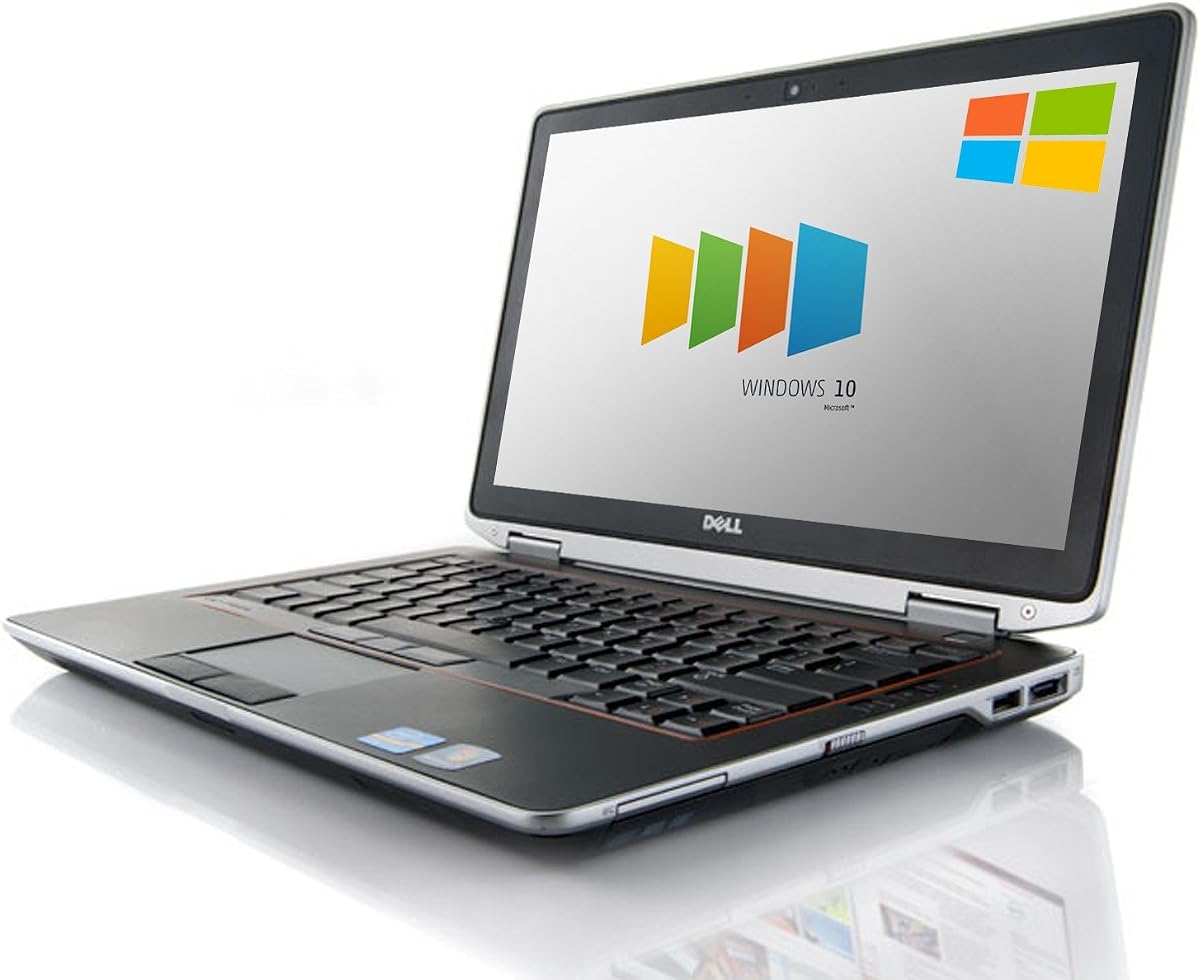
This refurbished Dell Latitude offers a budget option with a built-in DVD drive. It features an older Core i7 processor and SSD for decent speed despite its age.
We may earn a commission when you buy through this link, at no additional cost to you.
The machine includes HDMI and VGA outputs, useful for connecting to older monitors. With 8GB RAM and 240GB SSD, it handles basic office tasks well.
Being renewed means it is tested for functionality and comes with a warranty. However, Windows 10 support is ending, limiting long-term updates.
Buy this for low-cost legacy hardware needs. It suits businesses needing internal optical drives on a tight budget.
Certified Refurbished items are tested to ensure quality, providing a cost-effective alternative to brand new laptops.
VGA and HDMI ports ensure compatibility with a wide range of older displays and projectors.
We may earn a commission when you buy through this link, at no additional cost to you.
This Dell model represents an older generation of business laptops with an internal optical drive. It is suitable for basic legacy software or nostalgic computing needs.
We may earn a commission when you buy through this link, at no additional cost to you.
The AMD Turion processor and 2GB RAM are limited by today's standards but work for specific old applications. The built-in DVD drive allows media playback without external hardware.
It includes built-in Wi-Fi and a standard hard drive. While not powerful, it remains functional for simple tasks requiring optical media.
Buy this for specific legacy use cases. It suits technicians needing to access old discs or maintain outdated systems.
The older operating system and hardware are ideal for running specialized legacy software that requires specific environments.
Having a built-in DVD drive eliminates the need for external USB drives, simplifying physical media access.
We may earn a commission when you buy through this link, at no additional cost to you.
This renewed Dell Latitude includes a built-in DVD drive and Core i7 processor for solid performance. It is a practical choice for small offices needing optical support.
We may earn a commission when you buy through this link, at no additional cost to you.
The 8GB DDR3 RAM helps with multitasking. A 500GB hard drive provides storage but may be slower than modern SSDs.
VGA and HDMI ports offer flexible display options. The machine comes with Windows 10 Pro and a 90-day warranty.
Buy this for affordable business computing. It suits users needing reliable hardware for legacy applications and media access.
The Latitude series is known for durability and port options, ideal for daily professional use.
Testing ensures the laptop functions like new, offering reliability at a lower cost.
We may earn a commission when you buy through this link, at no additional cost to you.
This Lenovo IdeaPad is an entry-level laptop with an internal DVD-RW drive. It is designed for basic home tasks like browsing and media playback.
We may earn a commission when you buy through this link, at no additional cost to you.
The AMD A9 processor delivers decent speed for light use. With 128GB SSD storage, the system boots quickly compared to traditional hard drives.
Bluetooth and HDMI support help with peripherals. The HD display may lack resolution but is sufficient for simple tasks.
Buy this for light home use. It suits users needing an affordable machine with built-in optical disc capabilities.
Designed for everyday tasks like web browsing and media consumption, this laptop delivers value at an affordable price.
The internal DVD-RW drive allows reading and burning discs without needing external hardware.
We may earn a commission when you buy through this link, at no additional cost to you.
Choosing a laptop with a DVD drive involves considering performance, media needs, and budget. Below are key factors to evaluate.
Decide between internal and external drives. Internal drives are more integrated but often limited to older or refurbished models. External drives connect via USB and are portable.
Choose an external drive if you need modern specs and flexibility. Choose internal for all-in-one convenience.
Modern AMD or Intel processors like Ryzen 5 or i3 ensure smooth performance. Older Core i7 models are slower but sufficient for basic tasks.
Prioritize Ryzen 5 or newer for longevity and faster application handling.
Aim for at least 8GB RAM to manage multiple tabs and apps. SSD storage provides faster boot times than traditional hard drives.
16GB RAM and 512GB SSD are recommended for heavy multitasking and large media collections.
Larger screens like 17.3 inches improve productivity. Full HD resolution ensures clear visuals for text and media.
Opt for anti-glare displays to reduce eye strain during long work sessions.
Windows 11 Pro offers better security and features than Home. Windows 10 is still viable but nearing end of life.
Choose Windows 11 Pro for business environments requiring advanced management.
Ensure the laptop has USB-C and USB-A ports. HDMI and Wi-Fi 6 are essential for modern peripherals and fast internet.
Check for SD card readers if you transfer media frequently.
Look for included Microsoft Office licenses to save money. Pre-installed software saves setup time and increases productivity.
Lifetime licenses are especially valuable for long-term use.
Refurbished models save money but may have limited warranties. New units offer better support and reliability.
Balance cost against warranty coverage and expected lifespan.
To use an external DVD drive, connect it to a USB port. Most drives draw power directly from USB, so no extra adapter is needed. Insert the disc and open File Explorer to view the contents.
For internal drives, eject the tray using the physical button. Insert discs gently and close the tray. Use compatible software for playback or burning media.
Care for your drive by keeping it clean and avoiding rough handling. Dust can affect performance, so store discs in cases when not in use.
Most new laptops no longer include built-in optical drives to save space. Instead, users rely on external USB-connected drives for compatibility with legacy media.
External drives perform similarly to internal ones when connected via USB 3.0. Speed differences are negligible for most users.
Yes, many listed models include DVD-RW drives or external burners. Use built-in software or third-party apps to write discs.
Windows 10 reached end of life in November 2026. Businesses should upgrade to Windows 11 for ongoing security updates.
AMD Ryzen 5 or Intel Core i3 are sufficient for most daily tasks. Higher-end chips help with demanding applications and multitasking.
At least 512GB is recommended for photos, videos, and documents. Larger capacities like 1TB or 2TB provide more headroom for libraries.
Certified refurbished laptops undergo testing to ensure drives work correctly. Check warranty details before purchasing to minimize risk.
External DVD drives require USB ports. USB 3.0 offers faster data transfer, but USB 2.0 also works.
The best models balance modern performance with legacy compatibility. The HP Business Laptop leads for its powerful processor and external drive support.
Prioritize RAM and storage based on your workload. For light tasks, the Lenovo IdeaPad offers great value with an external drive.
Always check current pricing and availability. Prices fluctuate often, so verify details before making your final choice.