
Redragon BM4195 AI Wireless Optical Computer Office Mouse
3.9Editor score
Voice typing support
5-level DPI adjustment
Type-C fast charging
This guide compares the top AI smart wireless mouse models featuring voice typing, translation, and productivity tools to help you choose the right device.
The AI smart wireless mouse has emerged as a transformative tool for modern professionals seeking to streamline their workflows. By integrating voice typing and translation capabilities directly into a traditional peripheral, these devices aim to reduce reliance on keyboards and boost overall efficiency.
We have evaluated ten distinct models based on their AI functionality, connectivity options, battery life, and ergonomic design. Our comparison focuses on real-world utility, ensuring that each recommendation offers tangible benefits for users ranging from students to enterprise employees.
Each selection in this list highlights unique strengths, whether it is superior voice recognition accuracy or versatile multi-device switching. Please note that product availability and specifications may change, so verify current details before making your final purchase decision.
3.9Editor score

4.1Editor score

5.0Editor score
The following table provides a side-by-side overview of the ten selected AI smart wireless mouse models. It highlights key specifications such as connectivity modes, battery capacity, and unique AI features to help you quickly identify the best fit for your specific needs.


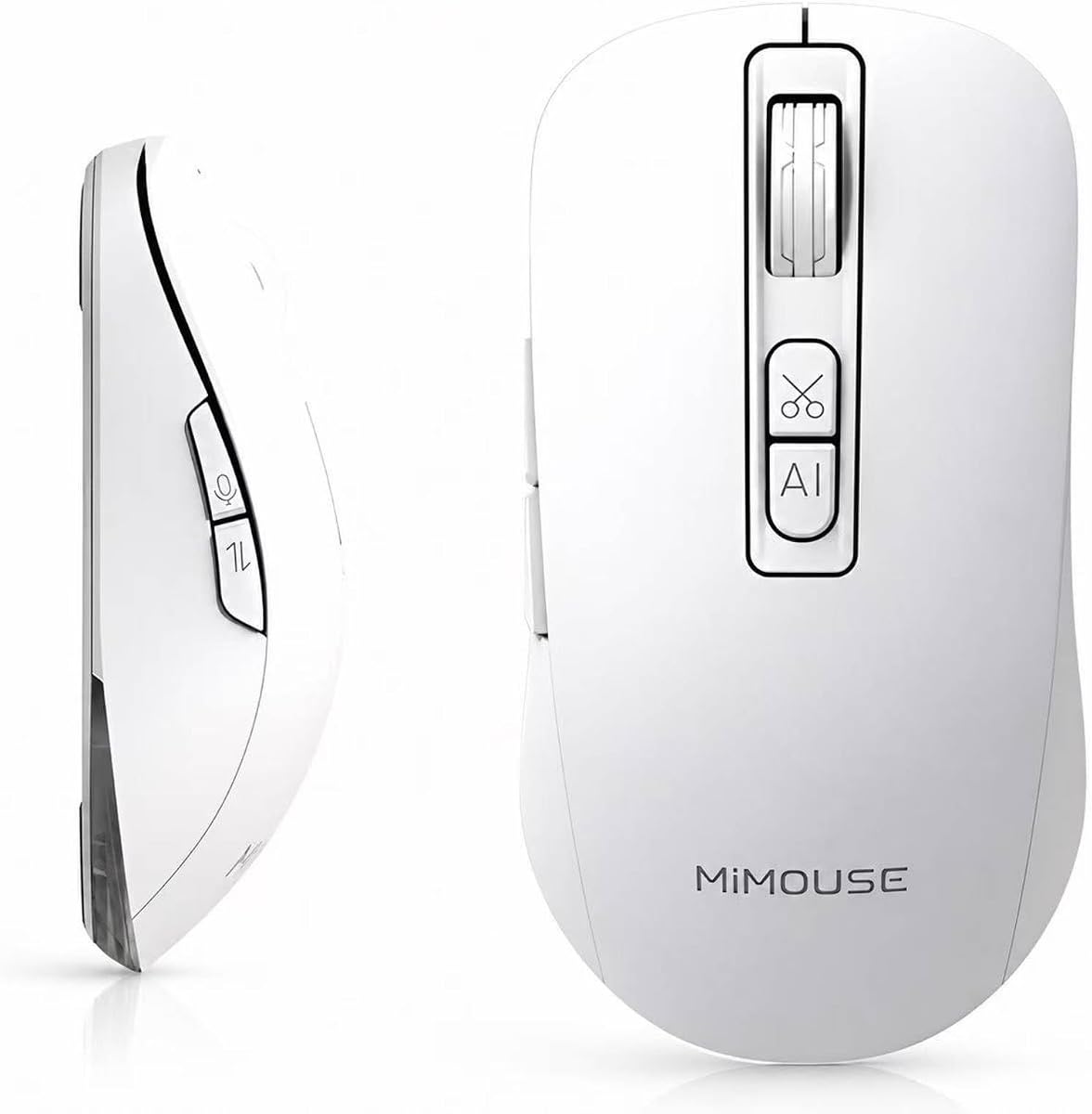


This model stands out as a top contender in the AI smart wireless mouse category due to its robust feature set and reliable performance. With a rating reflecting user satisfaction, it offers a compelling blend of voice typing, translation, and AI assistance tools.
We may earn a commission when you buy through this link, at no additional cost to you.
The core strength lies in its voice typing engine, which supports over 98% accuracy across multiple languages including Chinese, English, and German. The 600mAh battery ensures long sessions without frequent recharging, and the silent click design makes it suitable for quiet office environments.
However, users must download the specific software to activate AI functions, which adds a step to the initial setup process. Additionally, while the battery life is excellent, the charging time might be slightly longer compared to some competitors.
Overall, this device is highly recommended for professionals who need a versatile tool for dictation and translation. Its combination of local AI processing and ergonomic design makes it a solid choice for daily productivity tasks.
The one-click AI voice control allows for instant dictation and summarization, significantly reducing the time spent typing manually.
All AI processing happens locally on the device, ensuring that your voice data and text files remain private and secure.
We may earn a commission when you buy through this link, at no additional cost to you.
The Redragon BM4195 offers an accessible entry point into the world of AI smart wireless mice. While it may lack some of the premium features of higher-end models, it provides essential voice typing and connectivity options at a competitive price.
We may earn a commission when you buy through this link, at no additional cost to you.
Key features include a 500mAh battery with Type-C fast charging, which ensures you stay powered throughout the workday. The multi-mode connectivity allows seamless switching between devices, and the 5-level DPI adjustment caters to different precision needs.
One limitation is the requirement to download software to activate AI functions, which might be a hurdle for users seeking plug-and-play convenience. Additionally, the voice recognition might not be as advanced as dedicated AI assistants.
For budget-conscious buyers looking for basic voice typing capabilities, this mouse is a strong candidate. It balances cost and functionality effectively, making it suitable for general office use and light dictation tasks.
Despite its lower price, this mouse delivers core voice typing functionality that can enhance workflow efficiency for everyday users.
The ability to switch between 2.4G and Bluetooth modes provides versatility for connecting to desktops, laptops, and tablets.
We may earn a commission when you buy through this link, at no additional cost to you.
This model represents the high end of the AI smart wireless mouse market with its unique magnetic detachable design. Users praise its ability to switch between a full mouse and a presentation clicker seamlessly, making it ideal for business professionals.
We may earn a commission when you buy through this link, at no additional cost to you.
The 20-day battery life is exceptional, reducing the need for frequent charging. The lightweight build ensures comfort during extended use, and the air mode allows for intuitive cursor control during presentations without a physical surface.
The higher cost reflects the advanced features and premium build quality. Some users might find the detachable mechanism slightly complex to manage compared to traditional mice, but the versatility often justifies the extra effort.
If you frequently give presentations or need a multi-functional tool for meetings, this mouse is a standout choice. Its blend of AI transcription and presentation features makes it a powerful asset for corporate environments.
The built-in air mode and laser pointer allow you to engage audiences effectively while moving freely away from the podium.
The magnetic host base system allows you to attach the device to a standard base or use it independently for portability.
We may earn a commission when you buy through this link, at no additional cost to you.
This AI smart wireless mouse offers a strong value proposition with its battery display screen and extensive language support. It supports voice typing at speeds up to 400 words per minute, which is impressive for a budget-friendly device.
We may earn a commission when you buy through this link, at no additional cost to you.
The inclusion of a battery display screen is a practical touch, allowing users to monitor power levels at a glance. Additionally, the local processing ensures that your data remains private, which is a significant benefit for security-conscious users.
A minor drawback is the reliance on an external app for setup and operation, which may be a friction point for some. Without physical buttons for all features, navigation depends heavily on the software interface.
Overall, this device is well-suited for users who need fast voice typing and translation without compromising on privacy. It balances features and cost effectively for everyday office work.
The LED real-time power display eliminates guesswork regarding battery life, ensuring you are never caught off guard during a session.
Support for over 200 languages makes this an excellent tool for global teams or individuals working in multilingual environments.
We may earn a commission when you buy through this link, at no additional cost to you.
The LTC OM021 focuses heavily on ergonomic comfort and silent operation. Its shape is designed to reduce hand strain during extended use, making it ideal for long hours of work in shared office spaces.
We may earn a commission when you buy through this link, at no additional cost to you.
The quiet click feature is a significant advantage for open offices or libraries. Bluetooth 5.0 connectivity ensures a stable connection, and the 500mAh battery provides reliable power for daily tasks without frequent charging.
However, it does not offer the advanced AI capabilities found in higher-ranked models. The voice typing and translation features are functional but may lack the speed and accuracy of dedicated AI competitors.
This mouse is best suited for users prioritizing physical comfort and quiet operation over advanced AI features. It is a solid choice for those who need a reliable, comfortable mouse for daily office productivity.
The ergonomic shape reduces hand strain, which is beneficial for users who spend long periods at their computer workstation.
Silent clicks minimize distractions, making it perfect for use in shared workspaces or during conference calls.
We may earn a commission when you buy through this link, at no additional cost to you.
While it differs from typical voice-centric AI mice, the Logitech Signature AI Edition M750 is a reliable option for general productivity. Known for its high ratings, it offers Logi Options+ integration for software customization and long battery life.
We may earn a commission when you buy through this link, at no additional cost to you.
The primary strength is its durability and reliability. With a battery life of up to 24 months, it is an excellent choice for users who want a hassle-free mouse without frequent charging or battery replacement interruptions.
It lacks the specialized voice typing and translation features found in other models on this list. Instead, it focuses on overall productivity through reliable connectivity and user-friendly software support.
For users who value brand reliability and simplicity over advanced voice AI, this mouse is a strong contender. It is particularly effective for general office tasks where consistency is key.
This software allows for deep customization of buttons and scrolling, enhancing productivity for power users.
With up to 24 months of battery life, you can rely on this mouse for extended periods without worrying about power.
We may earn a commission when you buy through this link, at no additional cost to you.
This model stands out for its RGB features and high responsiveness. It combines the functionality of a standard AI mouse with visual customization options that appeal to users who want a more dynamic desktop setup.
We may earn a commission when you buy through this link, at no additional cost to you.
The 6000 responsive upgrade ensures smooth tracking and precise control, which is beneficial for both office work and light gaming. The silent operation and ergonomic design make it comfortable for long sessions.
However, like many in this category, it requires software installation to unlock full capabilities. The setup process can be complex for users not familiar with configuring third-party drivers or applications.
If you want a feature-rich mouse with visual customization and solid voice capabilities, this is a good choice. It is versatile enough for both professional and personal use cases.
The RGB smart features allow you to personalize the look of your mouse, adding a touch of style to your desk setup.
With a 6000 upgrade, the cursor tracking is smooth and accurate, enhancing the overall user experience.
We may earn a commission when you buy through this link, at no additional cost to you.
This mouse is designed with meetings and conferences in mind. Its audio recording and transcription capabilities are tailored for capturing notes and summarizing discussions efficiently, which is ideal for professionals in frequent meetings.
We may earn a commission when you buy through this link, at no additional cost to you.
The M-AI platform integrates various AI models to provide comprehensive support for writing, drawing, and presentation tasks. This makes it a powerful tool for content creators and office workers who need more than just dictation.
A potential downside is the reliance on specific software to function fully. Users must be comfortable downloading and managing external applications to unlock the full potential of the device.
For those who spend a lot of time in meetings, this mouse is a highly specialized and useful tool. It effectively bridges the gap between a traditional peripheral and a productivity assistant.
The ability to record and transcribe meetings directly helps you stay focused on the conversation rather than note-taking.
Access to a centralized AI platform allows for a wide range of tasks from writing assistance to presentation creation.
We may earn a commission when you buy through this link, at no additional cost to you.
This model stands out for its versatility across different devices including laptops, computers, and iPads. It supports seamless switching between three modes, making it ideal for users who use multiple devices throughout the day.
We may earn a commission when you buy through this link, at no additional cost to you.
The voice typing and summarization features are robust, allowing you to generate notes and content quickly. The ergonomic shape ensures comfort, and the high-performance sensor provides accurate tracking for various tasks.
However, the setup process may require downloading additional software to enable the AI features. This might be a hurdle for users looking for an immediate plug-and-play experience without extra configuration steps.
If you work with multiple devices and need a reliable tool for transcription and summarization, this mouse is a great option. It balances compatibility with useful AI features effectively.
The ability to switch between 2.4G USB and two Bluetooth modes allows for flexible and seamless device management.
Built-in summarization features help you condense long texts into key points, saving time on reading and writing.
We may earn a commission when you buy through this link, at no additional cost to you.
This model focuses on providing a simple and accessible solution for voice typing and translation. It is designed for users who want to incorporate voice-to-text into their workflow without complex configuration or advanced features.
We may earn a commission when you buy through this link, at no additional cost to you.
The silent rechargeable design ensures a quiet and convenient experience. With support for over 200 languages, it is a versatile tool for basic communication and note-taking tasks in diverse environments.
Performance ratings are generally lower compared to other models on this list, which may indicate limitations in speed or accuracy. Users should expect basic functionality rather than high-end AI assistance.
For those seeking a straightforward voice typing mouse at an accessible price point, this is a viable option. It is best suited for casual use where advanced features are not required.
The interface is designed for ease of use, allowing quick access to voice typing without needing deep technical knowledge.
With support for 200 languages, it can assist with basic translation needs during casual communication or travel.
We may earn a commission when you buy through this link, at no additional cost to you.
Choosing the right AI smart wireless mouse requires evaluating several key factors to ensure it meets your specific productivity needs. This guide breaks down the most important considerations to help you make an informed decision.
The primary function of an AI smart wireless mouse is voice input. Look for models that advertise high recognition accuracy rates such as 98% or higher and support for speeds of 400 words per minute or more.
Higher accuracy reduces the need for editing, while faster speeds ensure you keep up with your thoughts naturally.
If you work in a multilingual environment or frequently communicate with international clients, ensure the mouse supports a wide range of languages. Many models offer translation for over 200 languages with near-zero latency.
A broad language selection ensures you can use the device effectively regardless of your target audience or region.
Since these mice are wireless, battery life is critical. Look for rechargeable models with capacities of 500mAh or higher. Type-C fast charging is a valuable feature that minimizes downtime.
Long battery life ensures you can work uninterrupted for days, while fast charging means a short charge can last several hours of use.
Versatility is key for modern workflows. A good AI smart wireless mouse should support multiple connection modes such as Bluetooth 5.0 and 2.4G wireless. This allows you to switch between devices like laptops, desktops, and tablets seamlessly.
Multi-device connectivity reduces clutter and simplifies your workflow by allowing you to use one mouse across multiple systems.
Comfort is essential for devices you use for hours. Look for an ergonomic shape that supports the natural curve of your hand to reduce strain. Silent click mechanisms are also beneficial for shared workspaces.
A comfortable design prevents fatigue and allows you to work longer without physical discomfort, improving overall productivity.
Since these mice process voice and text data, privacy is a major concern. Opt for models that offer local AI processing or encryption to ensure your data is not stored in the cloud.
Local processing ensures that your sensitive information remains on your device, providing greater security and peace of mind.
Most AI mice require software to function fully. Check if the software is user-friendly and compatible with your operating system. A simple setup process is preferable to avoid installation issues.
Easy-to-use software ensures that you can quickly access all features without spending excessive time on configuration.
Some models offer extra tools like AI Q&A, transcription summarization, or presentation modes. Evaluate which features align with your specific needs such as note-taking or public speaking.
Additional features can transform the mouse from a simple input device into a comprehensive productivity hub for various tasks.
To start using your AI smart wireless mouse, ensure you have the necessary software installed from the manufacturer. Most devices require you to download an app from the provided link or the app store on your computer or phone.
Pair the device with your computer using Bluetooth or the 2.4G USB receiver. Once connected, press the designated voice button to begin dictation. Adjust the DPI settings to your preference using the provided software or buttons.
Regularly update the software to ensure optimal performance and security. Keep the device clean by wiping it with a soft cloth, and avoid exposing it to water or extreme temperatures to prolong its lifespan.
Yes, most AI smart wireless mice require you to install specific software to unlock voice typing and translation capabilities. Without this software, the device typically functions as a standard wireless mouse without AI capabilities.
Accuracy varies by model but many top-rated devices claim recognition rates of up to 98% when used in a quiet environment. Background noise and microphone placement can affect performance, so try to use it in a calm setting for best results.
Yes, most AI smart wireless mice are designed to be compatible with both Windows and macOS systems. Always check the product description to confirm support for your specific operating system version before purchasing.
Many models support over 200 languages including English, Chinese, Spanish, and German. This allows users to dictate and translate text across different languages without needing to switch devices or settings frequently.
Most devices use a USB-C connection for charging. Simply connect the included cable to the mouse and a power source. Charging times vary, but fast charging options can provide hours of use with a short charge.
Yes, many models support multi-device connectivity allowing you to pair with up to three devices such as laptops and tablets. You can switch between them easily using a dedicated button on the bottom or side of the mouse.
Some models feature dedicated presentation modes that allow you to control slides or highlight points using voice or gestures. These are ideal for professionals who need to give presentations without a separate clicker device.
Many modern AI mice offer local processing to ensure privacy. However, some features like advanced cloud translation may require internet connectivity. Review the privacy settings of the specific software to understand data handling practices.
We have explored ten distinct AI smart wireless mouse options ranging from budget-friendly choices to premium productivity hubs. Each model offers unique features designed to enhance your workflow through voice typing and AI tools.
When choosing, prioritize features that align with your daily needs such as language support, battery life, or multi-device connectivity. Ensure you are comfortable with the software requirements to maximize the value of the device.
Product specifications and availability may change over time so always check the latest details and current offers before purchasing. By selecting the right mouse, you can significantly boost your productivity and streamline your workday.