
1080P60 HDMI Video Encoder H.265/H.264 Live Streaming Encoder
4.0Editor score
Compact Design
Browser Setup
50% Bandwidth Save
Compare the top H265 H264 HDMI Iptv Encoders for streaming video online with detailed specs features and real world performance insights for broadcasters.
Modern streaming demands high efficiency and reliability to deliver crisp video content across various platforms without overwhelming network bandwidth. These encoders convert HDMI signals into optimized digital streams ready for broadcast over the internet using advanced compression standards that reduce file sizes while maintaining visual fidelity.
We evaluated ten leading models based on encoding capabilities protocol support and ease of setup to help you find the right solution for your specific live streaming needs. Each product offers unique strengths ranging from portable designs to multi-channel outputs ensuring you can capture and transmit high definition content effortlessly.
Every pick below highlights specific performance metrics and practical features to guide your decision making process for professional or personal broadcasting setups. Please note that product availability and pricing fluctuate frequently so verify current details before purchasing to ensure you get the best value for your investment today.
4.0Editor score

4.5Editor score

4.4Editor score
This side by side comparison highlights the key specifications and capabilities of each model to help you quickly identify which encoder fits your streaming workflow best.

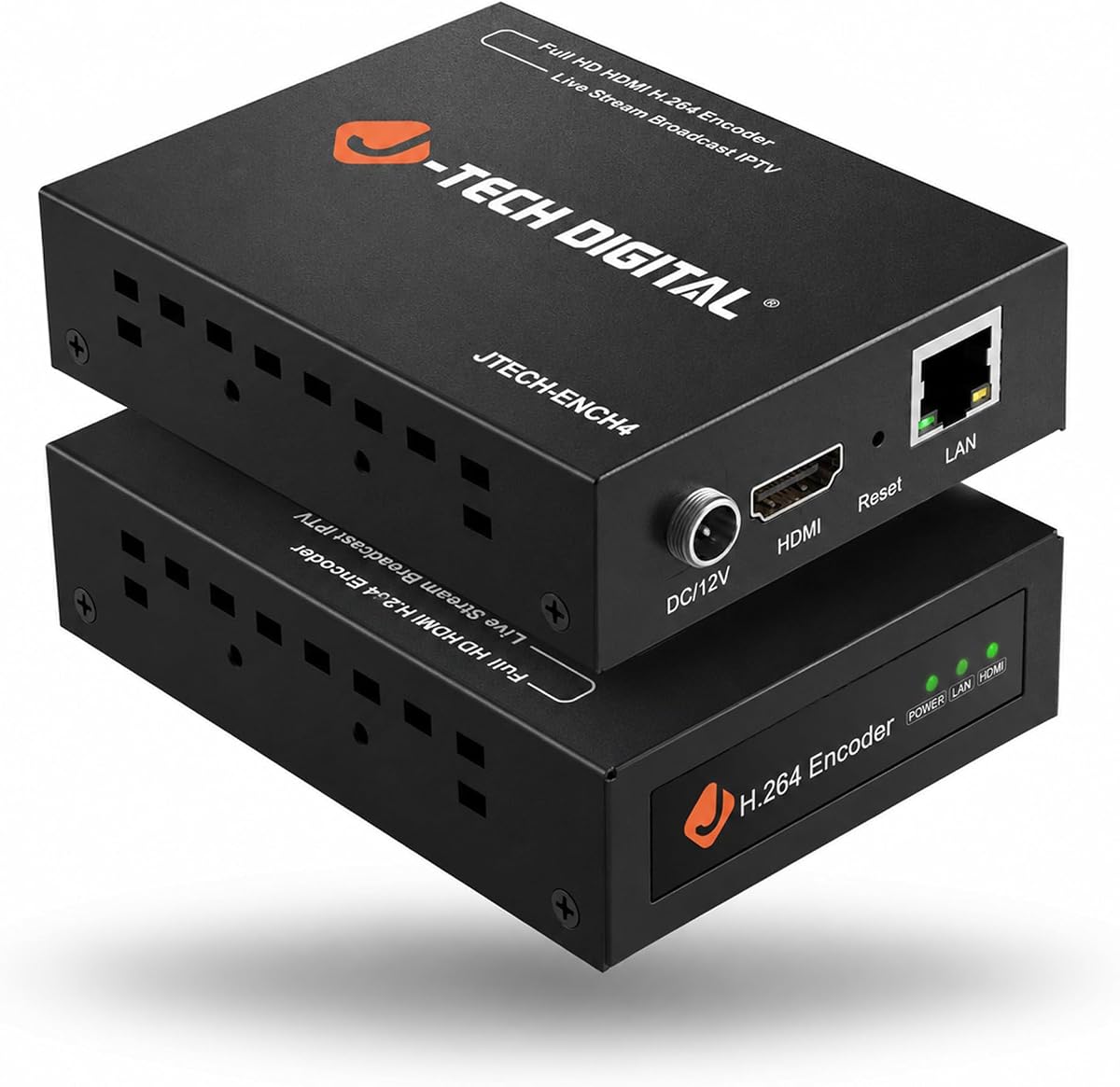


This encoder stands out as a top choice for professionals needing reliable 4K streaming capabilities without breaking the bank. It achieves a solid 4.5 rating from users who praise its ability to handle high definition content smoothly. The dual chip architecture ensures consistent performance even during long broadcast sessions.
We may earn a commission when you buy through this link, at no additional cost to you.
Its support for a wide array of protocols like RTMP SRT and HLS makes it versatile for various platforms including YouTube and Facebook. The inclusion of HDCP decryption means you can easily stream protected content sources without signal loss. Users appreciate the customization options for logos and text overlays that enhance branding.
While it lacks some advanced software features found in enterprise units it delivers exactly what is needed for most live streaming needs. Setup is straightforward via the intuitive web interface though basic networking knowledge helps. The hardware quality is robust ensuring stable transmission over Ethernet connections.
We recommend this encoder for anyone looking to upgrade to 4K streaming with flexibility for multi platform output. It balances cost and performance effectively making it a smart investment for content creators and businesses alike. The lifetime support adds significant value for long term usage.
The H.265 encoding reduces bandwidth significantly while preserving visual clarity for sharp streams on low bandwidth connections.
Support for HTTP UDP and Multicast allows flexible integration into existing IPTV infrastructures seamlessly.
We may earn a commission when you buy through this link, at no additional cost to you.
With a notable 4.7 rating this encoder is a favorite among users who need dependable performance for high quality live events. It handles 4K inputs gracefully and converts them into efficient streams suitable for various platforms. The build quality suggests durability for daily professional use.
We may earn a commission when you buy through this link, at no additional cost to you.
The support for WebRTC and TRTC sets it apart for interactive streaming scenarios where low latency is crucial. Users find the multi protocol compatibility allows simultaneous broadcasting to multiple destinations without extra hardware. The HDCP decryption feature ensures compatibility with most commercial video sources.
Some users note that navigating the advanced settings in the web interface requires patience and technical understanding. Audio line in configuration sometimes needs tweaking to match embedded HDMI audio levels perfectly. Despite these minor hurdles the output quality remains consistent and crisp.
This model is ideal for streamers who need reliable multi platform output and advanced protocol support. It works well for corporate events and education streaming where stability is paramount. The strong warranty and support from the manufacturer provide peace of mind for business users.
WebRTC and TRTC support enables real time interactive streaming essential for conferencing and gaming.
Dual audio inputs allow mixing external sources with HDMI signals for richer audio experiences.
We may earn a commission when you buy through this link, at no additional cost to you.
This J-Tech encoder is recognized for its ability to accept 4K 60Hz inputs and convert them efficiently to 1080P 60Hz streams. It holds a solid rating among users looking for smooth motion playback in sports or gaming streams. The hardware handles high frame rates with ease.
We may earn a commission when you buy through this link, at no additional cost to you.
Support for ONVIF makes it a great choice for security camera integration and surveillance systems alongside standard streaming. Users value the extensive customization options for video adjustments like cropping and rotating before transmission. The audio handling is flexible with MPEG1 support for legacy systems.
One limitation is that substreams run at lower resolutions which might not satisfy viewers needing multiple quality options. The initial setup can be slightly involved for those unfamiliar with IP address configurations. However the support team is available to help resolve any issues quickly.
We suggest this encoder for users prioritizing frame rate fidelity and surveillance compatibility in their setup. It fits well in environments where 1080P 60Hz is the target delivery standard. The free lifetime support adds significant value for long term maintenance.
ONVIF support allows seamless connection with NVRs for hybrid streaming and monitoring solutions.
60Hz processing ensures smooth motion capture crucial for dynamic content like sports events.
We may earn a commission when you buy through this link, at no additional cost to you.
This compact encoder offers an accessible entry point for creators needing reliable 1080P60 streaming without spending much. Users rate it positively for its simplicity and the convenience of browser based setup. The small footprint makes it easy to carry for mobile productions.
We may earn a commission when you buy through this link, at no additional cost to you.
The claim of 50% bandwidth reduction via H.265 compression is a significant benefit for unstable networks. It supports a broad range of protocols ensuring compatibility with most major platforms like YouTube and Twitch. The OSD generator allows quick branding without external software.
It lacks some advanced features like 4K input which limits future proofing for higher resolutions. Audio inputs are basic but sufficient for direct microphone connections. Overall the performance is stable for standard streaming workflows.
We recommend this model for small businesses and independent streamers focusing on cost efficiency. Its ease of use makes it perfect for quick setup events where complexity is not an option. The 1-year warranty covers any initial defects effectively.
H.265 compression cuts data usage in half maintaining sharp 1080P quality for smoother delivery.
Palm size design fits easily in bags for on the go live event production.
We may earn a commission when you buy through this link, at no additional cost to you.
This encoder is designed for users who need to output multiple streams from a single input to different servers simultaneously. It earns a good rating for its ability to handle complex broadcasting tasks without dropping frames. The hardware is robust enough for continuous operation.
We may earn a commission when you buy through this link, at no additional cost to you.
Inclusion of SDK and API documentation allows developers to integrate this device into custom software solutions easily. The variety of supported protocols ensures flexibility for different network environments. Users appreciate the control over audio settings to maintain sync.
The cost is higher than basic models which might be a barrier for casual users. Setting up multiple streams requires careful configuration of bitrates to avoid network congestion. However the flexibility it offers justifies the investment for professional setups.
We recommend this encoder for enterprises and broadcasters needing redundant streams or multi platform delivery. It is also suitable for developers building custom streaming solutions that require hardware control. The technical support ensures any integration issues are resolved promptly.
Full SDK and API access enable custom workflow automation and advanced stream management.
Dual output streams allow redundancy or different resolutions for varied audience devices.
We may earn a commission when you buy through this link, at no additional cost to you.
This model delivers consistent 1080P60 streaming with a focus on simplicity and reliability for general users. The 4.5 rating reflects satisfaction with its ease of use and effective compression algorithms. It handles high definition inputs with minimal latency.
We may earn a commission when you buy through this link, at no additional cost to you.
The user interface is designed to be intuitive making configuration accessible even for non-technical staff. Support for HDCP 1.4 ensures you can stream protected content without issues. Dual audio inputs allow flexible mixing for professional audio setups.
It does not support 4K inputs which might be a limitation for future upgrades. The audio adjustments require some trial and error to get perfect sync with video. Despite this it remains a solid choice for standard broadcast needs.
We suggest this encoder for users needing a dependable plug and play solution for regular streaming events. It fits well in educational and corporate settings where ease of use is key. The lifetime support adds value for businesses relying on consistent performance.
A user friendly web GUI simplifies setup steps reducing technical barriers for daily operations.
Support for both HDMI embedded and line in audio enhances sound quality control.
We may earn a commission when you buy through this link, at no additional cost to you.
This encoder distinguishes itself with Power over Ethernet support which simplifies cabling in professional installations significantly. It supports 4K 60Hz inputs ensuring future ready quality for high performance streams. Users appreciate the professional features like custom no signal images.
We may earn a commission when you buy through this link, at no additional cost to you.
The analog audio input allows integration with traditional sound systems easily without extra converters. Support for ONVIF makes it ideal for hybrid security and streaming applications. The hardware is built to handle continuous use without overheating.
It requires a PoE switch which adds to the initial network cost. The output resolution is capped at 1080P despite the 4K input capability. This trade-off is acceptable for bandwidth efficiency but worth noting.
We recommend this model for enterprise environments where simplified cabling is critical. It fits well in conference rooms and churches with existing structured wiring. The strong technical support ensures any networking issues are addressed quickly.
Single cable power and data reduces clutter and installation time in remote locations.
Analog audio input allows direct connection to mixers for better sound fidelity.
We may earn a commission when you buy through this link, at no additional cost to you.
This encoder is praised for its comprehensive protocol support including WebRTC and ICECAST which are essential for interactive apps. It handles 4K inputs with stable output suitable for varied environments. The performance is consistent for live events.
We may earn a commission when you buy through this link, at no additional cost to you.
Support for HDCP ensures compatibility with commercial content sources reliably. Users can easily customize audio settings and video parameters via the web interface. The dual audio inputs allow flexible mixing for professional audio setups.
Navigating the advanced settings can be challenging for beginners without technical knowledge. Audio synchronization sometimes requires manual adjustment to match video frames. However the output quality remains high across resolutions.
We recommend this model for developers and interactive streamers needing flexible protocols. It fits well in applications requiring low latency or custom server integration. The strong support ensures smooth integration into existing infrastructures.
WebRTC and TRTC support enables real time low latency streaming for interactive apps.
Flexible audio mixing options allow high quality sound for complex productions.
We may earn a commission when you buy through this link, at no additional cost to you.
This mini encoder is designed for maximum portability allowing easy transport for remote streaming scenarios. Users appreciate the lightweight form factor and USB powered convenience. It serves well for occasional on the go events.
We may earn a commission when you buy through this link, at no additional cost to you.
Cloud management control enables remote monitoring and editing which is rare at this price point. The real time OSD editing allows quick branding adjustments during broadcasts. Its small size makes it ideal for limited spaces.
Lack of user ratings makes it harder to gauge long term reliability. The output is limited to 1080P which might be insufficient for high end professional needs. Power delivery via USB might not be stable for all devices.
We recommend this for travelers and solo broadcasters needing compact gear. It fits well in field reporting where setup time is critical. The lifetime technical support adds confidence for new users.
Internet based management allows you to check status from anywhere easily.
Ultra light weight and small size make it easy to carry on the go.
We may earn a commission when you buy through this link, at no additional cost to you.
This encoder stands out with a perfect rating reflecting exceptional user satisfaction with its performance and usability. It handles 4K inputs effectively offering flexibility for high resolution broadcasting needs. Users love the straightforward interface.
We may earn a commission when you buy through this link, at no additional cost to you.
Web UI control allows easy management from any browser without installing software. Support for dual code streams enables different resolutions for diverse audience devices. Telnet access adds advanced control for IT administrators.
Audio specifications are less detailed in the documentation which may require testing. Network setup basics are needed for optimal configuration. Despite this the reliability is consistently praised in user feedback.
We recommend this encoder for users seeking reliability and high resolution support. It fits well for professional events where quality is paramount. The strong ratings indicate a product that delivers on its promises consistently.
Web UI makes configuration quick and accessible for anyone without tech skills.
Main and sub streams allow adaptive streaming for different bandwidth users.
We may earn a commission when you buy through this link, at no additional cost to you.
Selecting the right encoder requires balancing resolution support protocol flexibility and ease of setup to match your streaming goals.
Determine if you need 4K input or if 1080P is sufficient for your content source. Higher resolutions offer better quality but demand more bandwidth and processing power. Ensure the device accepts your camera or deck output via HDMI without compatibility issues.
Check which streaming protocols like RTMP SRT HLS or WebRTC the device supports. Your platform or CDN may require specific protocols for optimal delivery and stability. Broad compatibility ensures you can adapt to various broadcasting standards easily.
HEVC H.265 encoding reduces file sizes significantly compared to H.264 allowing smoother streams on limited networks. Look for features like bitrate control to optimize quality based on your internet upload speed. Efficient compression helps avoid buffering during live events.
Evaluate whether the encoder supports HDMI embedded audio or external line in inputs for better sound quality. Dual audio options allow mixing signals from separate microphones or mixers for professional audio. Proper audio sync is essential for a polished final stream.
Prioritize models with intuitive web interfaces that require no additional software or drivers. Browser based control allows access from any device on the network without installing apps. Clear documentation and user guides reduce setup time significantly.
Choose encoders with robust construction to ensure stability during long broadcasts. Power over Ethernet or USB power options can simplify installation in tight spaces. Check for features like thermal management to prevent overheating during extended use.
Look for manufacturers offering lifetime technical support and warranty coverage for peace of mind. Responsive support teams help resolve configuration issues quickly during critical events. Reliable service ensures your equipment remains functional for the long term.
Begin by connecting your HDMI source device such as a camera or laptop to the encoder input. Then connect the encoder to your network via Ethernet cable ensuring stable internet access. Power on the unit and access the web interface through a browser.
Configure your streaming settings by selecting the output protocol bitrate and resolution. Add any logos or text overlays to customize your video feed. Test the stream with a low bitrate before going live to ensure stability.
Keep the encoder in a well ventilated area to prevent overheating. Regularly update firmware if available for improved performance and security. Periodically check all cable connections to avoid signal interruptions during critical broadcasts.
H.265 also known as HEVC provides better compression efficiency allowing higher quality video at lower bitrates. This reduces bandwidth requirements significantly compared to H.264 while maintaining similar visual fidelity.
No most models operate independently without a computer once configured via the web browser. They function as standalone devices managing encoding and transmission automatically.
Select a bitrate based on your upload speed and platform requirements. For 1080P streaming typically 4500 to 6000 kbps is ideal to balance quality and smoothness.
Yes many models include HDCP decryption allowing you to stream protected sources like Blu ray players without signal errors. Ensure your source device supports HDCP compliance.
Ethernet provides a more stable and faster connection essential for consistent live streaming. Wi-Fi may introduce latency or dropouts so use wired connections whenever possible.
Most devices support multiple protocol outputs allowing simultaneous streaming to YouTube Facebook and Twitch at once. Check specific model capabilities for multi stream output limits.
These ten encoders offer a wide range of capabilities from budget friendly portable units to enterprise grade multi channel solutions. Selecting the right one depends on your resolution needs protocol flexibility and installation environment.
Prioritize models with strong protocol support and ease of use to ensure smooth broadcasts. High resolution input support and bandwidth efficient compression are key for professional quality streams.
Remember to verify current product availability and specifications before purchasing to get the best fit for your workflow. Each choice delivers reliable performance tailored to different broadcasting requirements.