
M.2 Heatsink Cooler 2280 SSD
4.6Editor score
Aluminum alloy silver plating body
Double-sided clip design stability
Thermal silicone pads included
Compare the top low profile SSD heatsinks for PS5 laptops and desktops to prevent throttling and protect your storage investment from overheating issues.
Low profile SSD heatsinks are essential for modern computing setups where space is tight and thermal throttling is a real risk. These compact cooling solutions ensure your NVMe drives maintain peak speeds without overheating during intense gaming or heavy data transfers.
We evaluated ten leading models based on material quality, thermal conductivity, installation ease, and compatibility with various devices like the PlayStation 5 and slim laptops. Our analysis focuses on real-world performance gains and build durability to help you choose wisely.
Each pick below highlights specific strengths such as graphene coating or pure copper construction. Prices and availability change frequently so check current listings before buying to ensure you get the best value for your specific build requirements.
4.6Editor score

4.5Editor score

4.4Editor score
This side-by-side comparison covers all ten selected models showing their core materials, dimensions, and key compatibility features to help you quickly identify the right fit for your hardware.



The GLOTRENDS 2-Pack delivers exceptional cooling performance for standard 2280 NVMe and SATA SSDs. With a 4.5 star rating it stands out for its ability to cut peak temperatures by 5 to 20 degrees under load.
We may earn a commission when you buy through this link, at no additional cost to you.
Its passive aluminum fins effectively pull heat off the controller without needing fans or power. The toolless installation uses metal clasps or rubber bands to secure the heatsink in under a minute.
While it is not designed for laptops the value of getting two units for desktop builds or PS5 expansions is hard to beat. Some users might find the clasps slightly tricky to align initially.
For desktop users or PS5 owners needing reliable cooling without breaking the bank this is the top recommendation. It keeps speeds steady during big file transfers and game installs.
Fits every 2280 M.2 SSD including those inside PS5 and PS5 Slim systems perfectly.
Aluminum fins reduce heat silently without any noise or extra power consumption.
We may earn a commission when you buy through this link, at no additional cost to you.
This model features graphene coating which offers unmatched thermal conductivity compared to pure copper or aluminum. It is designed to dissipate heat quickly through a professional air duct design.
We may earn a commission when you buy through this link, at no additional cost to you.
The slanted slot design provides an aesthetically pleasing look which is great for visible builds. It uses a silicone thermal pad to fix the radiator easily without tools.
While effective its higher price point might not suit all budgets. Care must be taken with the adhesive to avoid damaging SSD particles during installation.
Users seeking maximum cooling efficiency and a unique look will appreciate this heatsink. It is ideal for laptop users with narrow spaces needing quick heat exchange.
Graphene conductivity reaches 5300W/mK making it more efficient than other radiators.
Increases contact area with air for faster and more effective heat exchange.
We may earn a commission when you buy through this link, at no additional cost to you.
Designed specifically for the compact space of laptops this copper heatsink offers robust cooling. It has a minimum installation height of only 1.5mm which is perfect for tight chassis.
We may earn a commission when you buy through this link, at no additional cost to you.
The 100% copper construction is cut and polished for high performance heat dissipation. Unique 0.5mm and 1mm silicone thermal pads ensure compatibility with uneven surfaces.
Installation uses either a rubber ring or high temperature insulation sticker. While this offers flexibility it can be slightly fiddly compared to clip-on designs.
If you are upgrading a laptop SSD this is the most reliable choice. It effectively prevents overheating and throttling in slim devices with limited airflow.
1.5mm height allows installation in narrow spaces without interference.
100% pure copper provides superior thermal conductivity for laptop use.
We may earn a commission when you buy through this link, at no additional cost to you.
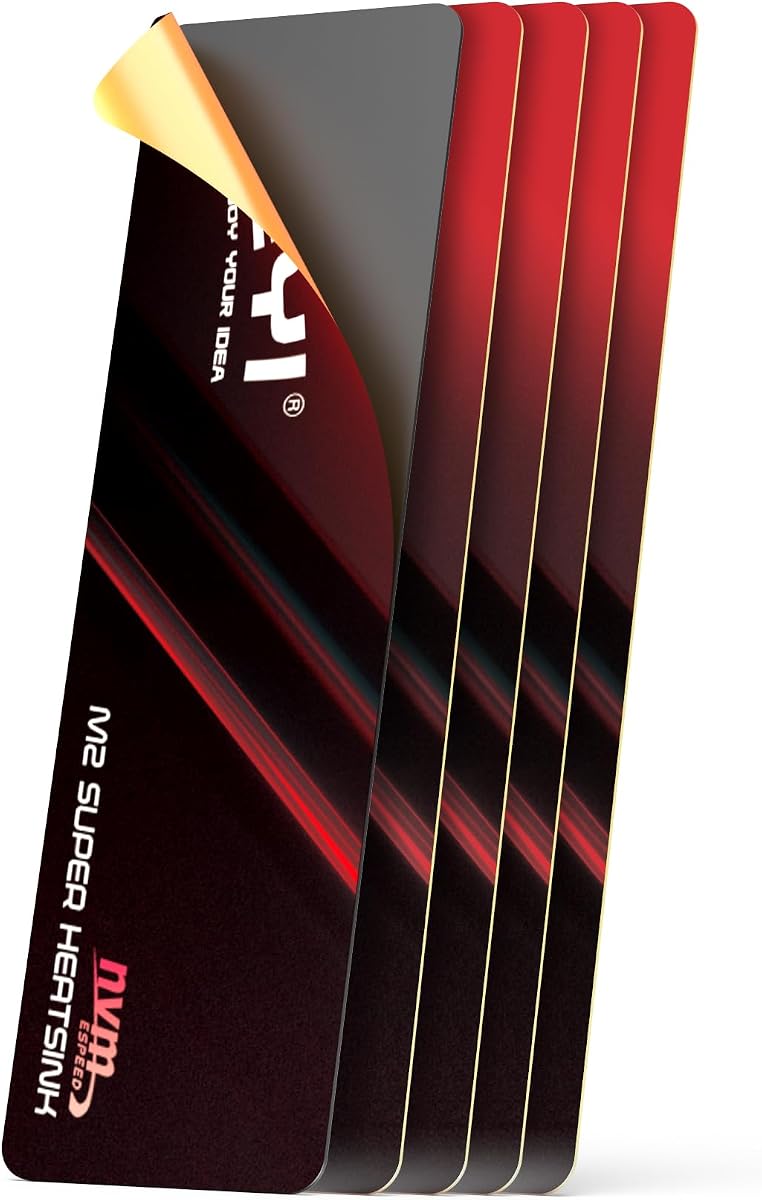
This JEYI model uses an ultra-thin 0.5mm graphene copper film for cooling. It is specifically designed to fit compact spaces like PS5 and ultra-thin laptops.
We may earn a commission when you buy through this link, at no additional cost to you.
Dual-sided cooling allows application of thermal pads to both sides of the SSD for doubled heat dissipation. The adhesive temperature resistance ranges from -40 to 120 degrees.
Users must peel the film carefully to avoid bending it. If it bends it can be bent back flat but proper contact is essential.
For PS5 expansions or ultra-thin laptops this is the perfect fit. It prevents throttling and maintains peak speeds in very tight spaces.
0.5mm thickness fits perfectly in PS5 and ultra-thin laptop slots.
Apply thermal pads to both sides for doubled heat dissipation.
We may earn a commission when you buy through this link, at no additional cost to you.
This aluminum alloy heatsink offers excellent value with double-sided clips for stability. It is designed for desktop PC and PS5 setups and fits single sided types perfectly.
We may earn a commission when you buy through this link, at no additional cost to you.
Silver plating helps eliminate static electricity while anodic oxidation treatment protects the surface. Low viscosity thermal pads ensure no damage to the SSD.
The double-sided clip design is suitable for various heights providing stable installation. While affordable the plastic clips may wear over time with frequent removal.
For budget-conscious users needing reliable cooling for PS5 or PC this is ideal. It improves computer performance by keeping SSDs at safe temps.
Stable installation with clips suitable for various SSD heights.
Silver plating helps eliminate static electricity during use.
We may earn a commission when you buy through this link, at no additional cost to you.
Adopting high quality pure copper this sink offers thermal conductivity much more efficient than aluminum alloy. Its groove design greatly increases heat dissipation area for faster release.
We may earn a commission when you buy through this link, at no additional cost to you.
A low-viscosity high-thermal-conductivity thermal pad is included for maximizing heat transfer. The 1.5mm thin design allows installation on most computers without interference.
Users should check space before purchase as dimensions are specific. The groove must align well for effective heat exchange which might be tricky in tight spots.
For notebooks and precision equipment requiring reliable heat dissipation this is strong. It maintains reliable data transfer speeds and improves overall SSD performance.
Pure copper is much more efficient than aluminum alloy for heat transfer.
Groove design increases heat dissipation area for faster cooling.
We may earn a commission when you buy through this link, at no additional cost to you.
be quiet! delivers efficient cooling enabling maximum read write speed for single and double sided 2280 modules. The MC1 lowers temperatures allowing full performance for extended timespans.
We may earn a commission when you buy through this link, at no additional cost to you.
It fits both single and double sided modules perfectly. For PlayStation5 expansions it offers the necessary cooling power thanks to ideal dimensions.
While pricier than generic options the brand reputation and build quality justify the cost. Some users might wish for more color variety options.
If you value brand trust and optimal PS5 cooling this is excellent. It ensures shorter loading times and more free space without thermal throttling.
Ideal dimensions make it perfectly suited for PlayStation5 expansion cooling.
be quiet! reputation ensures high quality and reliability.
We may earn a commission when you buy through this link, at no additional cost to you.
Graphene coating provides the most efficient heat conduction available. The professional air duct design increases contact area with air for rapid heat exchange.
We may earn a commission when you buy through this link, at no additional cost to you.
The slanted slot design offers a more aesthetically pleasing display. Silicone thermal pads enable fixing the radiator easily without any tools.
While effective the 4mm thickness may not fit ultra-thin laptops. Adhesive requires careful placement to avoid damaging the SSD particles underneath.
For PS5 or desktop users prioritizing high performance cooling this is great. It extends the life of your SSD effectively.
Professional air duct design increases contact area for rapid heat exchange.
Slanted slot design provides an aesthetically pleasing installation display.
We may earn a commission when you buy through this link, at no additional cost to you.
This copper heatsink has exact dimensions to prevent installation misalignment and short circuits. Thermal conductive pads are chemically polished with smooth surfaces and no burrs.
We may earn a commission when you buy through this link, at no additional cost to you.
The package includes a screwdriver and triangular plastic spudger for easy setup. Copper resists oxidation and rust for a long service life.
Users should verify space before purchase as the 0.5mm profile is very slim. While robust it might be less rigid than thicker models.
For laptops needing precise cooling without short circuit risks this is reliable. It prevents oxidation and rust effectively.
Chemically polished pads have smooth surfaces preventing short circuits.
Copper resists oxidation and rust ensuring long service life.
We may earn a commission when you buy through this link, at no additional cost to you.
This heatsink features a 5mm low-profile height to work around tight spaces effectively. Cross-cut aluminum alloy fins provide optimal heat dissipation.
We may earn a commission when you buy through this link, at no additional cost to you.
It works on motherboards or M.2 adapters with easy installation via thermal pads. Heat resistant silicone rings are included to secure the heatsink.
While standard aluminum may limit peak cooling it is sufficient for most users. Some might find the fins less detailed than other designs.
For PC or PS5 upgrades needing compact cooling this works well. It ensures heat dissipation without adding significant bulk to the build.
5mm low-profile height works perfectly around tight spaces.
Cross-cut aluminum fins provide optimal heat dissipation.
We may earn a commission when you buy through this link, at no additional cost to you.
Selecting the right heatsink requires considering material, thickness, and compatibility with your specific hardware setup.
Copper provides superior thermal conductivity compared to aluminum. Graphene coatings offer even higher efficiency for specialized cooling needs.
Choose pure copper or graphene if maximum performance is needed. Aluminum is budget friendly but may not dissipate heat as quickly.
Ultra thin designs like 0.5mm fit best in laptops and PS5 expansions. Thicker models offer more surface area for desktop PC use.
Always check your device clearance before buying. A mismatch can prevent proper installation or damage the SSD.
Ensure the heatsink matches the 2280 form factor. Single and double sided SSDs may require different mounting mechanisms.
Verify if the product supports your specific device model. This guarantees a secure fit and effective cooling.
Rubber rings and clips offer easy toolless installation. Adhesives provide secure bonding but can be harder to remove.
Consider how often you might need to access the drive. Toolless options are better for frequent maintenance.
Included high viscosity thermal pads improve heat transfer. Look for pads that are soft enough to fill gaps.
Ensure pads are not too thick to cause interference. Quality pads extend the life of the SSD.
Anodic oxidation or silver plating prevents corrosion. Robust construction ensures long term reliability.
Select products with strong materials to avoid bending or cracking. Durability is key for permanent installations.
Some designs feature patterns or finishes for visual appeal. Consider if the heatsink will be visible in your build.
Aesthetic options can enhance the look of your system. Balance style with cooling performance needs.
Reputable brands offer support if issues arise. Check for satisfaction guarantees or replacement policies.
Support ensures peace of mind when investing in storage cooling. Always read seller terms carefully.
Install the thermal pad carefully between the SSD and the heatsink. Ensure the surface is clean for optimal contact.
Secure the heatsink using provided clips or adhesive. Do not overtighten clips which may damage the PCB.
Periodically check for dust buildup on fins. Clean with compressed air to maintain cooling efficiency.
Yes they help maintain optimal operating temperatures under sustained load. By removing excess heat they stop the drive from slowing down to protect itself.
Graphene offers higher conductivity than traditional metals. If you push your drive to limits it is worth the premium investment.
Adhesives often lose stickiness once removed. It is better to buy replacement pads to ensure proper contact and cooling.
Most products are designed for 2280 drives. Verify dimensions in the product specs before buying for smaller SSD sizes.
Choose ultra-thin models like 1.5mm or 0.5mm. Always measure your laptop's clearance space before purchasing.
Most toolless designs do not void warranties. However check your specific SSD manufacturer's policy to be safe.
The GLOTRENDS 2-Pack remains our top choice for most users offering great value and performance. For budget shoppers the double-sided aluminum model is hard to beat.
Prioritize material and thickness based on your device constraints. Copper and graphene deliver better cooling but cost more than aluminum.
Check current listings and prices before purchasing to ensure you get the best deal. Storage protection is an investment worth making now.